Known Participant
January 23, 2017
Answered

Can't "not dispose" frames with transparency

  • January 23, 2017
  • 2 replies
  • 3816 views

I'm creating an animation in which I want several frames to stay visible while subsequent frames load. All images are transparent backgrounds. I've followed these instructions but still, each time I run the timeline, all images are disposed and each subsequent frame only shows itself.

Is there a way to keep certain frames visible with transparent PSD files?
This topic has been closed for replies.
Correct answer Trevor.Dennis

If I am understanding you, then it's simply a matter of setting the time delay for each frame. 

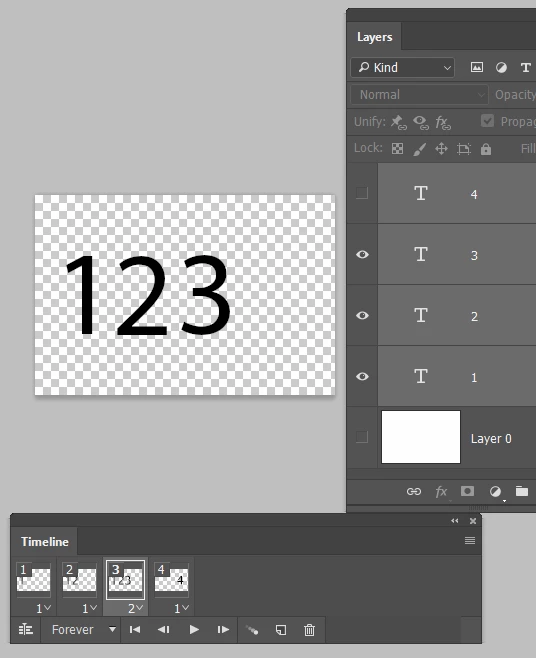
Below, frames 1,2, and 4 are set to 1 second, and frame 3 is set to 4 seconds.

The background is turned off for all frames, so we are seeing the forum background behind the numbers.

You can have all or none of the layers turned on for a particular frame, and the timing is still; a function of the frame delay.

So this arrangement:

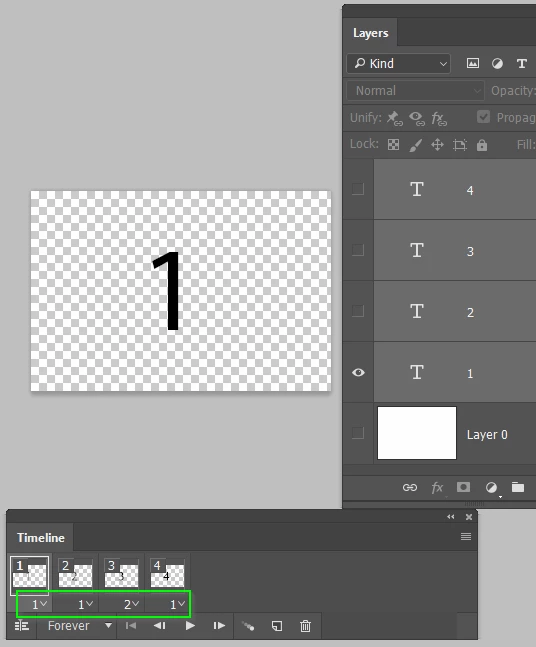
Gives us this

If that does not cover it, try and describe it in more detail if possible.

2 replies

BoppyWAuthor
Known Participant
January 24, 2017

As it turns out, the disposal was working correclty once exported to gif. It just wasn't appearing when previewing in Photoshop.

Thanks again.

Trevor.Dennis
Community Expert
Community Expert
January 24, 2017

Frame timings tend not to be spot on in the Timeline because Photoshop has too much too process and can't honour short frame times, but it should still be reasonable.  I am glad you have got there though.  IME Frame Animations are not an intuitive process to understand, and there is precious little written about it either.

Trevor.Dennis
Community Expert
Trevor.DennisCommunity ExpertCorrect answer
Community Expert
January 24, 2017

If I am understanding you, then it's simply a matter of setting the time delay for each frame. 

Below, frames 1,2, and 4 are set to 1 second, and frame 3 is set to 4 seconds.

The background is turned off for all frames, so we are seeing the forum background behind the numbers.

You can have all or none of the layers turned on for a particular frame, and the timing is still; a function of the frame delay.

So this arrangement:

Gives us this

If that does not cover it, try and describe it in more detail if possible.

BoppyWAuthor
Known Participant
January 24, 2017

Hi, thanks for the reply.

I probably haven't explained it clearly, sorry.

Using your example, what I want to happen is have 1 tween into 2. Then I want 2 to remain while 3 tweens into 4 and 2 and 4 remain. But what is happening is that each frame disappears before the next one appears.

I have tried checking and un-checking Redundant Pixel Removal and toggling between Do Not Dispose and Auto.