
Participating Frequently
February 11, 2020
Question

Can't Save Custom shapes in Adobe Photoshop 2020 Why??

  • February 11, 2020
  • 3 replies
  • 4767 views

Can't Save Custom shapes in Adobe Photoshop 2020 Why??

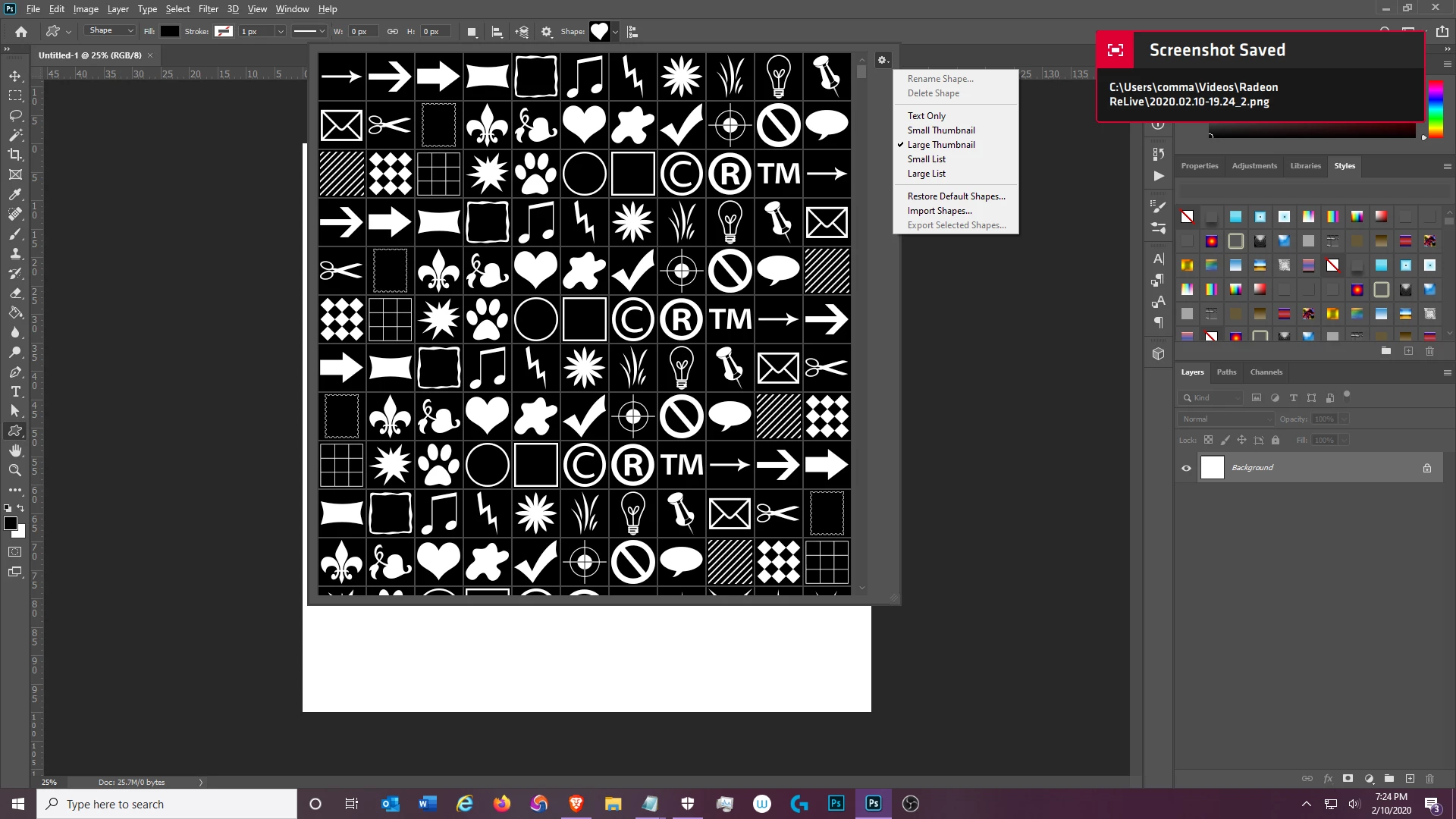
I go to click on the menue on the custom shape window to scrool down to save cusotm shapes I have on my list and there is No Export for them anymore!!

all I see is Export selected shapes and I go to select the ones I want to export to save to a folder I have as a backup and I can't do it, its all ungrayed out and not able to click it!!!

Fix this NOW please?


[abuse removed by moderator]
 

This topic has been closed for replies.

3 replies

lambiloon
Community Expert
Community Expert
February 11, 2020

Hi check the follwing video for exporting shapes from Photoshop....Regards


https://youtu.be/JWiqKlh3fYg

Ali Sajjad / Graphic Design Trainer / Freelancer / Adobe Certified Professional
jane-e
Community Expert
Community Expert
February 11, 2020

Hi Commando,

You need to use the new Shapes panel from the Window menu. Your screen shot shows the options bar. Please note that this is mostly a user forum and we are volunteers. You are not speaking to Adobe.

Details here: 

https://helpx.adobe.com/photoshop/using/whats-new/2020.html#improved-presets-desktop

https://helpx.adobe.com/photoshop/using/whats-new.html


~ Jane


Legend
February 11, 2020
It looks like a bug.
Try Window-> Shapes->Export selected.
After that, it seems to work and here.
 
Participating Frequently
February 11, 2020

thanks r-bin that trick worked and now the Export shows back up.

Cheers mate 🙂