
Answered
Cannot edit in Photoshop from Lightroom. Please help
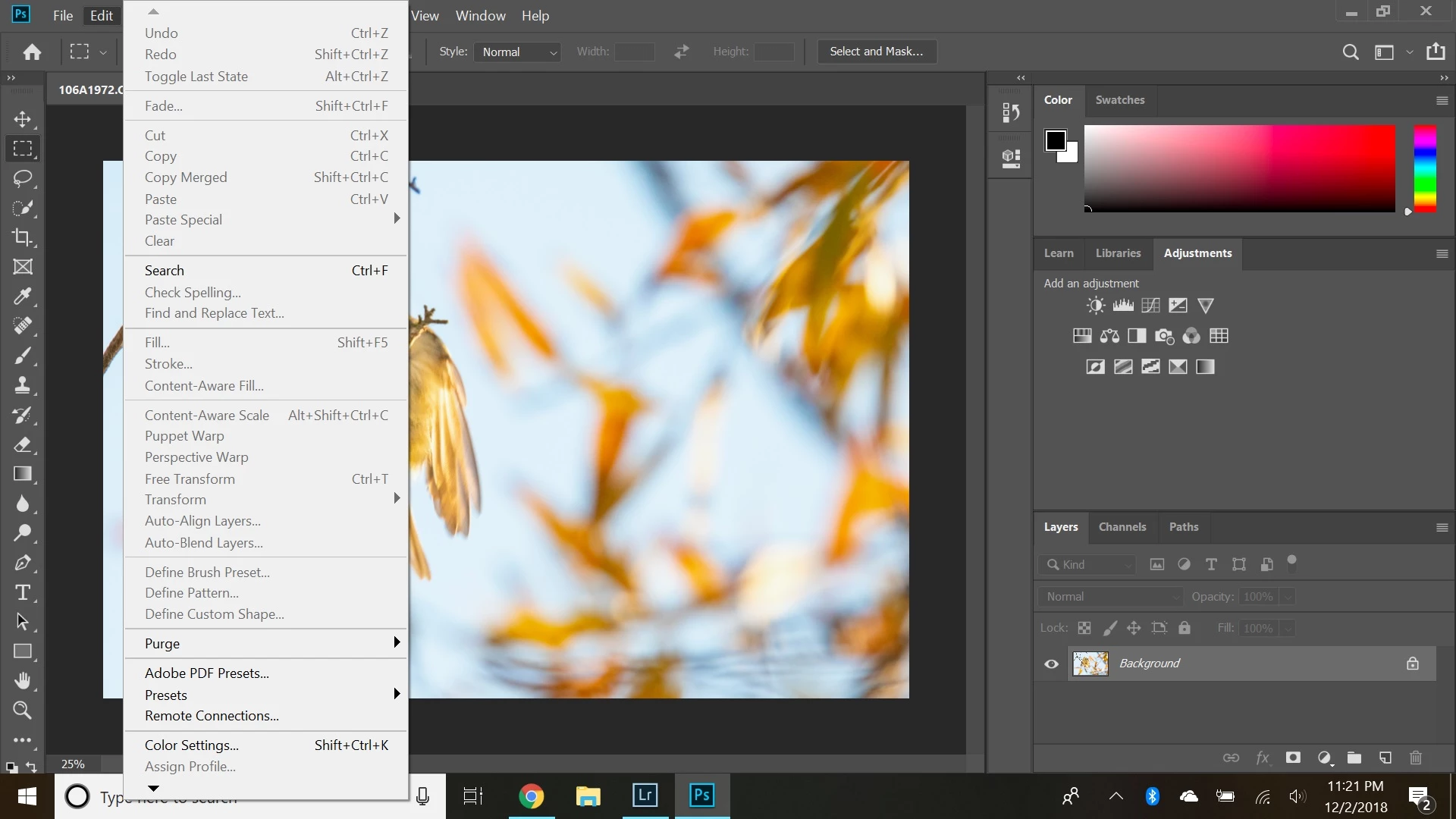
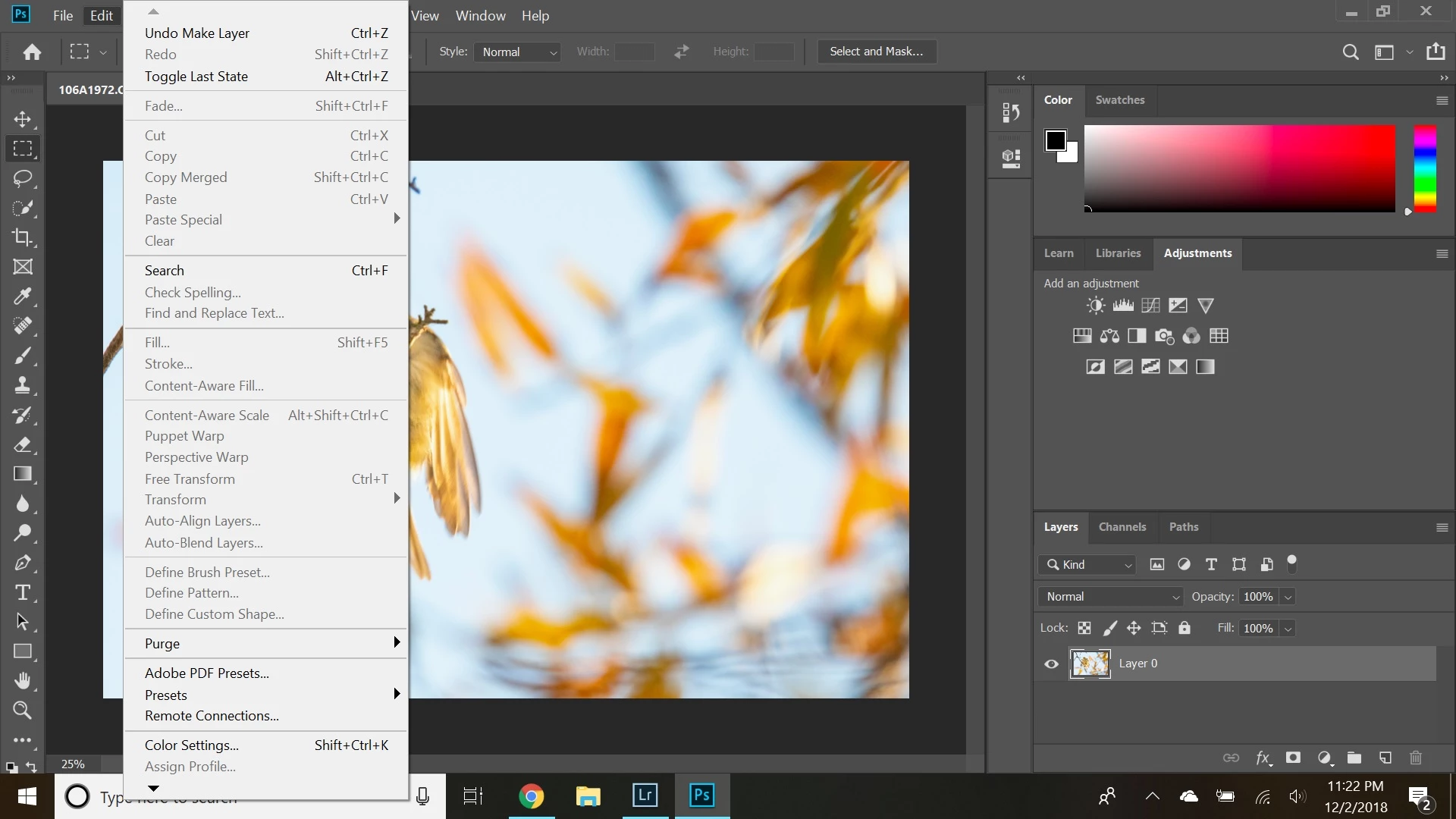
I just reinstalled Photoshop and Lightroom and this new issue came up. When I am in LR Classic and then click "Edit in" > "Edit in Adobe Photoshop 2019 CC", the file opens in PS, but I am unable to make any edits in PS. The Background layer is locked, and almost all the options under the "Edit / Layer / Type etc." tabs are grayed out. If I right-click on the Background layer, all the options like "Duplicate Layer" are also grayed out. I can double-click on the lock icon on the Background layer and it converts it to Layer 0 but I am still unable to edit anything as all the options are still grayed out.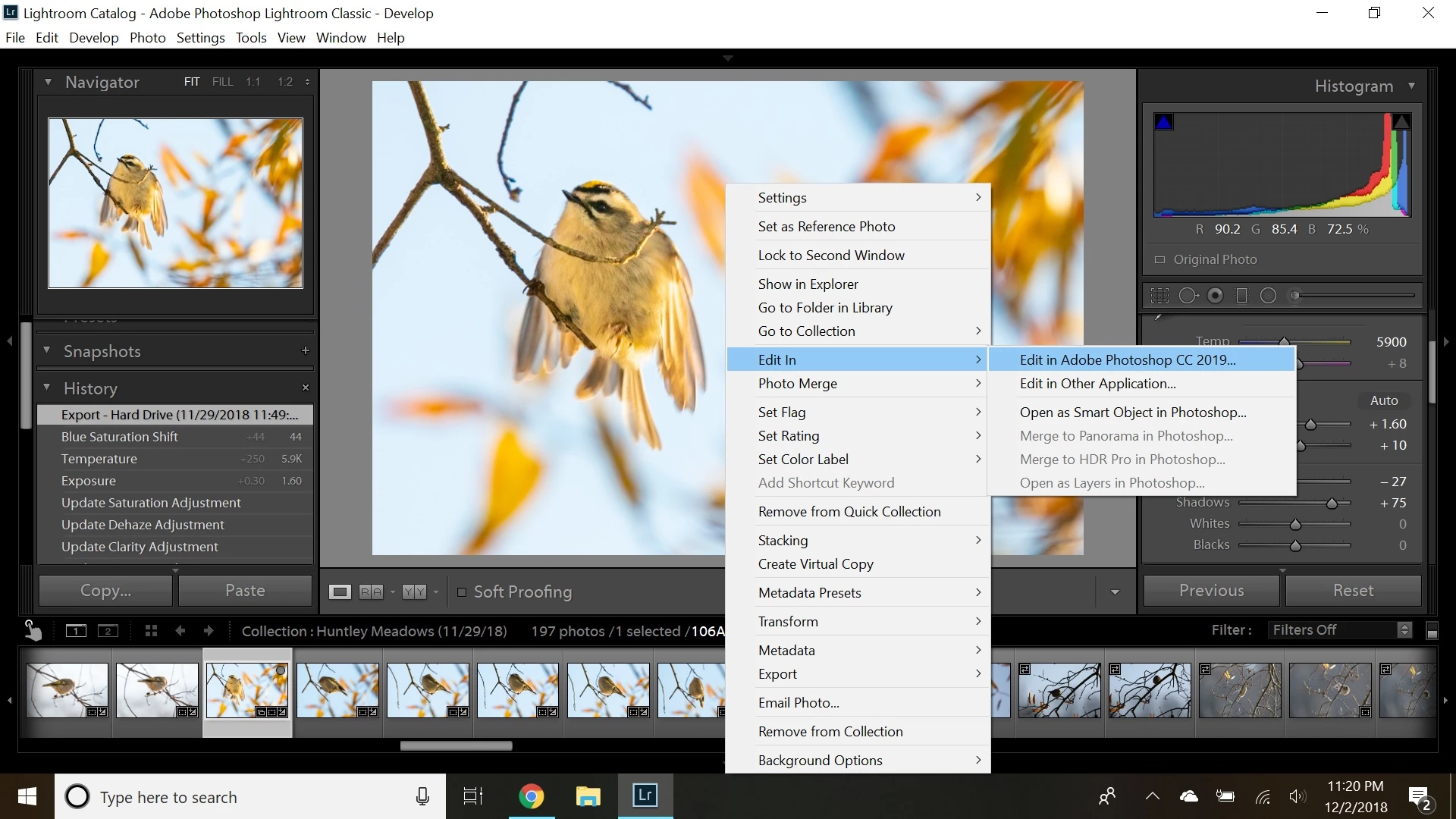
 AdChoices