
Participating Frequently
August 13, 2017
Question

Cannot find saved PSD files on iMac

  • August 13, 2017
  • 4 replies
  • 7328 views

HI,

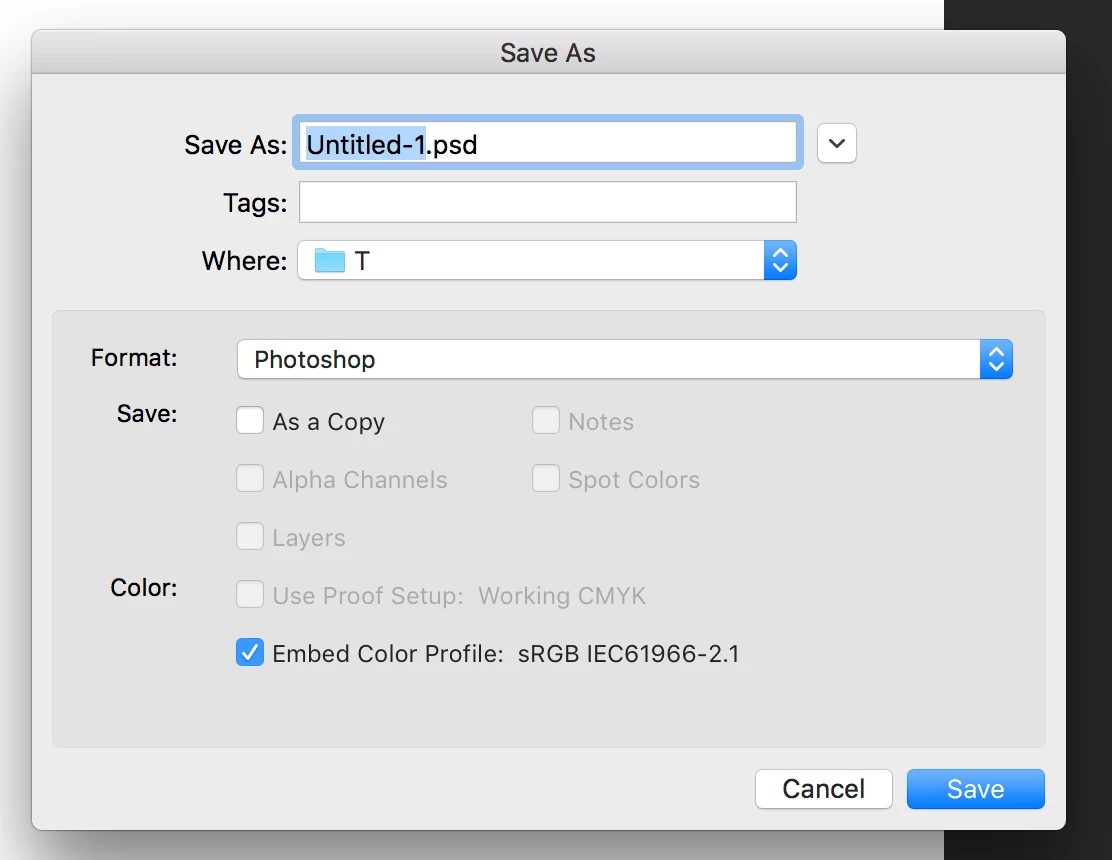
i'm sasa. Yesterday i saved my photoshop file in saving location called T (folder). File - and when i re check the file it was there. And i shutdown my computer and try to open the file then it was not there. i search it everywhere. but file cannot find, even i tried spotlight searching also. still i cannot find it on my mac. please help me to find my file

Thanks.

Sasanka
    This topic has been closed for replies.

    4 replies

    Participant
    September 25, 2023

    The same thing happened to me...i saved 18 files in photohop 2023 but they are missing. I spent an hour searching with an Apple tech and 30 minutes with an Adobe tech. The files are gone and i lost all my work. No one could tell me why or how the folder i created to save my work appears to have dissapeared and the path makes no logical sense . when searching it looks like a path was created with folders marked "private" , 13, Var , and a few other eventually i saw the folder i named ...but the files are gone. Beware..phtoshop 2023 has some bugs when saving. Make sure  the folder you name is located on the deskyop..otherwise you'll lose all your work. I am upset 

    Kevin Stohlmeyer
    Community Expert
    Community Expert
    September 25, 2023

    @kier32516575py3c There are no bugs with saving or else users would be up in arms all over the forums.

    Did you accidentally save files in a temp folder that clears? The fact that your route had "Private" in the path seems like you were saving in a system or sub directory - not in documents or your desktop.

    Have you enabled TimeMachine on your Mac to keep backups?


    Chasing Pyre
    Participant
    October 20, 2017

    Did you ever figure out what was happening? I updated Photoshop yesterday and the same thing has been happening to me every since.

    Community Expert
    August 13, 2017

    Have you tried using Photoshop to open the recent file. From the File menu, select Open Recent?

    gener7
    Community Expert
    Community Expert
    August 13, 2017

    And when you open the file, a secret of the document tab on the Mac is that if you right-click on it, there's a "Reveal in Finder" option that will open the folder you saved it to with the open file selected.

    Derek Cross
    Community Expert
    Community Expert
    August 13, 2017

    You may have inadvertently saved your documents in another location. Create a new document and Save it and see where it defaults to, it may be where you saved these 'lost' files.

    Participating Frequently
    August 13, 2017

    HI derek cross,

    Thank you much for your quick reply. but i tried that also. same T folder is showing as a defaults saving location. and newly created file is showing as it is. but i couldn't  find the file i yesterday saved.

    Derek Cross

    Participating Frequently
    August 13, 2017

    Hi Derek cross,

    According to your instructions i have created a new photoshop file named sasa.psd and saved it to the same location where i saved my previous photoshop file.and that time i took this screen shoot and send it to you. file is visible on screen shoot as you see. and again i shut down my iMac and check, file is not there.same issue is happing like before. i opened photoshop - file - open - T folder is opening. see sasa.psd file is missing.

    then again i tried to open it from file - open recent files-  it is telling that file could not be founded. I'm really fed up. what is happing? do you have any idea? and what is this T folder? that is not something i created. That is set as a default saving location. when i go to file - save as

    now I'm regretting i could have save my files somewhere else in documents or either desktop. I'm really fed up.please help me.