genem26675395
Participant
December 3, 2019
Question

Cannot open Photoshop 2020 encountered an error & needs to close on macOS Mojave 10.14.6

  • December 3, 2019
  • 1 reply
  • 1700 views

I keep getting this message when tryin to open photoshop 2020
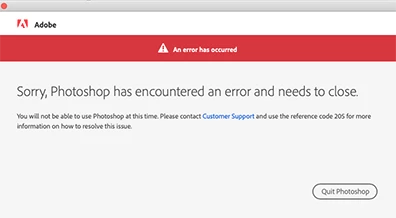
 

{Thread renamed by moderator}

1 reply

Sahil.Chawla
Adobe Employee
Adobe Employee
December 3, 2019

Hi there,


Sorry to hear about Photoshop not launching on macOS Mojave.


Could you please try the steps mentioned below?


- Go to Finder > Applications > Photoshop 2020 (Right click on Photoshop) > Choose Show Package Content > macOS, and then try to launch Photoshop from there.


If that does not help then please try uninstalling and reinstalling Photoshop 2020 and let us know if it helps?


Regards,
Sahil


genem26675395
Participant
December 3, 2019
ok I tried both options and still gets the same error message


Gene Mosher
Color Specialist
MJI premedia / 8885 Rio San Diego Drive, Suite 117 / San Diego, CA 92108
V 619 516 4352 / F 619 283 1696 / W masarjohnston.com

Please consider the environment before printing this email.
Kevin Stohlmeyer
Community Expert
Community Expert
December 30, 2019

Have you tried uninstalling and reinstalling the app? Could be a bad install.