
Inspiring
May 28, 2020
Question

CMYK image re-separation

  • May 28, 2020
  • 5 replies
  • 3692 views

Dear community,
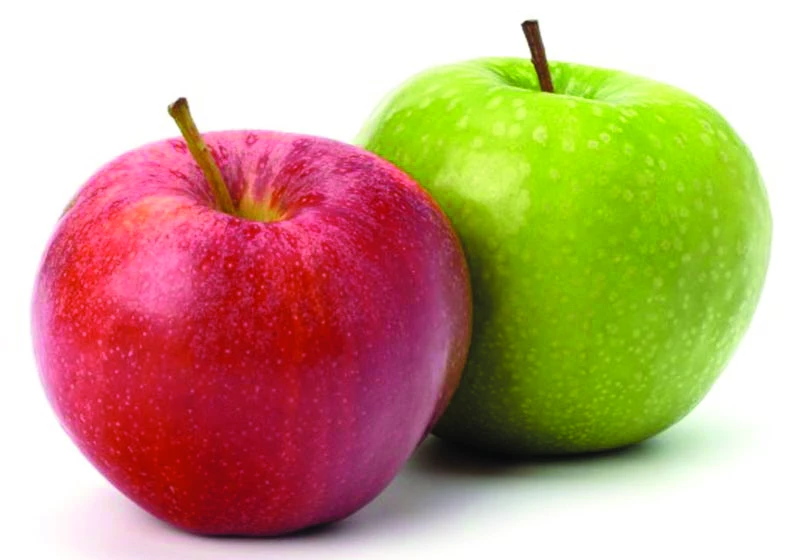
what is best option to re-separete CMYK image. For example i have this image in CMYK, and i want to remove magenta from green apple and cyan from red. What is the best option to do it ( i know it with channel mixers but is there better way to re-sepate it and to save detalis in highlights/midtones/shadows)?


Thanks in advance!
This topic has been closed for replies.

5 replies

Stephen Marsh
Community Expert
Community Expert
May 29, 2020

I think that using the term "re-separation" confuses the request.


This is just a colour correction in CMYK. You wish to change colour.


Separation or re-separation would, for example, include converting to either a different GCR or total ink limit for the same print condition, or converting to a very different print condition. In both of these cases, the idea is that the conversion would ideally not make a visual difference, which is the opposite result that you are after.

c.pfaffenbichler
Community Expert
Community Expert
May 29, 2020

And repeated conversions include a risk of image degredation like banding. (That may not be relevant for one round-trip but the damage can add up.) 

milevicAuthor
Inspiring
May 28, 2020

Ok, the situation is clearer to me now. Definitely, limitation is that I work with CMYK, but can you point me how i can dow it with RGB, maybe it can help me?

Bojan Živković11378569
Community Expert
Community Expert
May 28, 2020

What is not clear, how to use Selective Color adjustment?
Choose red, for example, from the Colors: drop-down list, then use slider to remove cyan. To remove cyan drag slider to the left.

milevicAuthor
Inspiring
May 28, 2020

No, I know how to use selective color, please read entire correspondence. My conclusion is, after all the comments, that I can solve my issue in RGB mode, my question is how to do it?

D Fosse
Community Expert
Community Expert
May 28, 2020

Selective Color is designed to work this way, by removing or adding components. I usually prefer that over Hue/Sat, because it's less disruptive to image integrity.


If you stay in CMYK, watch your ink levels. As long as you remove C M or Y you should be fine, but if you start adding color components you need to watch out. The safe procedure is to do it in RGB and convert to final CMYK when done.

c.pfaffenbichler
Community Expert
Community Expert
May 28, 2020

• One can do corrections in CMYK with Curves Layers, Selective Color Layers etc., obviously it is not recommended but saving oneself additional conversions might be worth it. 

• Technically converting CMYK to RGB and then back to CMYK are four conversions: CMYK-Lab-RGB-Lab-CMYK. But if one dedcided to work in Lab one should work at least in 16bit. 


Like Teresa-J mentioned working on the original RGB image would seem preferable. 

Theresa J
Community Expert
Community Expert
May 28, 2020

What do you mean by re separate? What color mode is the file right now? Do you have the original RGB file? It's usually best to do your color corrections in RGB before converting to CMYK.

milevicAuthor
Inspiring
May 28, 2020

Firstly, thanks for your attention and fast replying.
I work with cmyk images, and my needs are to reduce the number of colors like I mentioned in example above, because of printing specifications.

Theresa J
Community Expert
Community Expert
May 28, 2020

I understand that you need CMYK for printing, but coverting to CMYK should be the last thing you do, not the first. If you have the original RGB image you should correct it there, and then convert it. You will retain the most detail in the shadows this way.

If you don't have the RGB image, I would make a selection of each apple and use curves adjustment layers to color correct them, or channel mixer as you stated. If you don't know how to make good selections, you could try a selective color adjustment.