
Kiteblue
Participant
July 23, 2018
Question

Color changes when saving as jpeg

  • July 23, 2018
  • 3 replies
  • 4502 views

Hi everybody,

I read some discussions about color changing, but couldn't find the solution to my problem.

I opened up a png file - previously edited in Photoshop - and simply added an orange layer. Then saved as jpeg.
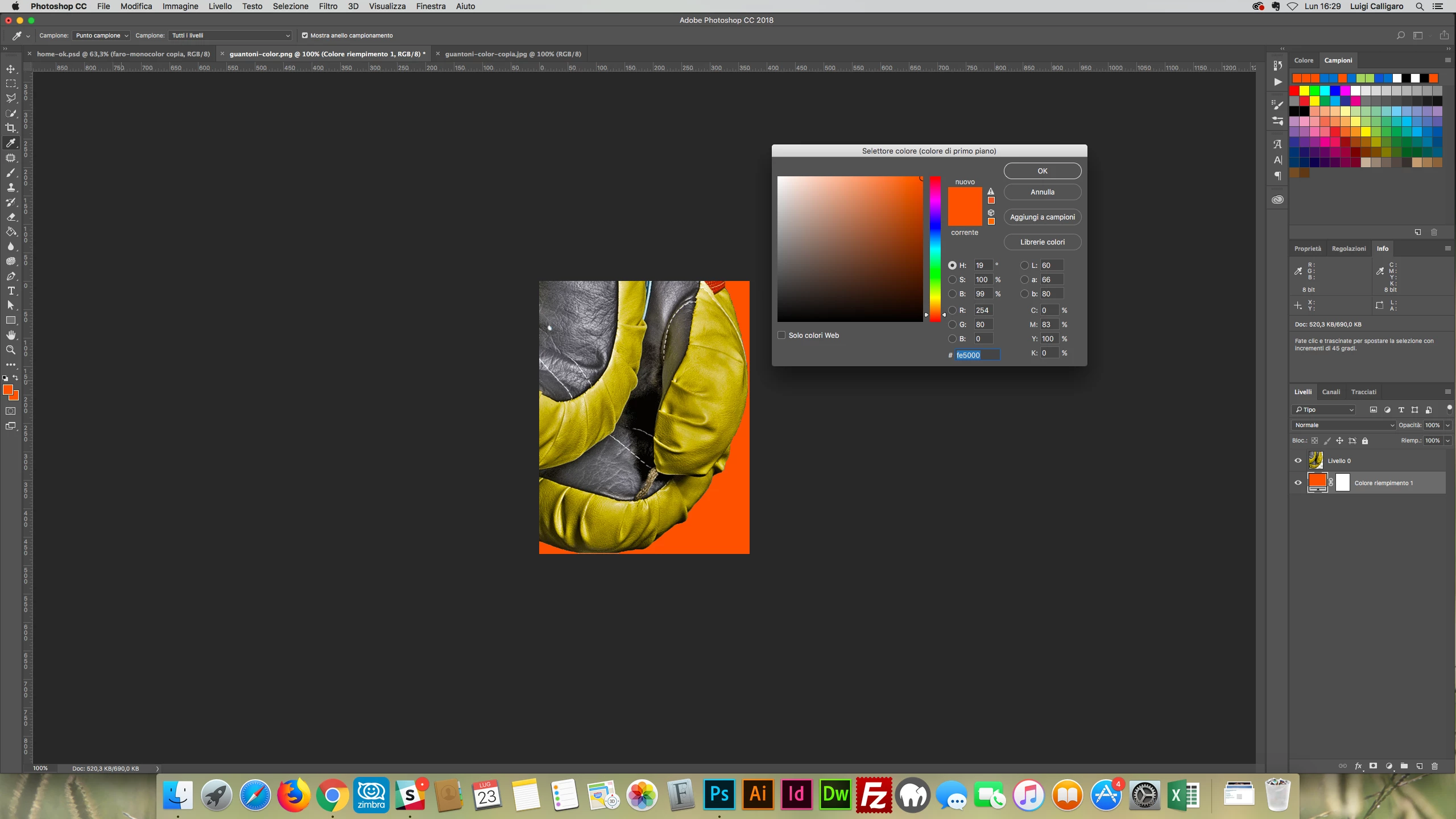
(here is the color of the layer when applied: #fe5000)

Then I opened the jpeg file and the orange color had changed.
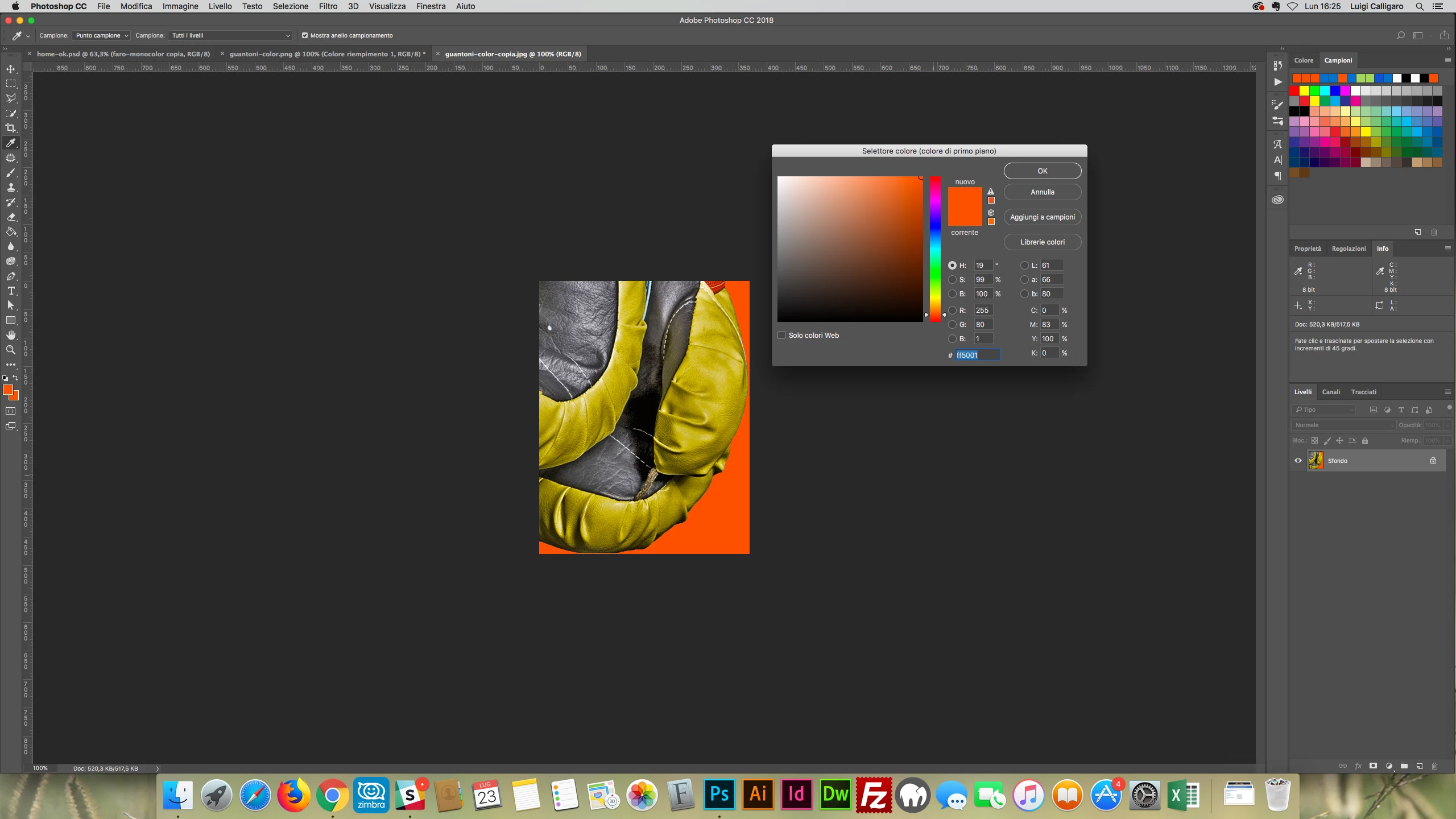
(here is the color after saving a opening again: #ff5001)

I checked my color space to be sure it was RGB - and it was; then i tried different ways to export the image, checked the preferences and everything seems to be right.

I don't know what else I could do.

Anyone can help please?

Thank you

Luigi

    This topic has been closed for replies.

    3 replies

    Kiteblue
    KiteblueAuthor
    Participant
    July 24, 2018

    Thank you guys, you helped me a lot!

    I knew jpeg is a lossy compression, but i didn't think it could be that much.

    I do appreciate your help!

    Thank you again

    Luigi

    c.pfaffenbichler
    Community Expert
    Community Expert
    July 23, 2018

    If you want reliable results don’t use lossy compression.

    Also please set the Status Bar to »Document Profile« when you post screenshots.

    Michael J. Hoffman
    Community Expert
    Community Expert
    July 23, 2018

    Hi Luigi,

    You posted this in Photoshop Sketch (mobile app); I’ve moved it to the regular Photoshop forum.

    • Do you still have your original (layered) file?
    • What is your working color space? (RGB is not a color space, but it would be AdobeRGB, or sRGB IEC 61966, or ProPhoto RGB, or something like that.

    It seems likely (at first guess) that your original working layered file was in a different color space, and when you exported a flattened version, it was converted to sRGB. But, we will not know unless you can duplicate and describe your workflow.

    It might help to post your color settings from Photoshop. (Edit > Color Settings).

    Mike

    c.pfaffenbichler
    Community Expert
    Community Expert
    July 23, 2018

    It seems likely (at first guess) that your original working layered file was in a different color space, and when you exported a flattened version, it was converted to sRGB.

    I can reproduce the OP’s claim simply by saving a jpg (quality 7) where the original layered image’s 254/80/0 becomes 255/80/1.

    And I am not saying jpg is bad, but people should not be disappointed when lossy compression loses them their exact data.