Color Fringing/Artifacts When Adjusting Hue/Saturation Sliders
I am using Photoshop CC for post-processing images taken with an infrared camera. Most of the time, I am able to use the Hue/Saturation slider to modify colors by selecting one or more sliders (such as blue and cyan) and adjust the hue without any artifacts. Under some conditions, however, I experience what I refer to as "fringing," in which I get a halo around the edges where two colors meet - such as when leaves are outlined against the sky. When this condition occurs, I am not able to affect the areas where the fringing occurs, as the pixels appear to be a neutral color, one not recognized by any of the color sliders in the Hue/Saturation control.
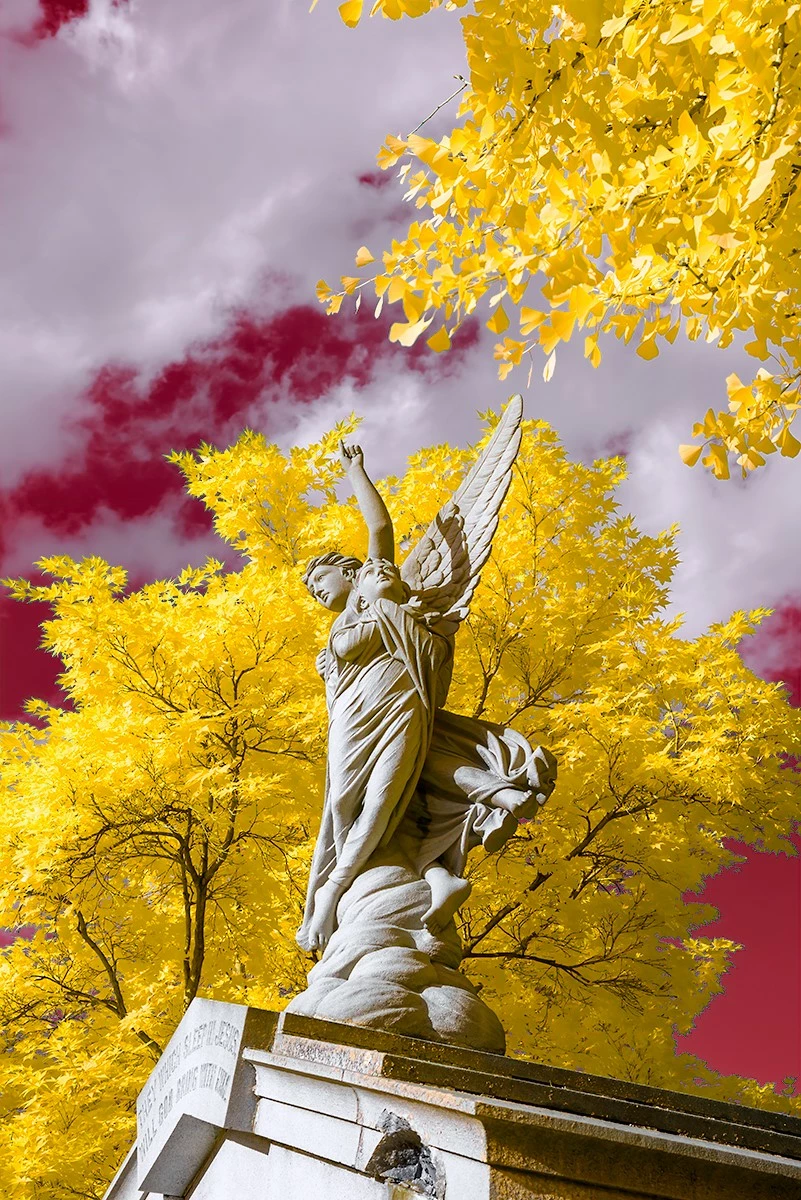
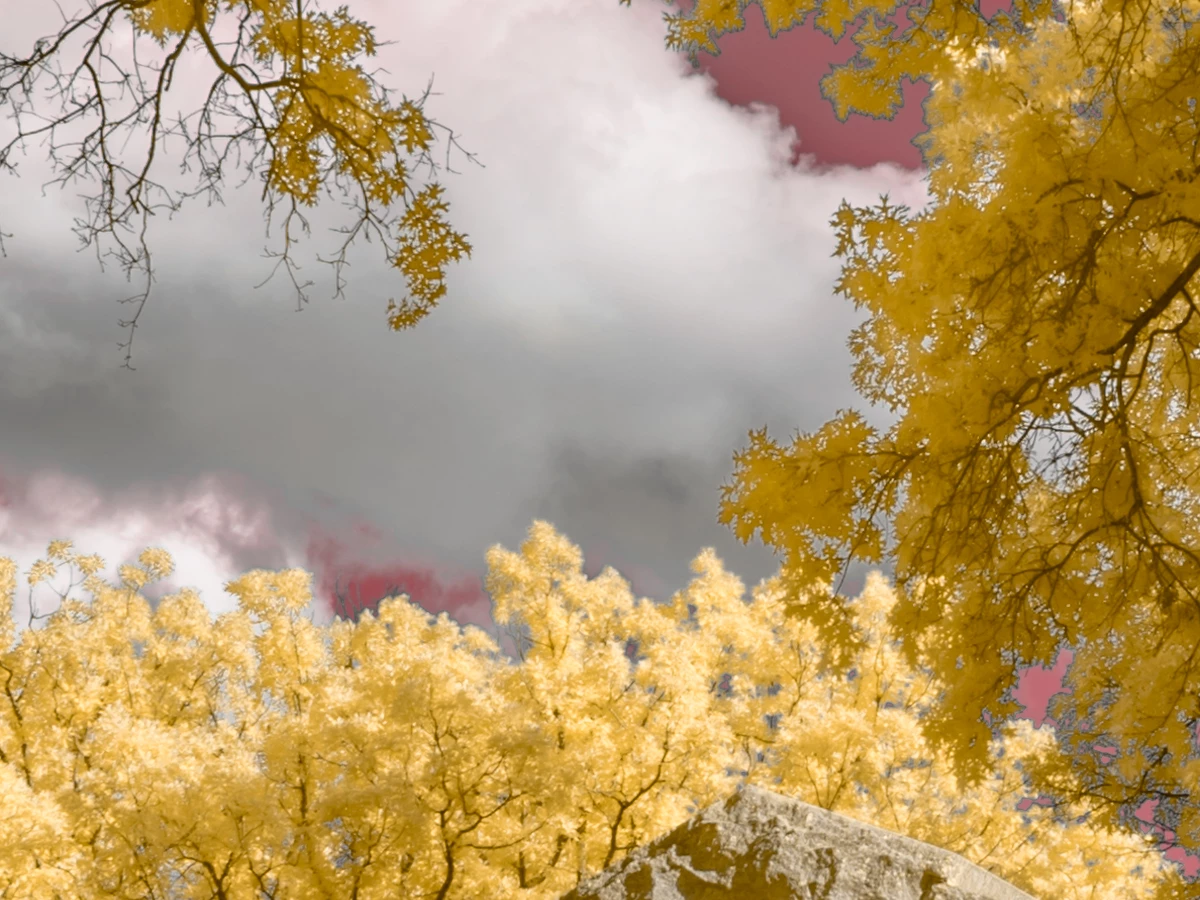
In the case of the attached photos, I was attempting to turn a blue sky red. As I adjust the hue of the blue slider, and it approaches the color red, the area where the yellow vegetation meets the sky, however, produces significant artifacts or fringing, detracting from the image quality. I can move the blue slider in the Hue/Saturation control approximately +20 or -50 before encountering this condition. Once I exceed the +20/-50 threshold, it appears that Photoshop neutralizes the pixels of the yellow vegetation. Thus no movement of any sliders of the Hue/Saturation control affects the color of the fringe areas.
It seems that Photoshop "forgets" where the edge of the yellow vegetation is as the hue of the blue sky moves from blue to red. Some images turn out better than others, but almost all similarly processed images experience this same form of this fringing effect.
This issue is important to those of us who specialize in infrared photography. The following article I wrote describes an example of the workflow many follow for processing infrared photos using Adobe Lightroom and Photoshop.
https://photographylife.com/reviews/kolari-vision-550nm-infrared-filter
- The first image (angel and mausoleum) shows the full effect. The lower right-hand corner is a good place to focus.
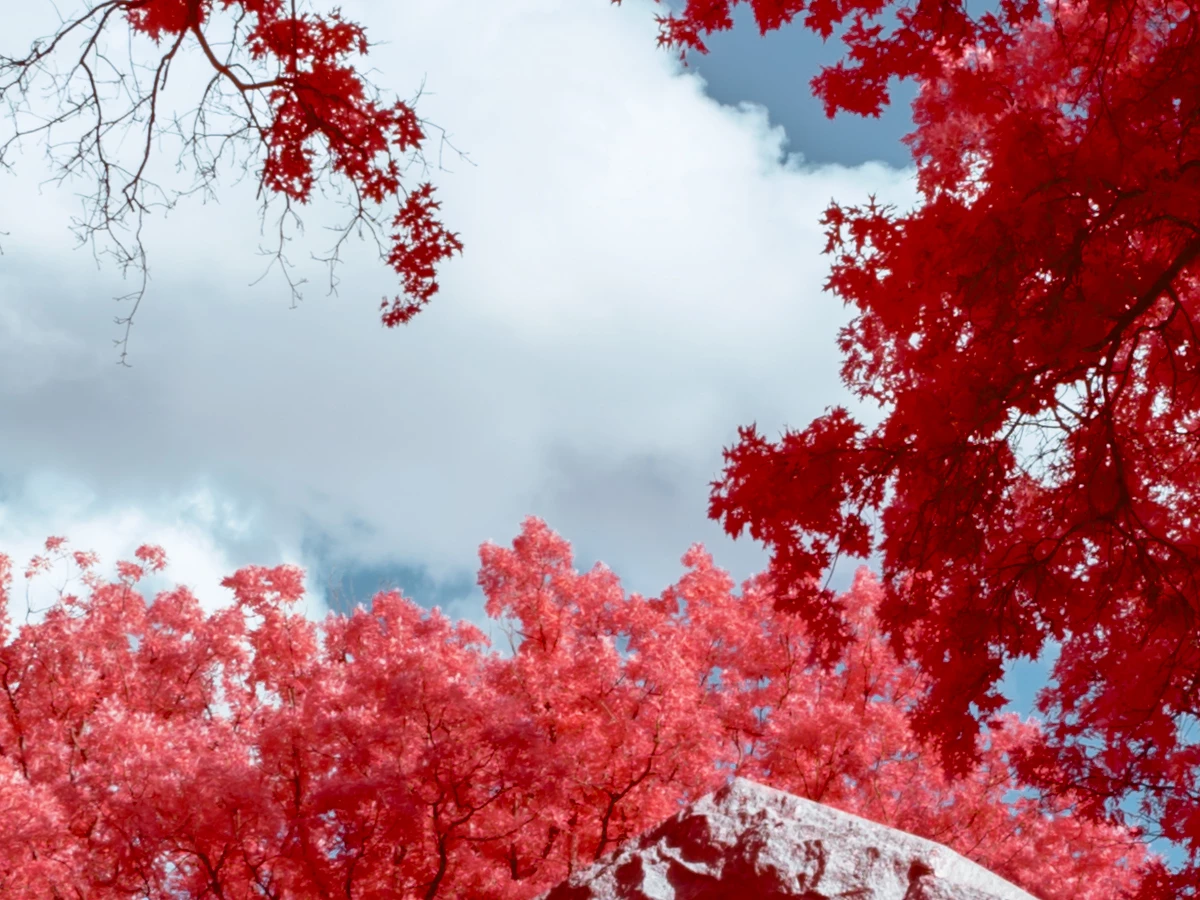
- The Starting Point image (2nd image - 100% crop of the red vegetation and blue sky) reflects how an image appears at the beginning of the process (after a Channel Swap process). As you can see, the Starting Point image (2nd image - 100% crop of the red vegetation and blue sky) exhibits no fringing and there is a clear delineation between the colors.
- The other image (3rd image - 100% crop of the yellow vegetation and pinkish-red sky) reflects my changes and the resultant fringing effect.
Please advise.
Best Regards,
Bob
 AdChoices