
Answered
color picker does not work properly - Adobe Photoshop CC
I am using Adobe Photoshop 2017 cc. My color picker is not working properly. For example, right now, I have a tan color in the little square that shows what color SHOULD be operative - but when I try to paint, or use the bucket tool . . . I get a totally different color.
I have had this problem before, and when I have restarted the computer it has worked ok. That is not helping today. I have restarted the computer, and the program, three times.
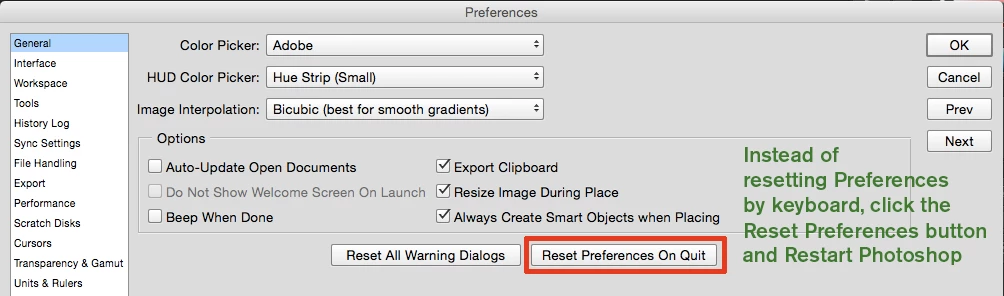
I also suppose if I reset everything, that would resolve the problem, but I do not know how to do that.
Any help greatly appreciated.
Mary
 AdChoices