
Answered
Color picker has weird gradients and won't pick the correct color when using eyedropper
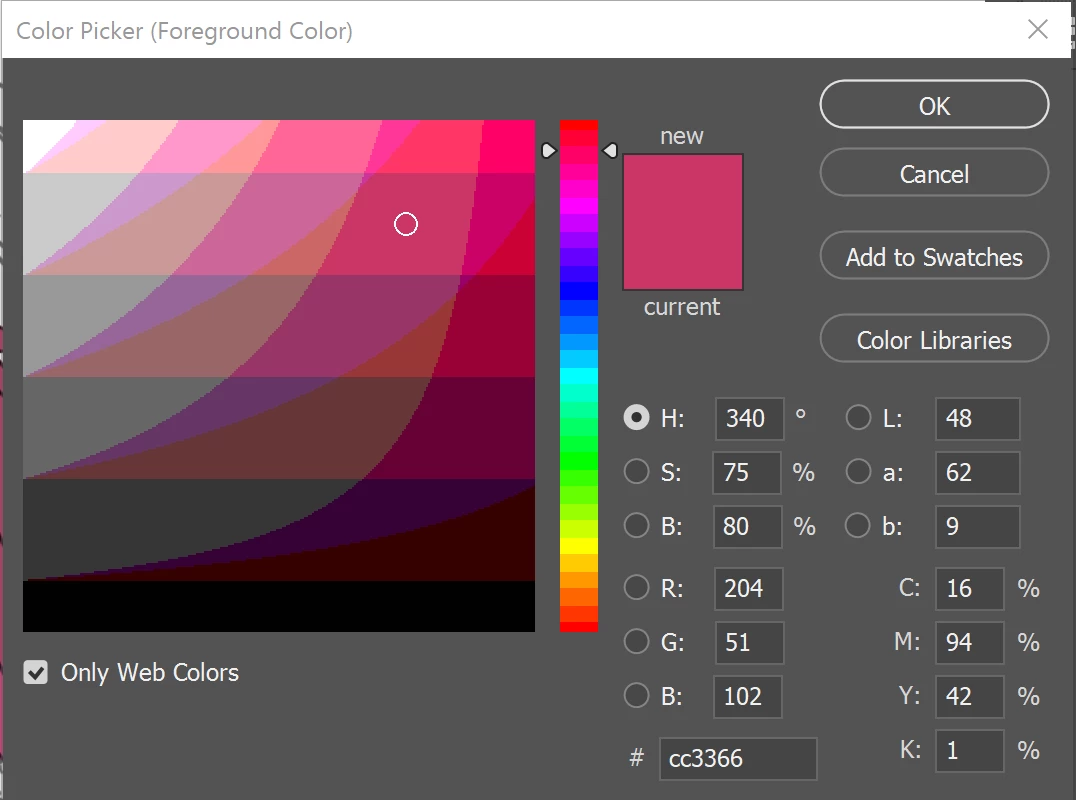
I have the latest update in photoshop but recently, when I go to pick a color, this is what it looks like. I'm purposely trying to pick shade of pink but whenever I try to use the eye drop tool to sample a color, it won't pick the right color. I'm currently in RGB 8-bit mode which is what I've been in the entire time. Is there a way I can fix this?
 AdChoices