
Answered
Colors leaking into pasted selection, simply solution?
The pictures say it all! I just want to copy my selection and paste it into a white/trans background and every time I do my selection isn't "clean". See the pants discolor... 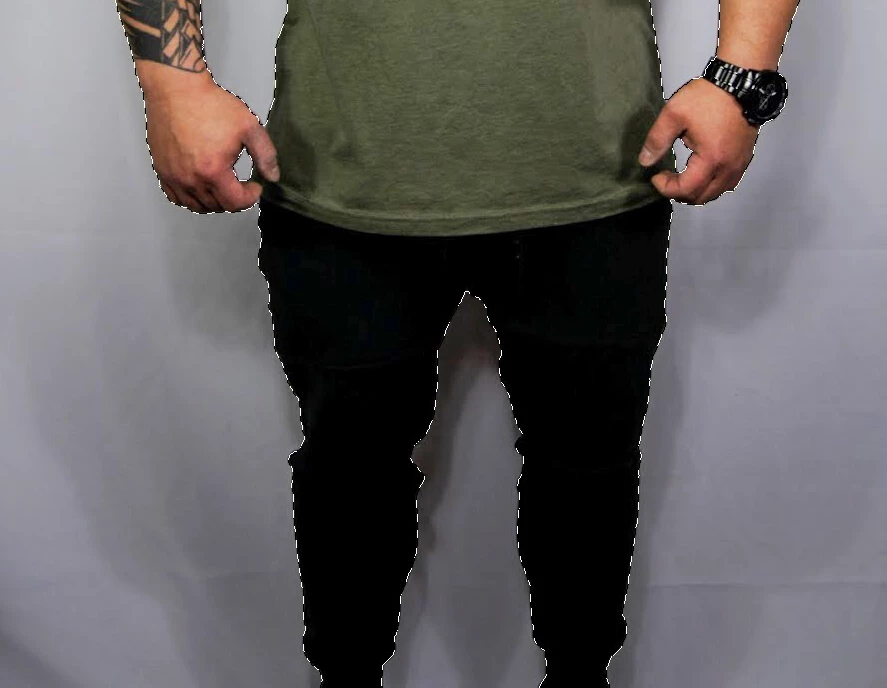
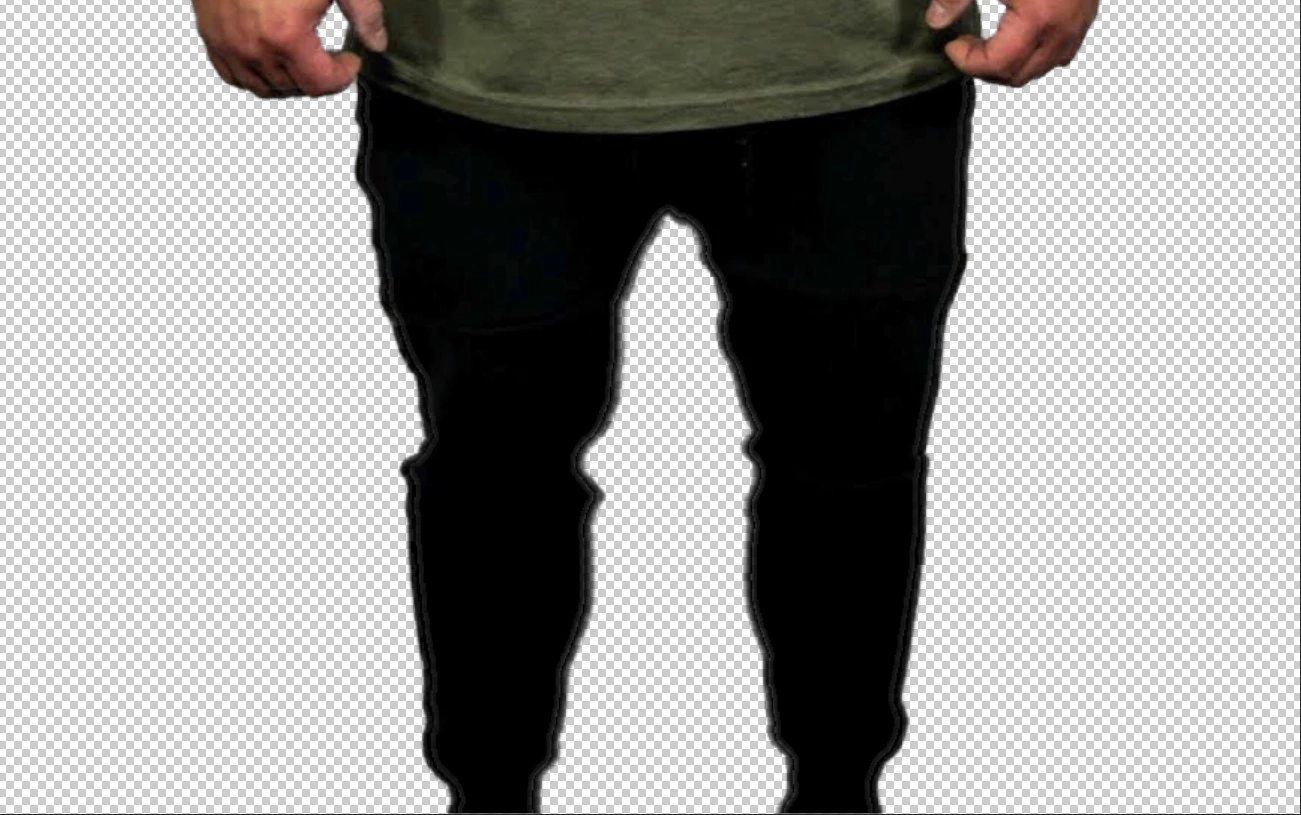

The pictures say it all! I just want to copy my selection and paste it into a white/trans background and every time I do my selection isn't "clean". See the pants discolor...
Was your Selection made with a hard edge brush in the Quick Selection tool?
Did you use the Shift Edge slider in Refine Edge?
Did you click Decontaminate Colors when saving with a mask?
In each instance, you should have.
You would be wise to upgrade to CC version: 19.1. When you do, go to the Options bar in Quick Select and choose Select Subject followed by Select and Mask in the Options bar followed by the sliders and the Refine Edge Brush tool.
Already have an account? Login
Enter your E-mail address. We'll send you an e-mail with instructions to reset your password.
 AdChoices