Exit
  • Global community
    • Language:
      • Deutsch
      • English
      • Español
      • Français
      • Português
  • 日本語コミュニティ
  • 한국 커뮤니티
0

Crash Report

New Here ,
Oct 08, 2018 Oct 08, 2018

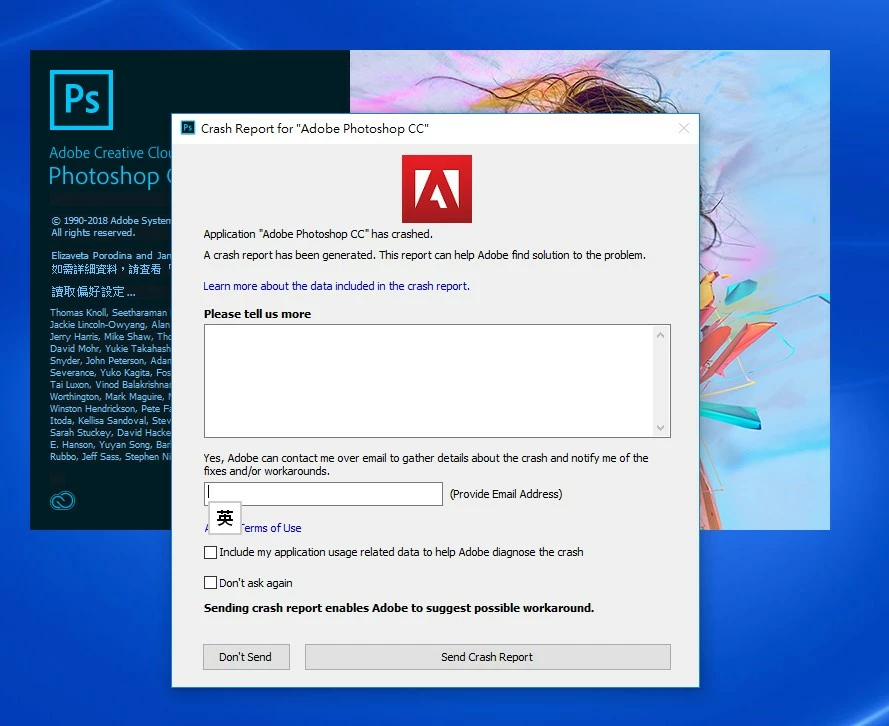
When I click the PS icon to open Photoshop, it cannot open and showing this popup. Its happened 3 month alreadyScreenHunter_10 Oct. 08 16.25.jpg
1.1K
Translate
Report
Community guidelines
Be kind and respectful, give credit to the original source of content, and search for duplicates before posting. Learn more
community guidelines

correct answers 1 Correct answer

Oct 08, 2018 Oct 08, 2018

Hi elisechau,

We're sorry that Photoshop is crashing when you open the application.

Could you please take a look at this article Photoshop CC 2018 crashes at launch due to Adobe Color Engine and check if the app crash is related to the color engine?

If the above article doesn't help, I'd recommend that you take a look at the steps mentioned in this article Basic troubleshooting steps to solve problems and issues in Adobe Photoshop CC and let us know if that helps.

Thanks,

Akash

Translate
Adobe
Community Expert ,
Oct 08, 2018 Oct 08, 2018

Which operationg system do you use?

Do you have installed the latest version of Photoshop? If no, please install the latest update and try again.

What has been changed on your system before the error occur?

Try to reset the Photoshop preferences:

Preferences in Photoshop

Resetting Preferences

Please take a look here:

Photoshop CC 2018 crashes on launch

Photoshop CC 2017 crashes when opened

My System: Intel i7-8700K - 64GB RAM - NVidia Geforce RTX 3060 - Windows 11 Pro 25H2 -- LR-Classic 15 - Photoshop 27 - Nik Collection 8 - PureRAW 5 - Topaz Photo
Translate
Report
Community guidelines
Be kind and respectful, give credit to the original source of content, and search for duplicates before posting. Learn more
community guidelines
Oct 08, 2018 Oct 08, 2018
LATEST

Hi elisechau,

We're sorry that Photoshop is crashing when you open the application.

Could you please take a look at this article Photoshop CC 2018 crashes at launch due to Adobe Color Engine and check if the app crash is related to the color engine?

If the above article doesn't help, I'd recommend that you take a look at the steps mentioned in this article Basic troubleshooting steps to solve problems and issues in Adobe Photoshop CC and let us know if that helps.

Thanks,

Akash

Translate
Report
Community guidelines
Be kind and respectful, give credit to the original source of content, and search for duplicates before posting. Learn more
community guidelines
