

Nick Franco Art
Participant
May 25, 2020
Question

Create a Worn Comic Book Cover

  • May 25, 2020
  • 2 replies
  • 2243 views

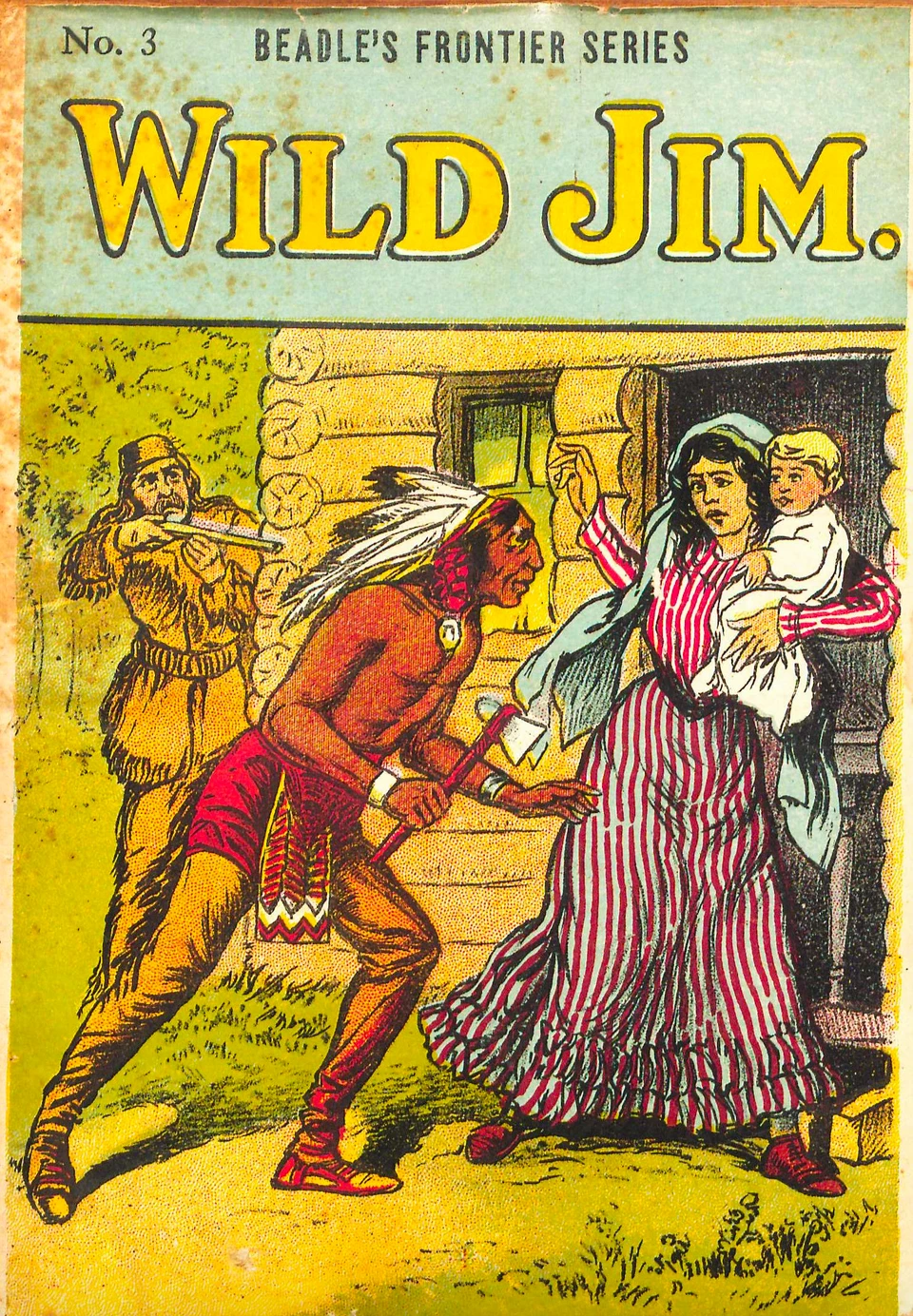
I have an image I designed in Illustrator, but I will be using Photoshop to make it look like a worn out, comic book cover. I'm specifically looking at a series of 10 cent novels from the early 1900s. Any advice or input?
This topic has been closed for replies.

2 replies

c.pfaffenbichler
Community Expert
Community Expert
May 25, 2020

You could also add miss-registration (like th eyellow in the totle) and halftone screens … 

As for the torn and wrinkled edges you may want to look for stock images from which you could isolate those elements. 


Can you post your illustration (or part of it)? 

Nick Franco Art
Participant
May 25, 2020

Thank you for the input. I looked up misregistration and found a good tutorial video. I think it might work perfectly. Here is my illustration:

c.pfaffenbichler
Community Expert
Community Expert
May 25, 2020

I am afraid that illustration may not lend itself very well to simulating those old-time puclications as (it is my impression at least) the cover illustrations back then usually incorporated a lot of black linework. (Not sure but they might have been engravings.)

Whereas you work with color areay primarily. 

Chuck Uebele
Community Expert
Community Expert
May 25, 2020

Have a yellow tinge to your image, and either create your own foxing pattern with a brush, or search for a foxing texture online that you can overlay the image with a blend mode like multiply.

Nick Franco Art
Participant
May 25, 2020

Thanks, Chuck. I haven't worked with foxing textures before. I had been using the splatter brush set at a low opacity, but I'm always looking for new techniques.