
Known Participant
December 13, 2018
Question

Crop Tool Broken: Can't Perform Simple Crop

  • December 13, 2018
  • 6 replies
  • 5597 views

The cropping tool is screwed up since updating to 20.0.1.

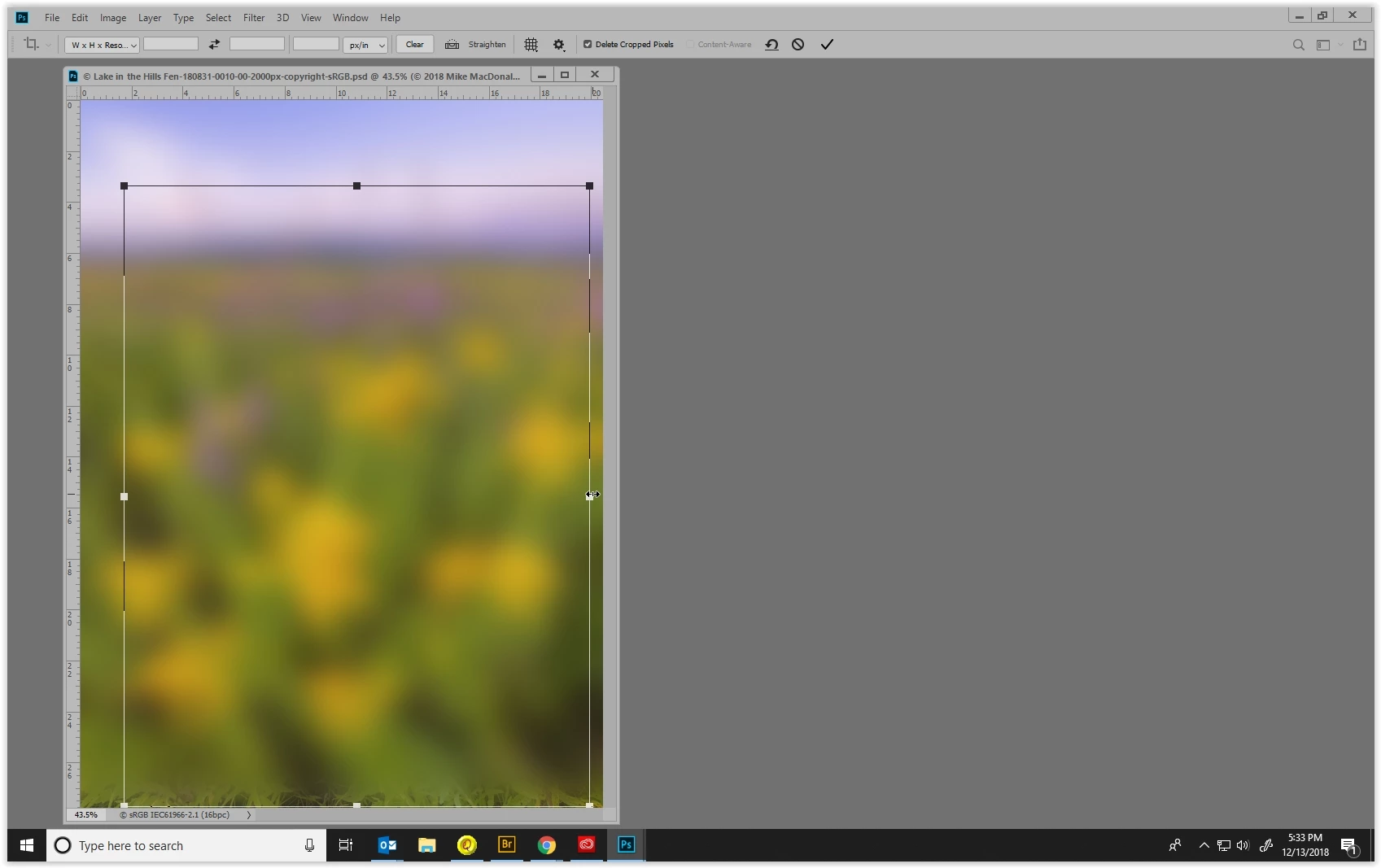
The crop tool now locks in an aspect ratio even though there isn't one set. For example, when I move, say, the right crop line to the right or the left, it also moves upper and lower edges (crop bounds) up and down. I just want to crop horizontally, but it won't work. Here are the before and after screen shots:

AT FIRST (see screen shot), IT ALL WORKS FINE, USING THE CORNER HANDLE TO CREATE THE CROP AREA. HOWEVER, THE PROBLEM ARISES WHEN REFINING THE CROP (SEE SECOND SCREEN SHOT).
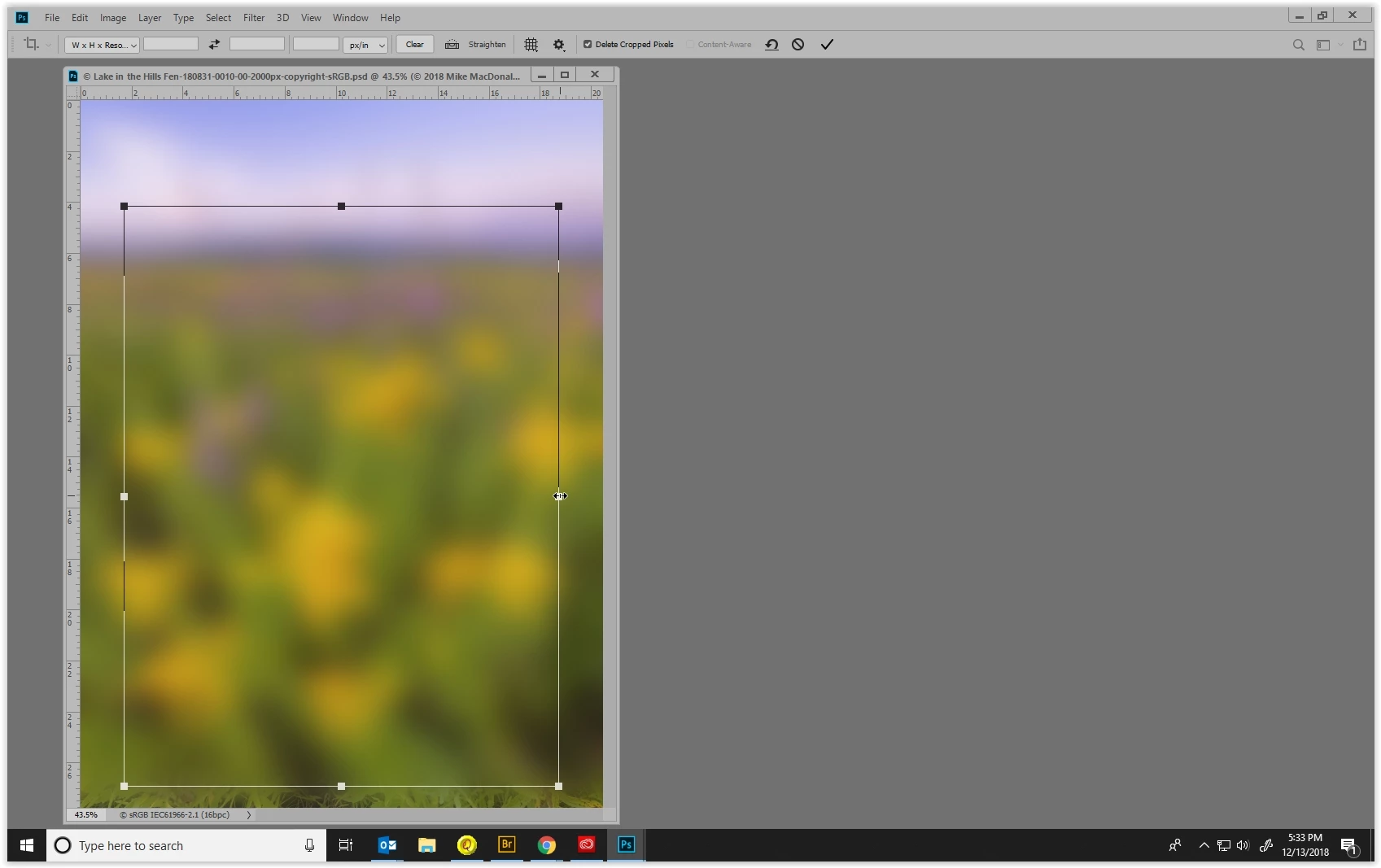
WHEN I TRY TO REFINE THE CROP, THE PROBLEM OCCURS. I GRABBED THE RIGHT HANDLE OR LINE AND DRAGGED RIGHT, LOOK HOW IT ALSO MADE THE CROP BIGGER UP AND DOWN.
Thanks for any help you can provide!


MIKE

    This topic has been closed for replies.

    6 replies

    Jeff Arola
    Community Expert
    Community Expert
    December 14, 2018

    In the new photoshop CC 2019 do you have the Crop Tool set to the Classic Mode?

    Known Participant
    December 15, 2018

    Sorry, I'm always using Classic Mode, and that's where the problem is found.

    So, here's what I learned: In Classic Mode, instead of simply grabbing one of the borders or a handle to move just that side, like everyone's been doing for the past 20 years, now you have to first click on a handle (and not a border line), hold down the shift key, then drag. If you shift and then click the handle, it won't work. It's inefficient and adds unnecessary extra steps to a process that was perfect just the way it was. I don't understand this because the now-standard crop tool didn't change and allows you to grab a border line without the shift key or requiring the use of the handle.

    So, they changed this classic tool so that it defaults to a ratio of "Original Image," so that it changes in all directions, not just the one side you're moving. And, they make it very confusing by leaving the RATIO boxes near the top BLANK, as if it is a "Normal Crop" (with no concern about keeping the same aspect ratio).


    I'd probably be happy using the now-standard crop tool if they had a way for me to move around the crop-area box like Classic Mode. But when you do that with the standard tool, it drags the pictures around. That completely throws me off. Makes no sense to me.

    Jeff Arola
    Community Expert
    Community Expert
    December 15, 2018

    The change in the Classic Mode of the Crop Tool is the result of major change photoshop made to

    the Transform Tool and i guess adobe carried that over to the crop tool as well.

    You can read about the change here under Transform proportionally by default:

    (it also tells you how to go back to the old behavior using a PSUserConfig file)

    New and enhanced features | Latest release of Photoshop CC

    Participant
    December 14, 2018

    Was just looking for this due to having the exact same problem, tried reinstalling without the preferences and still remained. Downgraded one edition to get a usable crop tool.

    It's once a crop box was placed on the image than it was stuck on the ratio lock even though nothing was set.

    Also noticed that when I want to crop a certain width length or height length (just one or the other) and the leave the other blank that PS automatically entered a numerical value into the blank slot anyways.

    Participating Frequently
    December 14, 2018

    I've just updated to V20.01 and I've lost the visible edges to the crop tool. When I select area with pointer I see a 'dotted ant' outline but when I release mouse button all I have is the cross hair marking the centre of the image. The usual box with handles etc to adjust the cropbox is not showing.

    Huge issue - trying to go backward an install to correct problem!!

    ADOBE - PLEASE ADDRESS ASAP

    UPDATE:

    I've gone back to version 19.1.7 and this version works fine. Please note, my issue is not that the crop tool is 'stuck' in a ratio but that the 'handles' and edge indication has disappeared.

    Sebastian Bleak
    Community Expert
    Community Expert
    December 14, 2018

    Hi Mike,

    When you did your uninstall reinstall, did you remove the preferences and make sure not to bring in preferences from previous versions? That helped me out earlier in the week.

    Hope you find this helpful

    Known Participant
    December 14, 2018

    Hi Sebastian,

    When you say that it helped you, are you saying that you had the same problem with the Crop Tool?

    Known Participant
    December 14, 2018

    I just re-installed PS CC 2018 and it crops perfectly. Definitely a bug in 2019 version.

    chanaart
    Community Expert
    Community Expert
    December 14, 2018

    Just tried it and it works perfect on the new PS 2019.

    Try to re install and see if it fixed!

    Known Participant
    December 14, 2018

    Chanaart,

    I uninstalled and reinstalled PS CC 2019 version 20.0.1 and the bug remains.

    Need someone from Adobe to look into this.

    Peru Bob
    Community Expert
    Community Expert
    December 13, 2018

    Press shift while resizing.

    Known Participant
    December 14, 2018

    Pressing shift while holding onto one of the crop lines doesn't work. Only if you grab a corner, which can also affect the orthogonal direction. Something has changed.