Inspiring
November 18, 2016
Question

crop tool grayed out - image can't be croped?

  • November 18, 2016
  • 2 replies
  • 20366 views

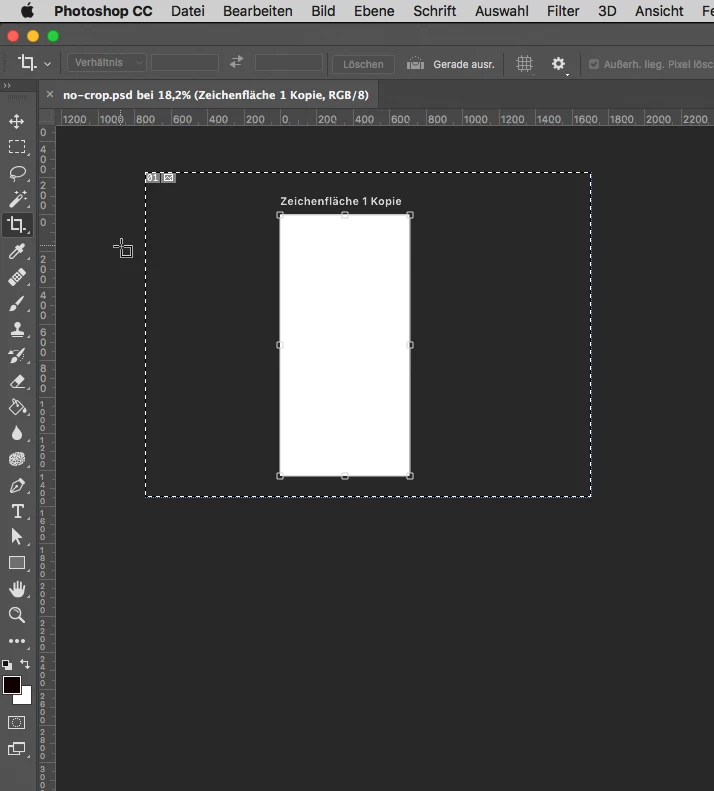
When i click on the crop tool i get the cursor for the artboard tool and i can't crop the image. Any idea what's going on here?

Best
This topic has been closed for replies.

2 replies

Sandeep Singh
Participating Frequently
November 18, 2016

Hi Stefan,

Thanks for posting on the Adobe forums.

You are working on an Artboard. Please choose Document Type > US paper. You would be able to use crop tool.

Regards,

Sandeep

uesixAuthor
Inspiring
November 18, 2016

Hi Sandeep, where can i find the settings for US Paper? Can't find "Document Type" when creating a new document...

davescm
Community Expert
Community Expert
November 18, 2016

uesix wrote:

Hi Sandeep, where can i find the settings for US Paper? Can't find "Document Type" when creating a new document...

On CC2017 the new document dialogue has changed.

The Photo :  Print :  Art/Illustration or Fil/Video options do not have "artboards" checked.

The paper sized options are in "Print"

Dave

November 18, 2016

This has been dicussed earlier:

https://forums.adobe.com/thread/1967144

Fenja

uesixAuthor
Inspiring
November 18, 2016

Hi Fenja, thanks for the link, i already read the article before posting my question. The reason is i could use the crop tool sometimes with artboards and sometimes, not. The discussion doesn't mention this. Here you can see. An image using an artboard where the crop tool is available:
