Participant
November 26, 2018
Answered

CS6 and 3D

  • November 26, 2018
  • 8 replies
  • 9190 views

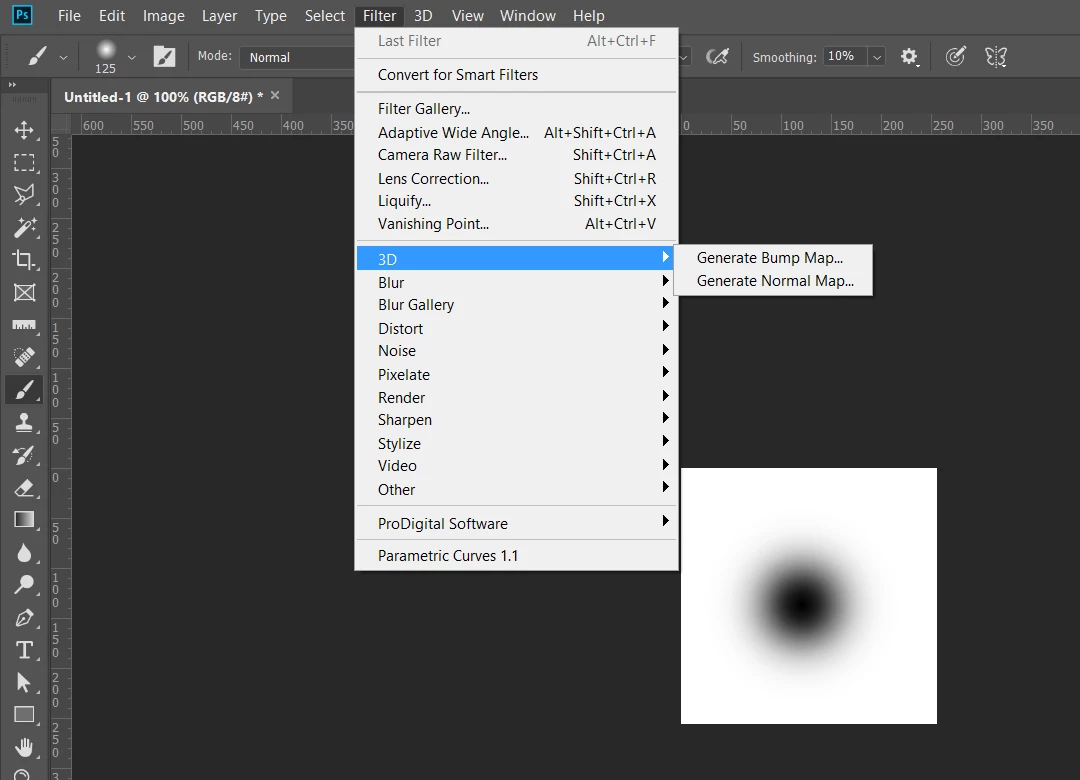
Why doesn't my CS6 Filter tab have 3D or Generate Bump Map options?

Why isn't it there?

[Title moved to body for clarity. Was "Why doesn't my CS6 Filter tab have 3D or Generate Bump Map options?"]

This topic has been closed for replies.
Correct answer Chuck Uebele

That video was made in 2015, so it was using a newer version of PS. PS 2019 has that feature, but CS6 doesn't.
8 replies

Participant
November 27, 2018

Thanks for the help, i also found a website Download PixPlant ,it provides software to create normal maps which are even better

Chuck Uebele
Community Expert
Community Expert
November 28, 2018

Very good.

Chuck Uebele
Community Expert
Chuck UebeleCommunity ExpertCorrect answer
Community Expert
November 27, 2018

That video was made in 2015, so it was using a newer version of PS. PS 2019 has that feature, but CS6 doesn't.

Chuck Uebele
Community Expert
Community Expert
November 27, 2018

In PS the bump maps are just grayscale images, I guess you could add color, but I don't think it would do anything.

Participant
November 27, 2018

Take a look at this link, this is all I want to do : UE4 Tutorial: Photoshop texture and normal map - YouTube

2:14

Chuck Uebele
Community Expert
Community Expert
November 27, 2018

Actually, there is a bump map feature in CS6. I just looked at my copy. You have to have the object material selected then it shows up in the properties panel.

Participant
November 27, 2018

Thanks for the help, it just doesn’t look like the “violet” standard bump map?

Chuck Uebele
Community Expert
Community Expert
November 27, 2018

All 3d features are in the 3D menu, not the filter menu.

Chuck Uebele
Community Expert
Community Expert
November 27, 2018

They added a lot of new 3D features for Photoshop versions after CS6, so you're working with an old version.

Ussnorway7605025
Legend
November 27, 2018
jane-e
Community Expert
Community Expert
November 27, 2018

Only Photoshop CS6 Extended had 3D, not the regular (less expensive) version. All seven versions of Photoshop CC have 3D.

Participant
November 27, 2018

It's CS6 extended? There isn't a 3D option above Blur? Why?

jane-e
Community Expert
Community Expert
November 27, 2018

Oh, good, when you said it was missing, I thought you did not have Extended. What happens when you click the 3D menu to the right of filter? Most of us have not used CS6 for a long time, so I apologize.