This topic has been closed for replies.
Correct answer JJMack

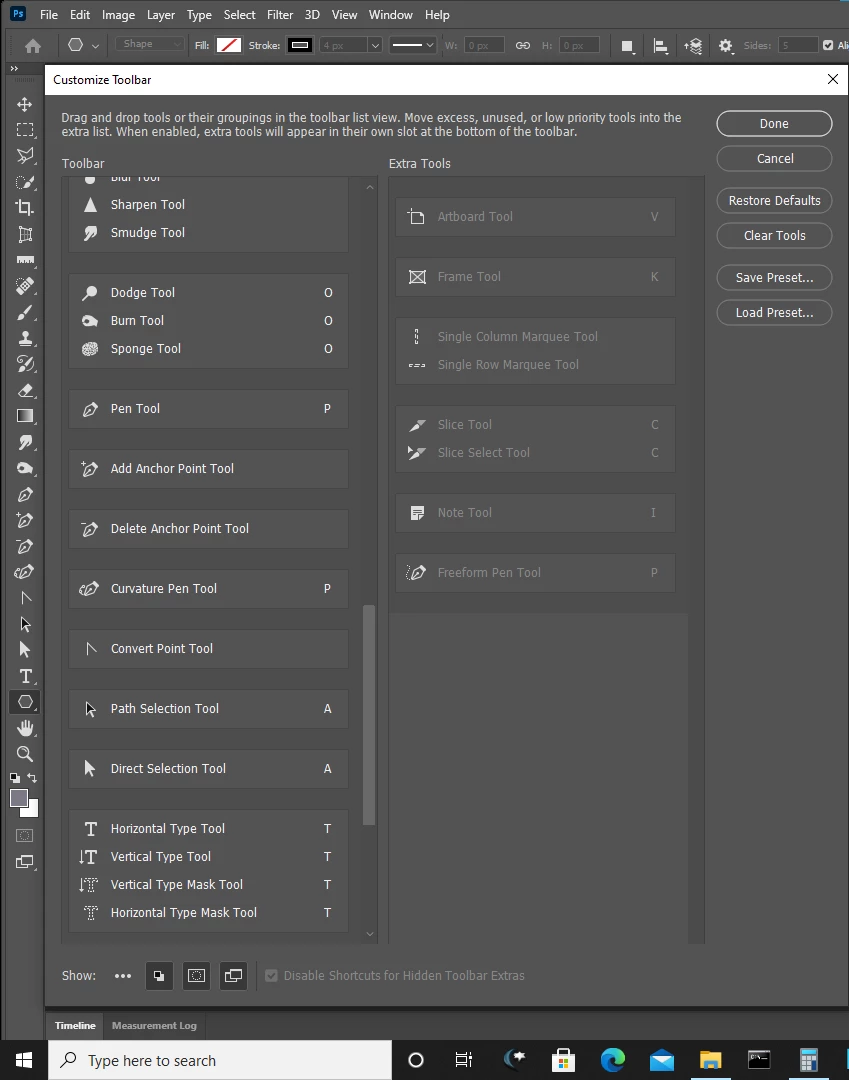
Not always I removed the ... from my ToolBar and I also removed tools I do not use  like Slice, Frame, Artboard etc. I also made tools I use more accessible in my tool.  Claim the tool bar make it yours change it configure it your way.
.  

2 replies

melissapiccone
Community Expert
Community Expert
August 25, 2020

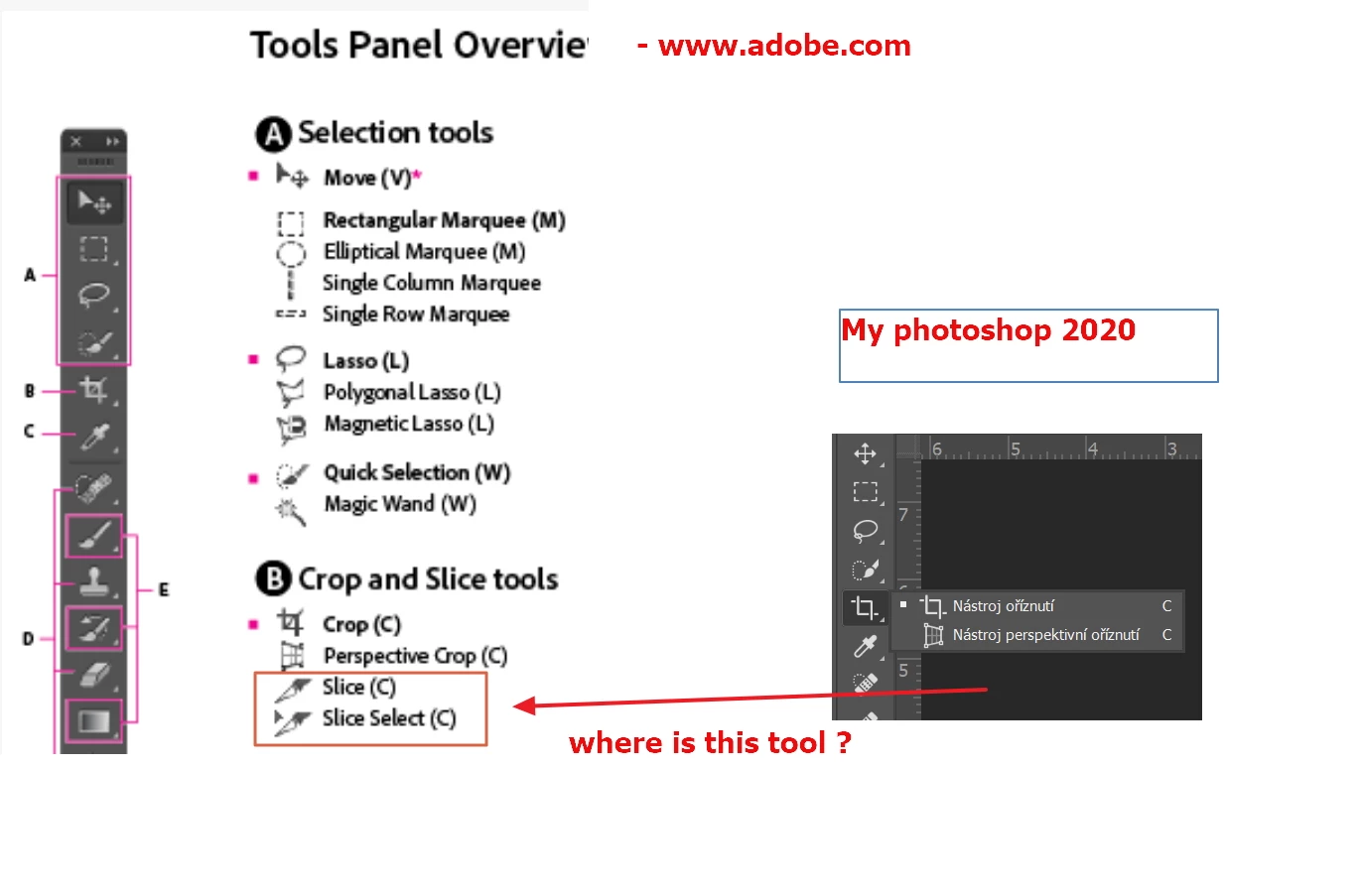
There is a little ... icon at the bottom of your tool bar. Right click on it and you will find all of your tools hiding in there. You can customize your tool bar to heart's content. 

Melissa Piccone | Adobe Trainer | Online Courses Author | Fine Artist
JJMack
Community Expert
JJMackCommunity ExpertCorrect answer
Community Expert
August 25, 2020

Not always I removed the ... from my ToolBar and I also removed tools I do not use  like Slice, Frame, Artboard etc. I also made tools I use more accessible in my tool.  Claim the tool bar make it yours change it configure it your way.

.  

JJMack
August 25, 2020

Hi

Change the workspace to Essentials, looks like you have Photography workspace selected