
Inspiring
November 2, 2018
Answered

Did marching ants change

  • November 2, 2018
  • 2 replies
  • 1352 views

Hi,

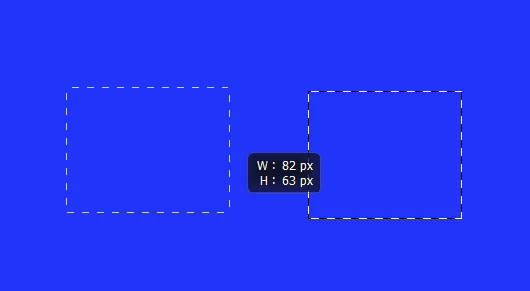
Lately when I make a selection, it looks normal while I am drawing it, but after I let go of the rectangle tool (for example), the marching ants change to a black and white dotted line (see attached).  Is this new? normal?  am I doing something wrong?  Thanks.
    This topic has been closed for replies.
    Correct answer Chuck Uebele

    Same as it's always been. The black is so you can see the marching ants on a light bg.

    2 replies

    Chuck Uebele
    Community Expert
    Chuck UebeleCommunity ExpertCorrect answer
    Community Expert
    November 2, 2018

    Same as it's always been. The black is so you can see the marching ants on a light bg.

    ZafferAuthor
    Inspiring
    November 3, 2018

    Thanks everybody for your replies.  I could have sworn the marching ants were consistently transparent every-other ant.  Guess I was wrong.  Anyway,  I'm glad to know I didn't accidentally change some setting.

    Zaffer

    DelphiZoa
    Participating Frequently
    November 2, 2018

    Hi Zaffer,

    This is how marching ants have always behaved for me. I think it's just Photoshop's way of distinguishing between the act of selecting and something that's already selected. Did the ants display differently for you previously?