Known Participant
March 27, 2018
Answered

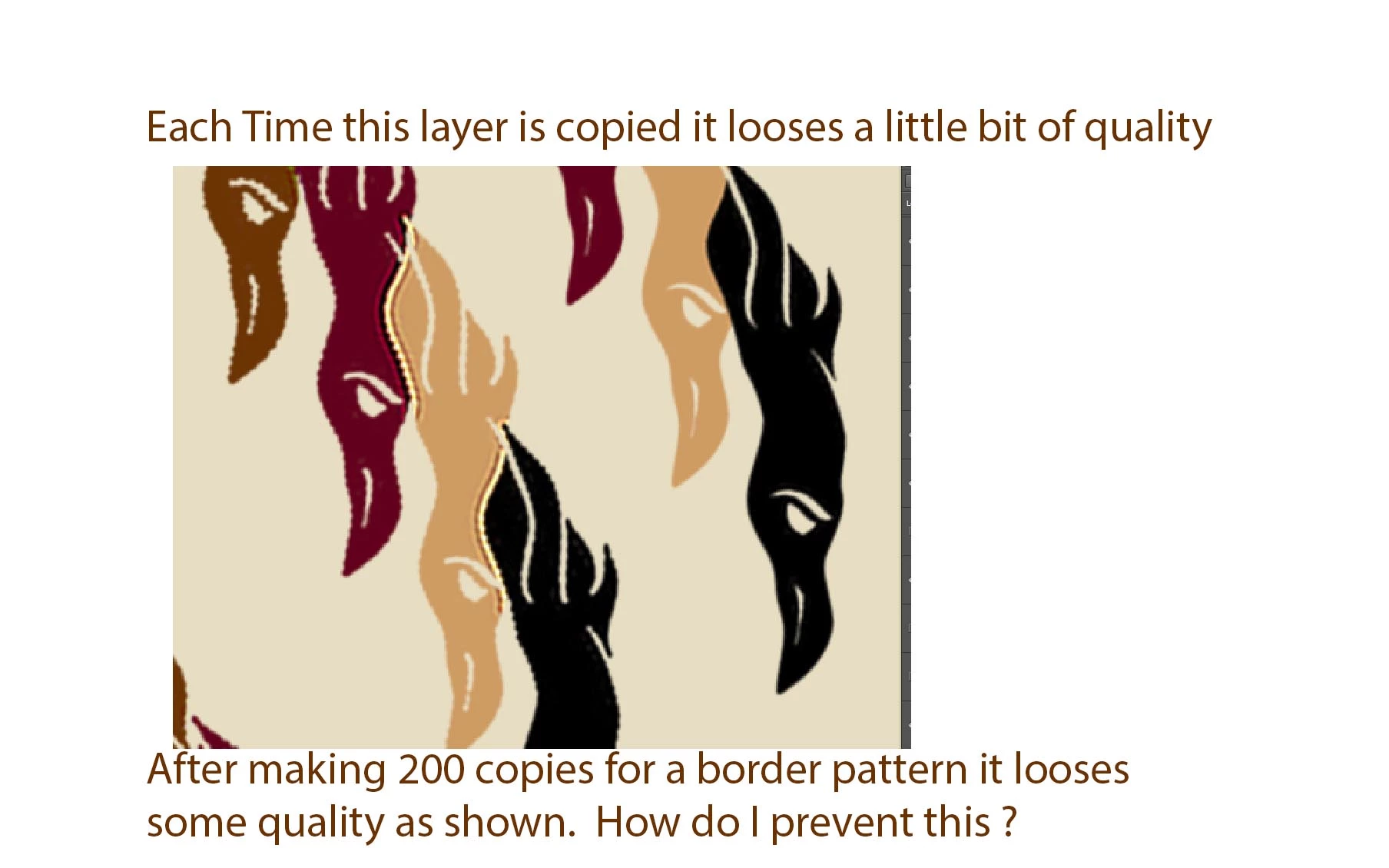
Did you know that when you copy a layer it looses quality ?

  • March 27, 2018
  • 4 replies
  • 4685 views

So after 800 copies can you imagine what this would look like.   My actual question is how do I prevent quality loss ?     Going back to the original layer and placing it in the right location and then doing  a layer duplication would not be the right answer for me.  

I personally am fascinated by this topic and hope to learn something new about Photoshop.    

    This topic has been closed for replies.
    Correct answer davescm

    Smart Objects:

    Smart Object benefits

    With Smart Objects, you can:

    • Perform nondestructive transforms. You can scale, rotate, skew, distort, perspective transform, or warp a layer without losing original image data or quality because the transforms don’t affect the original data.

    Later today I will try the smart object idea if I can get it figured out.  I worry that a smart object will have limitations on how many times I can copy it or something.

    If Photoshop has a way of grabbing the original every time my problem will be solved.


    As pointed out earlier, and confirmed in my earlier post - copying a layer does not change the data - no matter how many times you copy it (I used at 800 but could have gone on).

    Transforming does change layer data - so multiple transforms - each based on the last will have a cumulative effect. Basing each transform on a copied smart object will have no cumulative impact as each smart object copy refers back to the original data.

    Dave

    4 replies

    D Fosse
    Community Expert
    Community Expert
    March 28, 2018

    You're not merely copying layers here, you're resaving. That looks like a serious case of cumulative jpeg artifacts. Repeated resaving over itself to jpeg will look like this.

    As Dave correctly shows, layer copying changes no data. But resaving to jpeg does.

    Jpeg is a horrible format for almost everything. Don't work with jpeg and never resave a jpeg if it can be avoided. The only sensible use for jpeg is final delivery/transport to save bandwidth. For everything else, stay away from jpeg.

    EDIT: I suppose it could also look like this after 200 iterations of Unsharp Mask at very aggressive settings. But jpeg compression is more likely.

    Known Participant
    March 28, 2018

    ITs not a JPG.   I have not read about or understood smart objects and I hope this is a solution.   

    I am taking a layer. and duplicating it with adobe Actions. Repetitively it copies the last layer that was just copied.   I am using Photoshop 2015. 

    It has done this on a few different objects.  After its copied it looses a tiny bit.     what I am doing now is copying it 100 times then I go back to the original layer I began with and replace it. then copy on more.  

    When I increased the resolution to the point that my file was a PSB file it improved my situation a lot .

    Known Participant
    March 28, 2018

    Smart Objects:

    Smart Object benefits

    With Smart Objects, you can:

    • Perform nondestructive transforms. You can scale, rotate, skew, distort, perspective transform, or warp a layer without losing original image data or quality because the transforms don’t affect the original data.

    Later today I will try the smart object idea if I can get it figured out.  I worry that a smart object will have limitations on how many times I can copy it or something.

    If Photoshop has a way of grabbing the original every time my problem will be solved.

    davescm
    Community Expert
    Community Expert
    March 28, 2018

    So I just took your image and duplicated the layer 800 times. Each duplication used Ctrl+J and was a duplicate of the last

    I then grouped the intermediate layers and turned visibility off

    Finally I set Layer 800 to Difference blending mode so that any difference between the original and the 800th copy would be visible.

    Result : Every pixel is black (RGB 0,0,0) i.e.  there is no difference at all between the original and the 800th copy

    I am interested to learn more about your layers and process to see where any error might be creeping in

    Dave

    Known Participant
    March 29, 2018

    Ok now I have to go and study smart objects and difference blending Thanks for the help ! 

    Jeff Arola
    Community Expert
    Community Expert
    March 28, 2018

    How are you copying the layer?

    Does the layer have transparency?

    What version of photoshop and operating system are you using?

    Trevor.Dennis
    Community Expert
    Community Expert
    March 28, 2018

    Make it a Smart Object.

    Participant
    January 21, 2021

    anyone in 2021, this is the correct solution!!! turn to smart object