
Participant
August 1, 2018
Answered

Divide Irregular Selection into Multiple Equal Parts

  • August 1, 2018
  • 2 replies
  • 947 views

Hello,

I have a spiral-like image that looks like this:
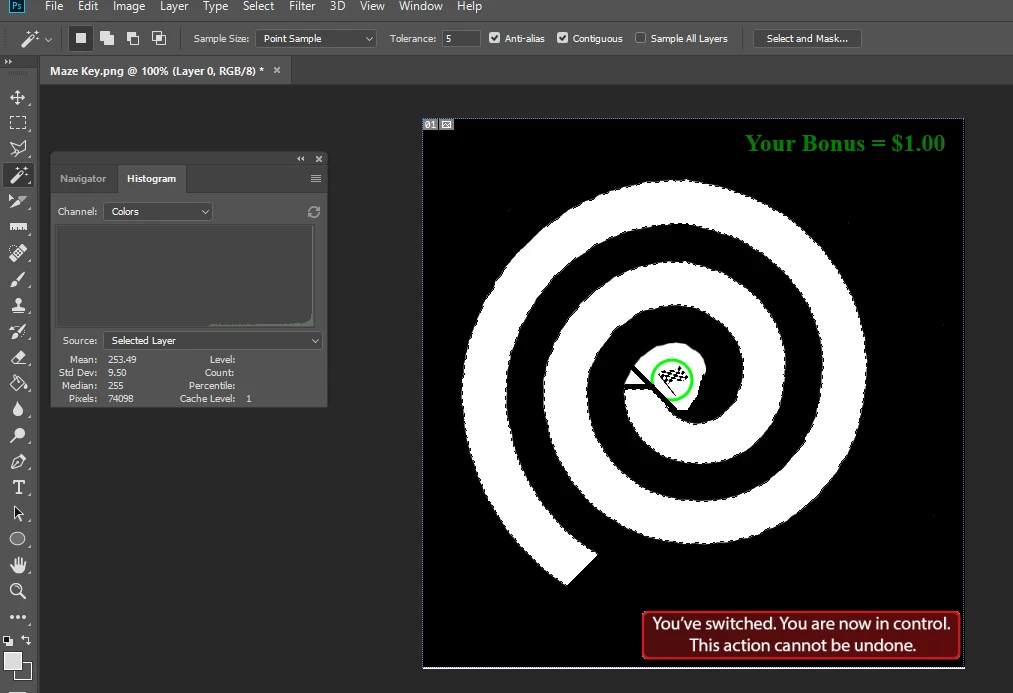
And I'm trying to divide just the selection (i.e. just the white spiral) into 100 equal parts. More specifically, the spiral has an area of ~74K pixels, so I want to divide the spiral into components that are 740 pixels each.

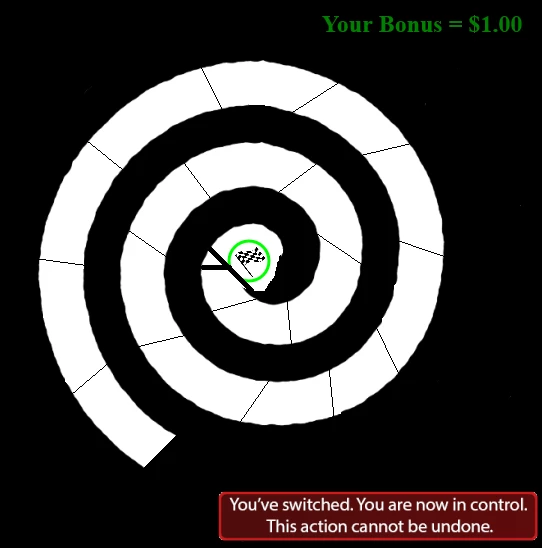
Once I have 100 740-pixel components, I'd like to draw a thin black line to separate each area from each other. Again, these components must only be within the white spiral, and they cannot take into account the surrounding black area. For clarity, I want my final product to look something like this (although it should be a lot nicer, have more components, and be accurate) (I made this in paint):
Unfortunately, I don't know how to do that. I can use the polygonal lasso tool to make selections, but I can't specify a fixed area. I've also tried using guides, but I don't think they will be able to do what I want.

How can I go about doing this?
    This topic has been closed for replies.
    Correct answer sharp_hands16B8

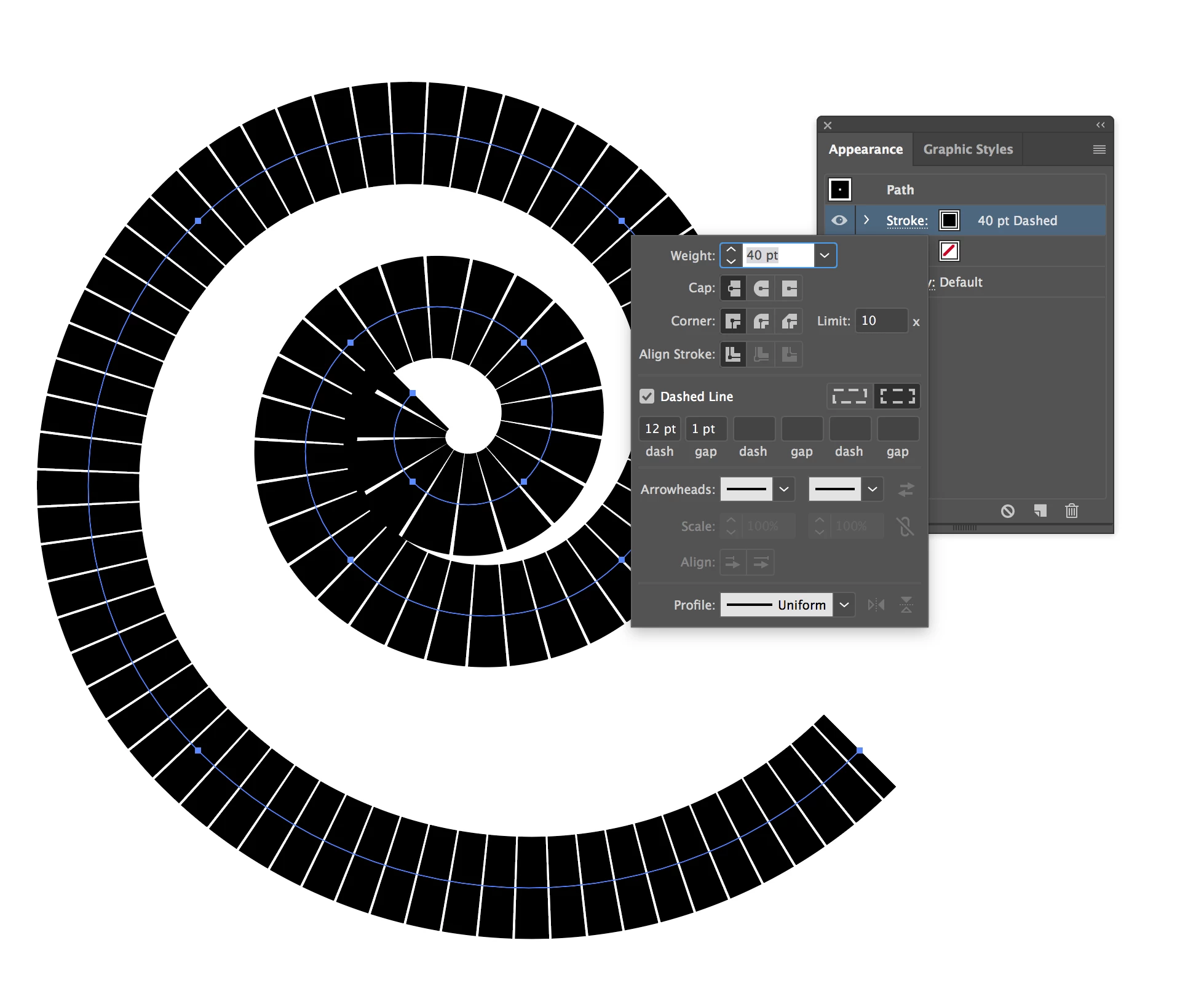
    I think your best bet is going to be Illustrator because of the mathematical accuracy it is capable of, and you're not limited to pixels at that point. Although it does have a pixel view, so it may work well in that view for what you need. You can do things like set the path to be dotted, and then adjust the gapping, etc. That might give you the level of accuracy you need. See below...

    2 replies

    Semaphoric
    Community Expert
    Community Expert
    August 2, 2018

    A potential problem with using Illustrator is that its Spirals are logarithmic spirals, whereas you (and every other designer) want an Archimedean Spiral.

    If you're OK with math, you could find the total length of your spiral, divide it into one-hundredths, and calculate the angle of a given segment. There's an online calculator: here​ which may help, although it won't do what I described directly, so you may need some trial and error to get the results you need.

    Or, if you're really OK with math, you could use the formulas shown there to calculate it yourself.

    sharp_hands16B8
    Community Expert
    Community Expert
    August 1, 2018

    This is usually the sort of thing we would do in Illustrator because you can have greater precision with breaking up a path.

    If you are trying to do it here in Photoshop, are you saying that each white segmented piece when complete would be exactly 740 white pixels? That would be near impossible to calculate in photoshop because the curve/radius on the are descends in form.

    If you are talking about making a radius from center you can define a selection marquee to a particular size and line it up with the art, then use CMD J to cut it to a new layer, then after you sectioned it into pieces add a stroke layer style to each layer.

    Can you explain a little more clearly? If I interpret your description are you saying that the thickness of the white spiral line is 74px thick and you want to break it up every 740 pixels along the spiral? Like 10 rows of 74 pixels across?

    Lunar_AidAuthor
    Participant
    August 2, 2018

    Thank you for your reply. Your first guess was correct: I'm trying to break up the spiral into 100 white segments that each have an area of 740 white pixels. Each segment would be separated by a black line or something else to demarcate it from the other segments.

    If this is only possible in Illustrator, please let me know so I can move this to the correct forum!

    sharp_hands16B8
    Community Expert
    sharp_hands16B8Community ExpertCorrect answer
    Community Expert
    August 2, 2018

    I think your best bet is going to be Illustrator because of the mathematical accuracy it is capable of, and you're not limited to pixels at that point. Although it does have a pixel view, so it may work well in that view for what you need. You can do things like set the path to be dotted, and then adjust the gapping, etc. That might give you the level of accuracy you need. See below...