mattrittman
Known Participant
April 18, 2017
Answered

Doppler Radar Reflectivity Colors

  • April 18, 2017
  • 2 replies
  • 1652 views

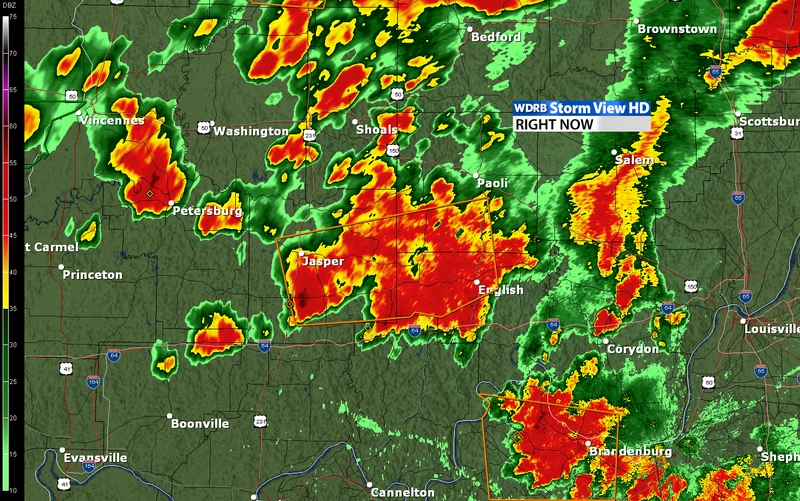
Can someone help me figure out how I could create a doppler radar looking image? I know you could go in with a paint brush and manually do this, but didn't know if there was a quicker way to do it with filters?
This topic has been closed for replies.
Correct answer davescm

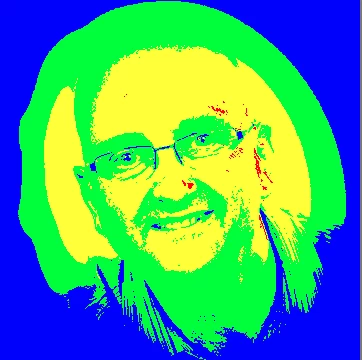
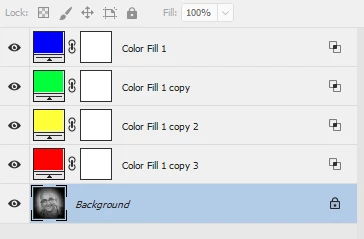
Do you have the Doppler areas as a greyscale. If so you can introduce false colour with Color Fill layers set to "Blend if underlying layer" is gray to a  range for each false colour (and Blend if R or G or B to 254 or less to ignore the colour layers below)

Below is an image rather than a map - but hopefully you get the idea

Dave

2 replies

Semaphoric
Community Expert
Community Expert
April 18, 2017

Since you have the scale running along the left side, you could use that to construct a custom gradient, like so:


which you can then use as a Gradient Map:


This is over a base of rendered Clouds, with the Wind filter to give it that Doppler/Sonogram look, and a color fill layer with a mask and a Pattern Overlay for the background texture.

mattrittman
Known Participant
April 19, 2017

Thanks Semaphoric, that looks awesome! However, I'm still confused how you pulled it off haha. I understand how you've rendered the clouds and applied the gradient map layer. But is there a way to have more control over the clouds? I was thinking sliders to control lights and darks and all that stuff. Would you be able to show a screenshot of your layers? Thanks again!

Semaphoric
Community Expert
Community Expert
April 20, 2017

I can't seem to edit my previous post, so I'll add here: You can see I've also added a Curves layer above the clouds, to control the contrast of the clouds, which will, in turn, tweak the way the Gradient Map looks.

davescm
Community Expert
davescmCommunity ExpertCorrect answer
Community Expert
April 18, 2017

Do you have the Doppler areas as a greyscale. If so you can introduce false colour with Color Fill layers set to "Blend if underlying layer" is gray to a  range for each false colour (and Blend if R or G or B to 254 or less to ignore the colour layers below)

Below is an image rather than a map - but hopefully you get the idea

Dave

mattrittman
Known Participant
April 18, 2017

This definitely helps. Thanks Dave!