Participant
June 22, 2021
Answered

Dotted line

  • June 22, 2021
  • 2 replies
  • 1651 views

Hi,


I want to make a line consisting of two different colors. I did make a dotted line, and added another one in a differend color over it, but that takes a ton of work with al the editing and stuff. There must be a easier way,  isn't it?


I hope you can help me out,


Kind regards,

Luuk

This topic has been closed for replies.
Correct answer jane-e
quote

I want to make a line consisting of two different colors. ... There must be a easier way,  isn't it?

By @De5CE4


Hi Luuk,

This is easy in both Adobe Illustrator and Adobe InDesign.


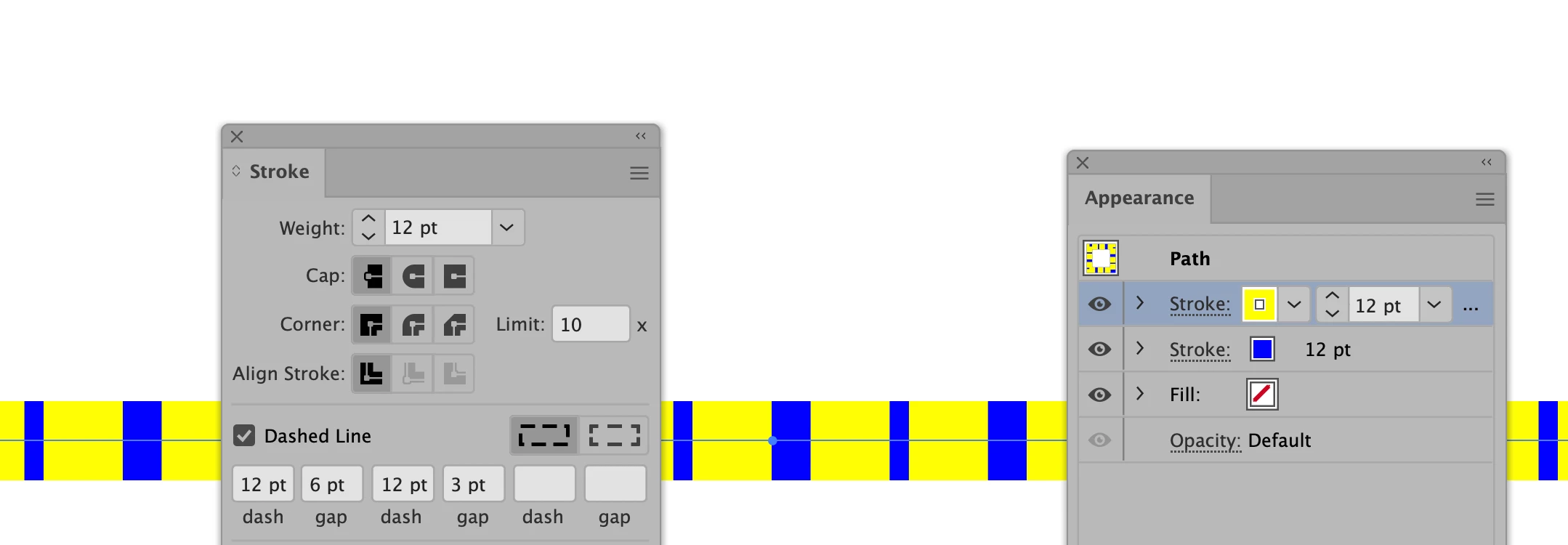
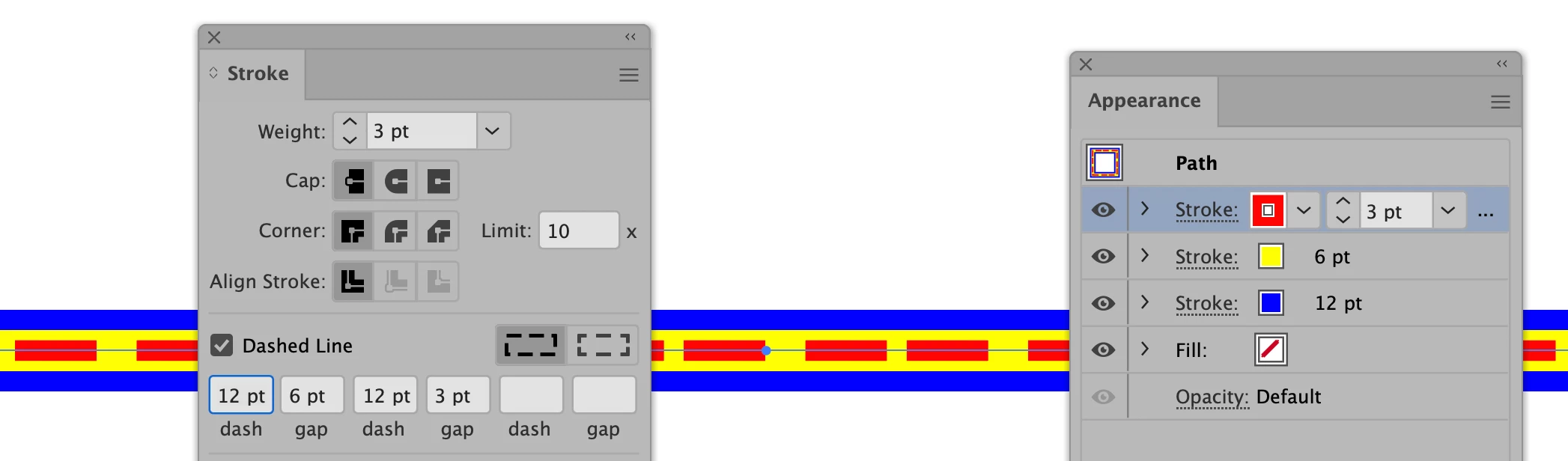
If you have Adobe Illustrator, you can apply multiple strokes to the same path and control the dashes of each line separately.


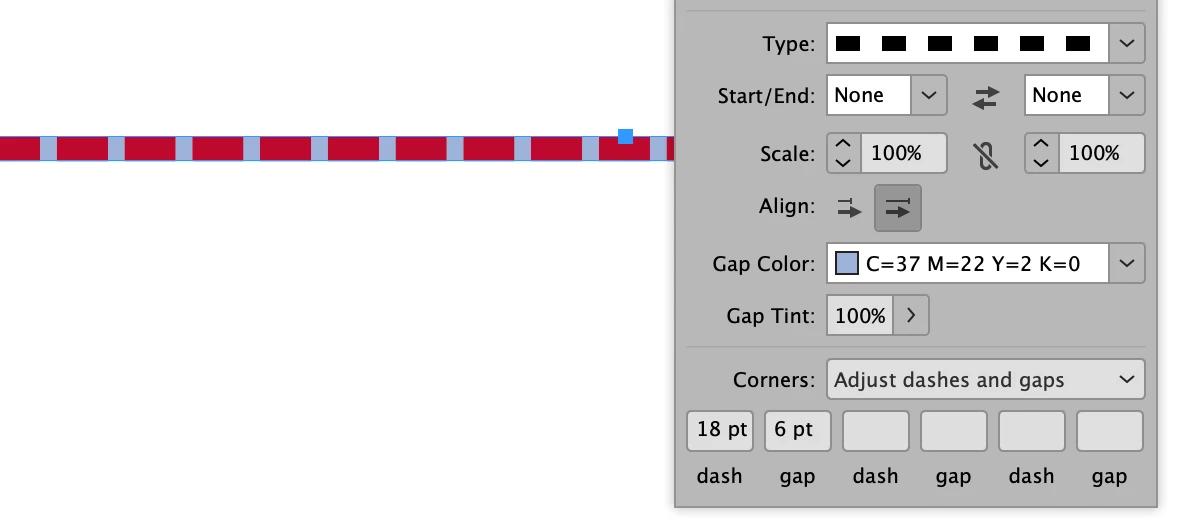
If you have InDesign you can assign a color for the gaps and adjust the sizes of the dashes and gaps.

You can put in a feature request to the developers for Photoshop here:

https://feedback.photoshop.com/


~ Jane


2 replies

jane-e
Community Expert
jane-eCommunity ExpertCorrect answer
Community Expert
June 23, 2021
quote

I want to make a line consisting of two different colors. ... There must be a easier way,  isn't it?

By @De5CE4


Hi Luuk,

This is easy in both Adobe Illustrator and Adobe InDesign.


If you have Adobe Illustrator, you can apply multiple strokes to the same path and control the dashes of each line separately.


If you have InDesign you can assign a color for the gaps and adjust the sizes of the dashes and gaps.

You can put in a feature request to the developers for Photoshop here:

https://feedback.photoshop.com/


~ Jane


De5CE4Author
Participant
June 23, 2021

Hi Jane,


Perfect, I'll make a feature request. 


~ Luuk

jane-e
Community Expert
Community Expert
June 23, 2021

Hi Luuk,

If you post the link back here, I'll add my vote! 

~ Jane

Kevin Stohlmeyer
Community Expert
Community Expert
June 22, 2021

Is your intention to have it alternate colors? Ex. color A dash, color B dash?

I would create your lines as solid color A, then when ready, duplicate the line and change the settings to dash with color B over the exising color A line. 

Kevin Stohlmeyer
Community Expert
Community Expert
June 22, 2021

If you have to edit the line shape, delete Color B dashed line, edit the solid line then repeat the process. 

You could create a simple action to duplicate, change color and parameters and apply the dashed line to speed it up. 

De5CE4Author
Participant
June 23, 2021

Hi Kevin,


Thanks. So you suggest a solid line in color a en a dotted line in color B. Then alternate both colors on the go. The ti you gave about the actions, can I automate these, or alle those manual? 


Love to hear form you,

Luuk