

Drag and drop 'places' images on top of current file
Hi all
I've recently upgraded from Photoshop CS6 to CC 2018 - all great, apart from dragging in new images as new files.
On CS6 I could, for example, have 3 images open as separate files, then highlight another 3 images in a folder, drag them into my workspace and they would open as another 3 separate files - so I'd have 6 files open all together.
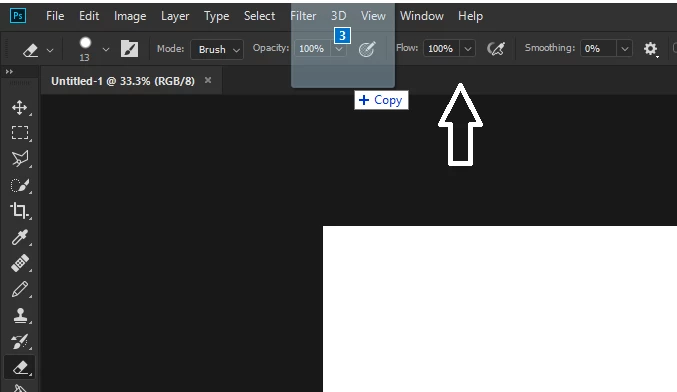
However on CC, if I have a file open and drag a new file in to the workspace, it places is on top of my current file, rather than opening it in a new window.
Any ideas on how I can change this?
At the moment I'm having to use 'File > Open' to open new files, but this is time consuming when I'm trying to open various files from different places on my PC.
Hopefully there's a setting I'm not aware of that I can change? I've tried Googling and looking through forums etc.
Thanks a million!
 AdChoices