

Drag Kyle's brushes into a brush preference folder
Hi all!
To me, the whole 'brushes' feature seems crappy organised. is it just me? I have tons of Kyle's brushes and other brushes.
First of all, I would expect a 'search' function somewhere - like 'pastels' or 'oil' or so and second, I would like to drag a brush into a project folder. A bit like a library, but then with brushes.
I know I can drag them from the brushes panel, but i have 100s of brushes and to actually find, test and then drag one simple brush into the folder I made for my project is, well, a drag.
I would really like to 'open all brushes' and be able to test them and drag them into my project folderso I sort of don't get lost all the time. Is there any solution to this? I tried and tried but it seems far from intuitive.
wouldn't it be great to drag from the left windo on the page to the right window?
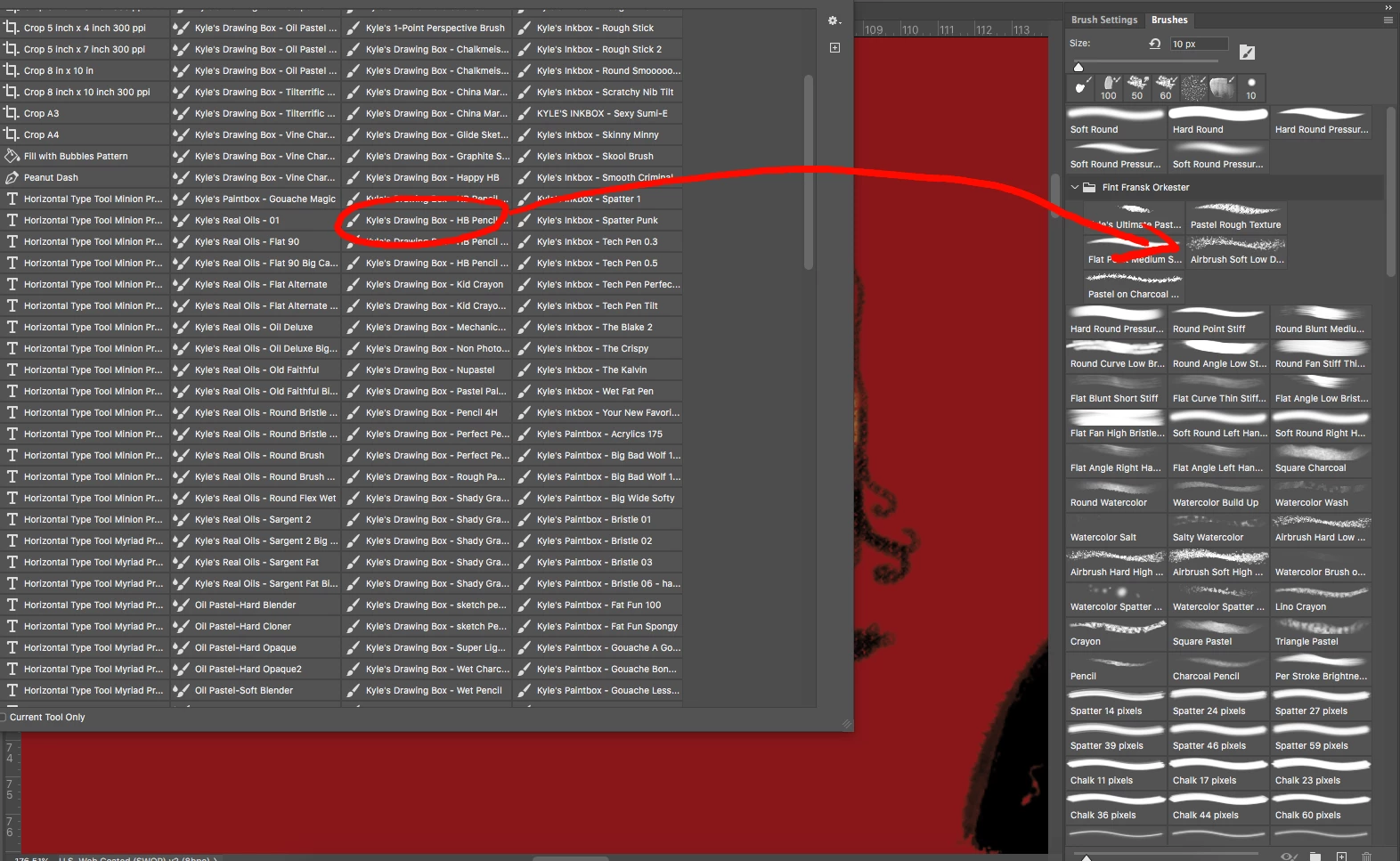
So: yes, i can, in the right window, try to find a certain brush and drag it endlessly up into a folder but thsi should be easier somehow. who has a solution?
Thanx!
martin
 AdChoices