

Mike_Gondek10189183
Community Expert
Community Expert
August 30, 2018
Question

Editing or inverting brushes

  • August 30, 2018
  • 2 replies
  • 431 views

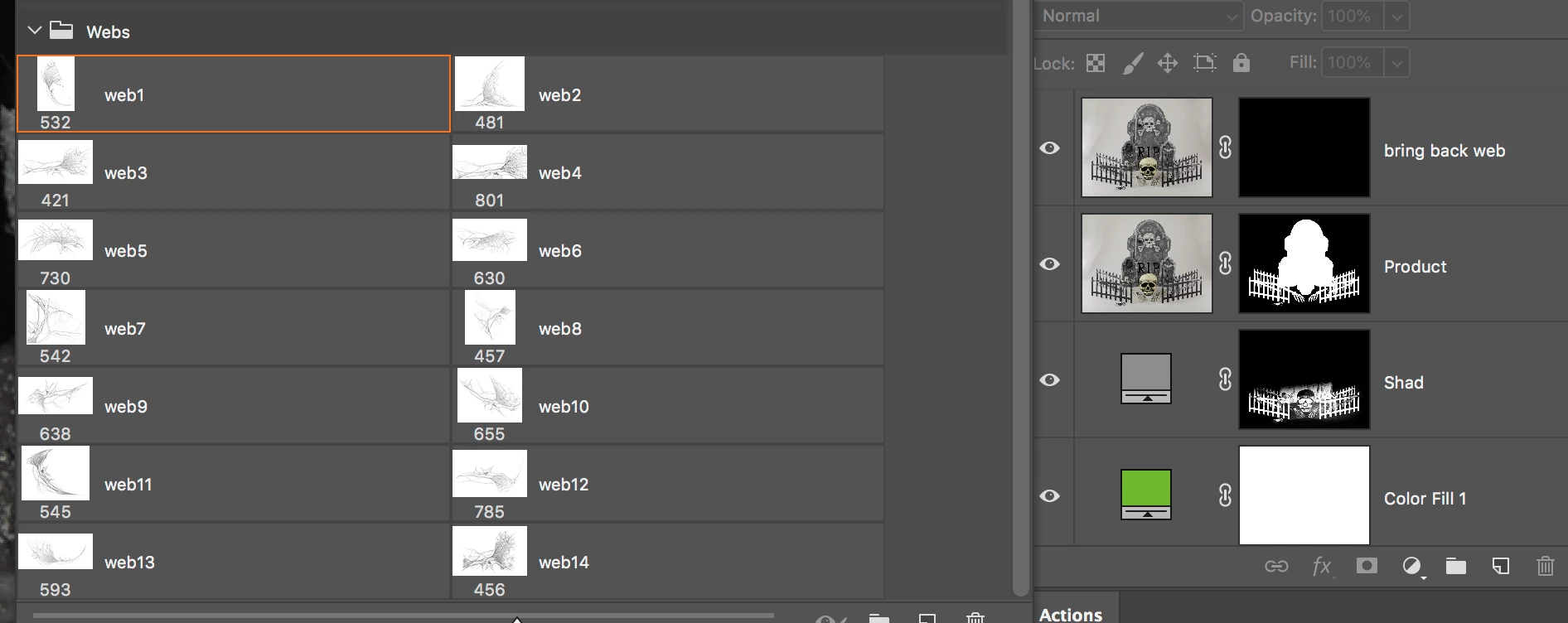
Created some web brushes, but in my haste created them with the inverse color I needed. Is there a way to  doubleclick  a brush swatch,  edit invert and save back?

Want to bring back some web in between the fencing, and paint white webs in the top layer mask swatch
    This topic has been closed for replies.

    2 replies

    ScooterD76
    Legend
    August 30, 2018

    The X key will swap black and white while painting masks

    davescm
    Community Expert
    Community Expert
    August 30, 2018

    Hi Mike

    Do you need to invert the brush or just paint with the same brush but loaded with the opposite colour (i.e. White/Black)

    Dave

    Mike_Gondek10189183
    Community Expert
    Community Expert
    August 30, 2018

    HI Dave & Scooter,

    Thanks, but I need to invert the brush. Need to paint with white to reveal cobwebs in over the holes between the fencing. That is why I posted my layers, but realize is tough to grasp as making this mistake is what got me here.

    Recreated the brush set from scratch, and worked great. Would appreciate any votes on link below, or any advice incase am missing some secret way to edit already created brushes. Sometimes I want to improve, and going back and forth testing and improving is really hard with editability.

    Photoshop: Ability to update/edit brush presets | Photoshop Family Customer Community

    Would really be great to be able to edit a brush. So we are working digitally and not with a permanent marker.