
September 3, 2020
Answered

Everything in canvas is really dark

  • September 3, 2020
  • 2 replies
  • 2149 views

This is a bit of an odd one. After I import an image they turn really dark. It's not my display as the images export as normal colours but in photoshop they are really dark. Is it something really obvious? I reinstalled photoshop and removed preferences but the issue still persists. Any help is much appreciated.


This is the exported version which is the right brightness:
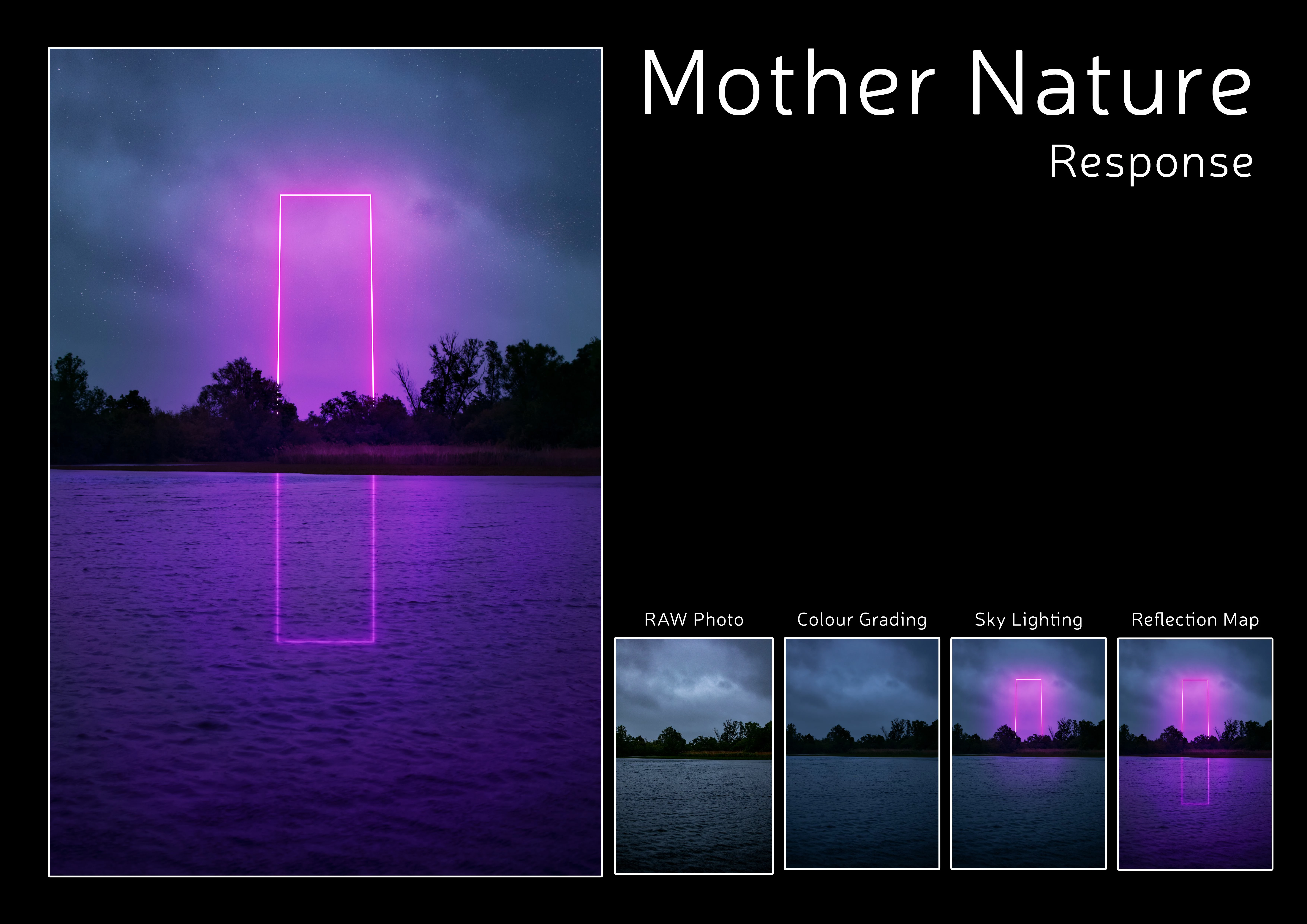


This is what it looks like inside of photoshop:


significantly darker.
This topic has been closed for replies.
Correct answer

2 replies

D Fosse
Community Expert
Community Expert
September 3, 2020

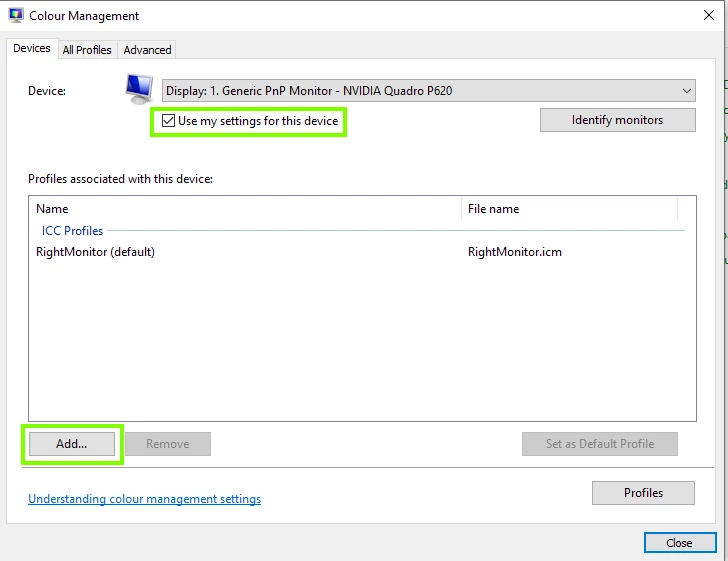
What is your monitor profile? Check here:


If you're not using a calibrator, you're very likely getting manufacturer profiles distribituted through Windows Update. These are surprisingly often of poor quality. This will only affect color managed applications that actually use the monitor profile.

September 3, 2020

Nothing in there.


Correct answer
September 3, 2020

September 3, 2020

Are you using a color managed application to view the images outside of Photoshop, Photoshop is color managed many image viewers aren't.

What operating system do you have and what is you monitor colour profile set too.

September 3, 2020

Im running windows 10 and use the default photo viewer. When I was editing the photo before the colour was right in photoshop but it changed today when I reopened it. I don't have any special colour profile, just using sRGB on my display and inside photoshop.

September 3, 2020

Try using FastStone image viewer which is colour managed, you need to enable colour management in the settings

https://www.faststone.org/