
Participant
March 20, 2019
Question

Export as & image position

  • March 20, 2019
  • 2 replies
  • 1306 views

Hi, I thought that Photoshop provides any basic feature and option since it was designed to work with computer graphics but...

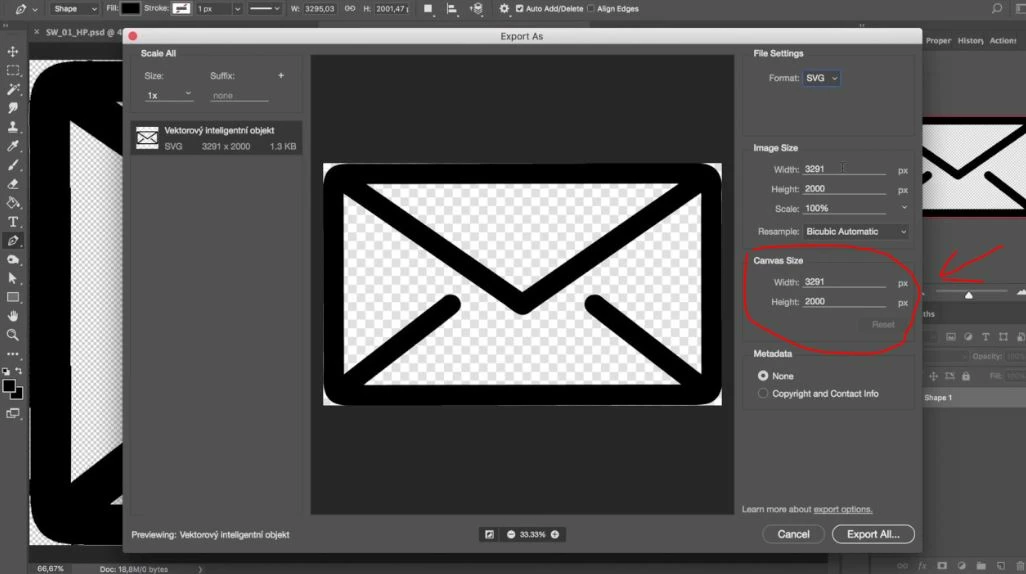
Why I can't leave original canvas size and image position? Just export all canvas as it is?

I have some shape in one layer which is smaller than canvas size and want to export this shape separately as svg file, but export tool doesn't have such option just to leave original canvas size and image/shape position on it!

I.e. if my canvas size is 800x800px and there is an icon 400x400px which is not centered (top: 40px, left: 150px) but I really need to save this offset and canvas size after exporting a-a-and Photoshop says: "No. Actually, you can't do this. Set some canvas size for export or just go home, Kevin. Who cares.".

Ok, if I set original canvas dimesions in export options, then it drops image original position and centers it.

For now I have to repair required offset (as in .psd source) for each svg image after exporting. Lol
This topic has been closed for replies.

2 replies

Participating Frequently
July 8, 2019

Hey Kevin, did you ever find a solution to this?  I have virtually the identical issue.   jb

JJMack
Community Expert
Community Expert
March 20, 2019

I do not develop for the web so I do not use Photoshop's generate plug-in have you looked into using it for you web design work? Create image assets from layers in Photoshop

JJMack
JustKevinAuthor
Participant
March 20, 2019

I've solved it by using AI already. Unfortunatelly, pretty simple things do not work as expected in PS (developers just need to add one checkbox to DISABLE ANY TRIMMING for export). Same thing as scrolling layers window while dragging one of them (since foundation of PS).

Who cares...

JJMack
Community Expert
Community Expert
March 20, 2019

How things work editing graphics and images is not always intuitive some things need to be learned. All application do not work the same way.  Photoshop is basically a pixel editor where AI is more mathematical a vector editor.

JJMack