Sorry for a bad explanation but I am a back-end programmer and not a designer by any means. We had an employee that was able to output the code below from a pattern (started in Illustrator but believe he used Photoshop for this output) but he is no longer with the company and none of our designers are able to figure out how he did this using Adobe products. This is what he would output so we could add it as a layer to our ordering system and still have the ability to change the product colors behind it:
<style type="text/css"> .st0PMax{fill:none;} .st1PMax{opacity:30.000000e-02;fill:none;stroke:#000005;stroke-width:1.5;stroke-miterlimit:10;stroke-dasharray:2,2;} .st5PMax{fill:url(#PROMAX);}</style><pattern y="380" width="142.6" height="133.9" patternUnits="userSpaceOnUse" id="PROMAX" viewBox="0 -133.9 142.6 133.9" overflow="visible"><rect x="0" y="-133.9" fill="none" width="142.6" height="133.9"/><defs><rect id="SVGID_1_" x="0" y="-133.9" width="142.6" height="133.9"/></defs><line class="st1PMax" enable-background="new" x1="0" y1="-0.8" x2="142.6" y2="-0.8"/><line class="st1PMax" enable-background="new" x1="0" y1="-12.8" x2="142.6" y2="-12.8"/><line class="st1PMax" enable-background="new" x1="0" y1="-24.8" x2="142.6" y2="-24.8"/><line class="st1PMax" enable-background="new" x1="0" y1="-36.9" x2="142.6" y2="-36.9"/><line class="st1PMax" enable-background="new" x1="0" y1="-48.9" x2="142.6" y2="-48.9"/><line class="st1PMax" enable-background="new" x1="0" y1="-60.9" x2="142.6" y2="-60.9"/><line class="st1PMax" enable-background="new" x1="0" y1="-73" x2="142.6" y2="-73"/><line class="st1PMax" enable-background="new" x1="0" y1="-85" x2="142.6" y2="-85"/><line class="st1PMax" enable-background="new" x1="0" y1="-97" x2="142.6" y2="-97"/><line class="st1PMax" enable-background="new" x1="0" y1="-108.8" x2="142.6" y2="-108.8"/><line class="st1PMax" enable-background="new" x1="0" y1="-120.8" x2="142.6" y2="-120.8"/></pattern>
This is an example of the pattern overlay this creates while still allowing us to change the color on the product (code above just adds the texture to the panels of the cap):
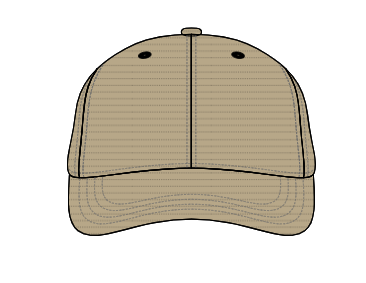
It basically creates the fabric texture (pattern) which started in Illustrator from our design team but he finished it off in photoshop I believe.
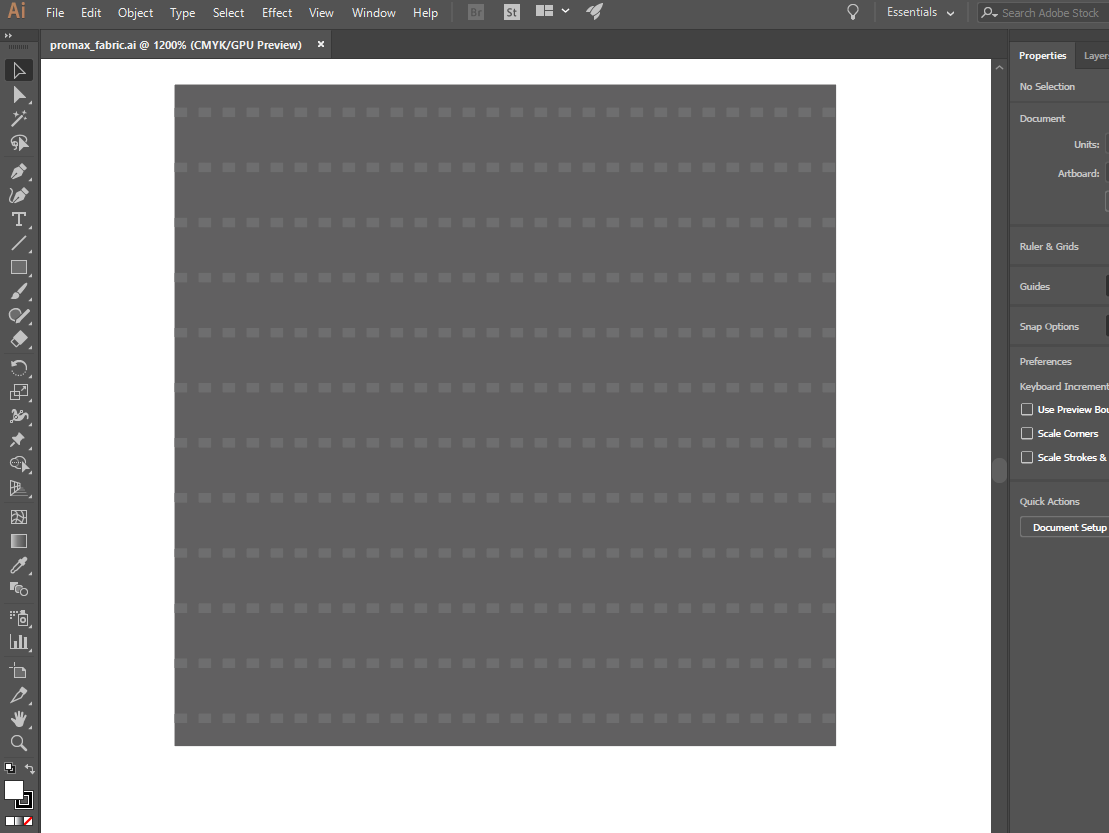
He may have used plugins to create this css/pattern code I'm not 100% sure. Please let me know if you have any ideas on how this achieved. We have a system built that needs code exactly as posted in order for it to function properly.
Thanks in advance for any help and sorry for my lack of designer knowledge again I'm a .Net backend programmer and just dangerous enough to open Illustrator/Photoshop.







 3
Replies
3
Replies





 AdChoices