
Eyedropper tool selection bug (re: clipping masks)
I've been struggling against this bug for about a year now, and I've finally reached the point that it has gone beyond simply a nuisance, and into production-sapping territory. Here's the gist of it:
When I try to color-pick from a layer nested in a group that has adjustment layers set to clip to that group, the color picker will select colors not from the current layer's pixels, but from those belonging to the layers below it.
Repro Steps:
1. create a layer group with multiple layers with art on each
2. create one or more adjustment layers (I don't think type matters, but for repro you might try hue/sat, or levels, as I have below), and set them to clip to the group from step 1.
3. select the topmost layer with art, and attempt to color-pick with the eyedropper tool (Sample Size: Point Sample | Sample: Current and Below) from that layer's pixels. If you are able to repro, it will not select from the current layer, but from the layers below.
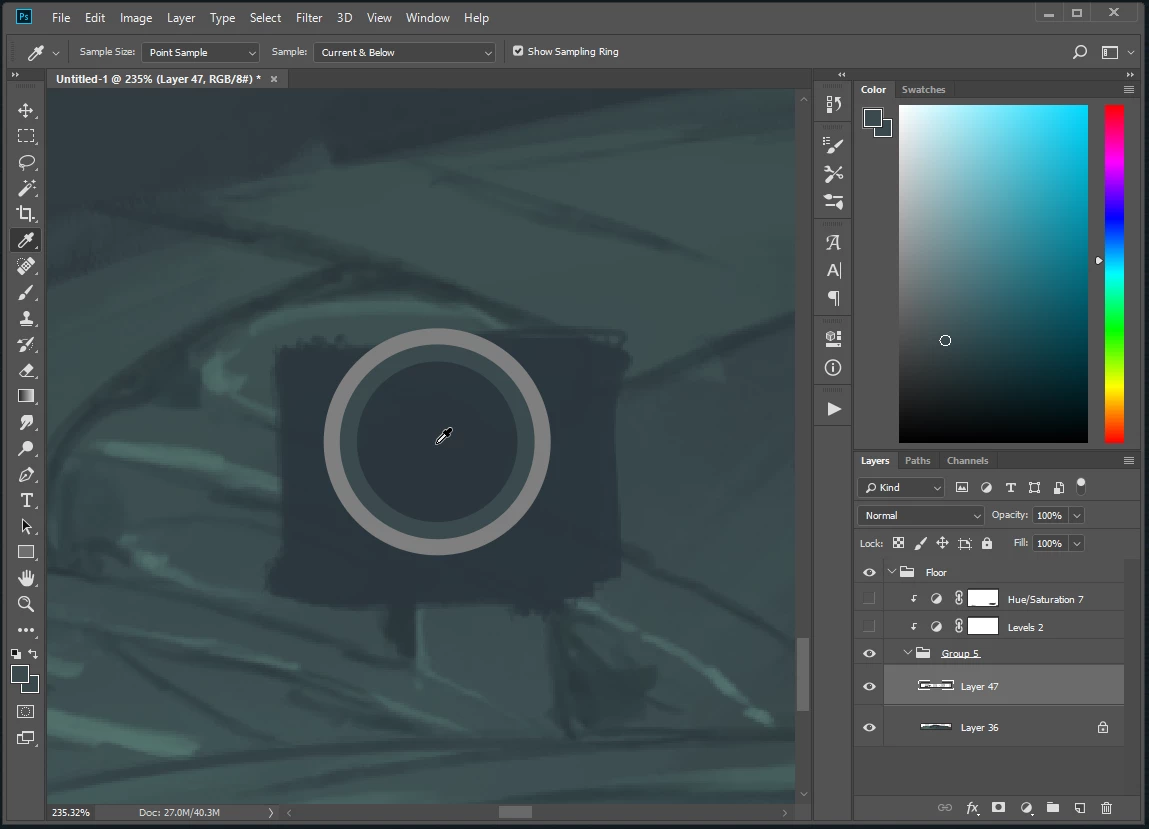
The dark green area I am selecting from is on the currently selected layer. Note the lighter-than-current-layer selection
4. Now unclip the adjustment layers, and select from the same point on the topmost layer and it will select the color correctly.
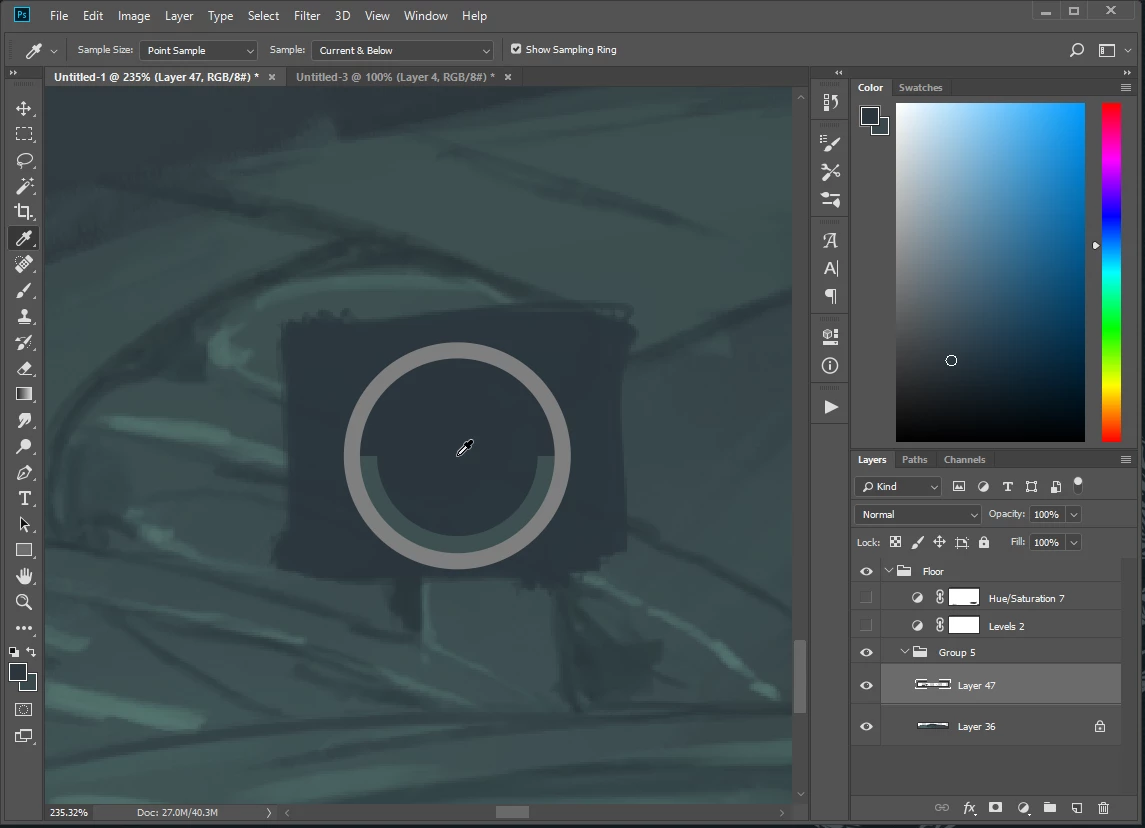
Note the correct selection.
This is behaviour unaffected by the visibility of the adjustment layers, and the bug seems to only be directly influenced by the clipping-mask state change. The bug has survived several setting resets/experiments, so unless it is local to my machine, I assume others are running into this.
Other Details:
Windows 8.1 Pro
File is 8-Bit RGB
On release CC 19.1.5
Anyone able to repro, or have any insights?
 AdChoices