Tele55
Inspiring
February 3, 2017
Answered

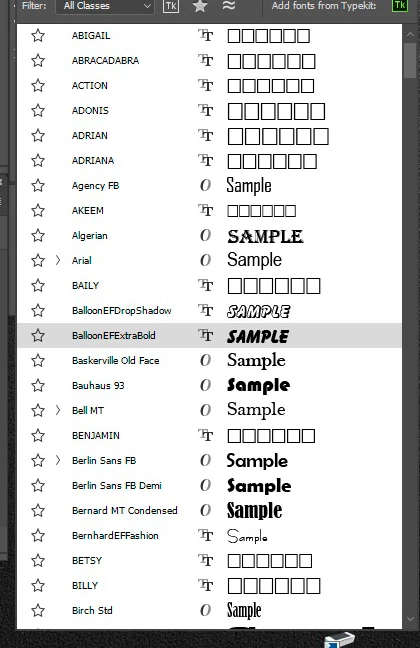
Font-Preview ... some fonts no sample, just squares

  • February 3, 2017
  • 1 reply
  • 10315 views

Hello Forum,

I recently noticed that in my Font-Preview roll-down list SOME of the fonts do NOT have a sample (how they would look like - with the word "Sample")

Others do.

Instead those have emty squares - any ideas how to fix that?   I had all this working perfectly throughout CS5 and CS6     Win7 Pro - 64 bit,  PS CC 2017

Thanks

This topic has been closed for replies.
Correct answer

thanks - Semaphoric,

no such options

remember that my mein goal is to get these font to show the "sample" sample - only some do ( see screenshot further up)

If it means to get rid of all non-original fonts, keeping only original ones , in Windows (and) PS, that's ok

What does deleting the font cahche do? could it help?
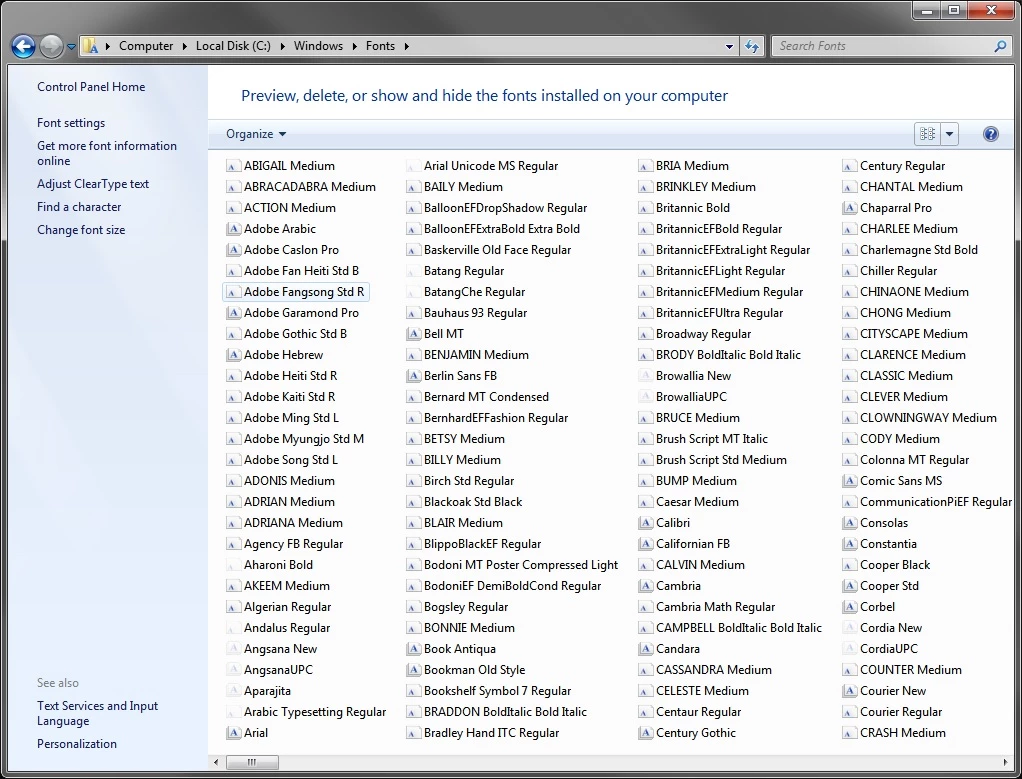

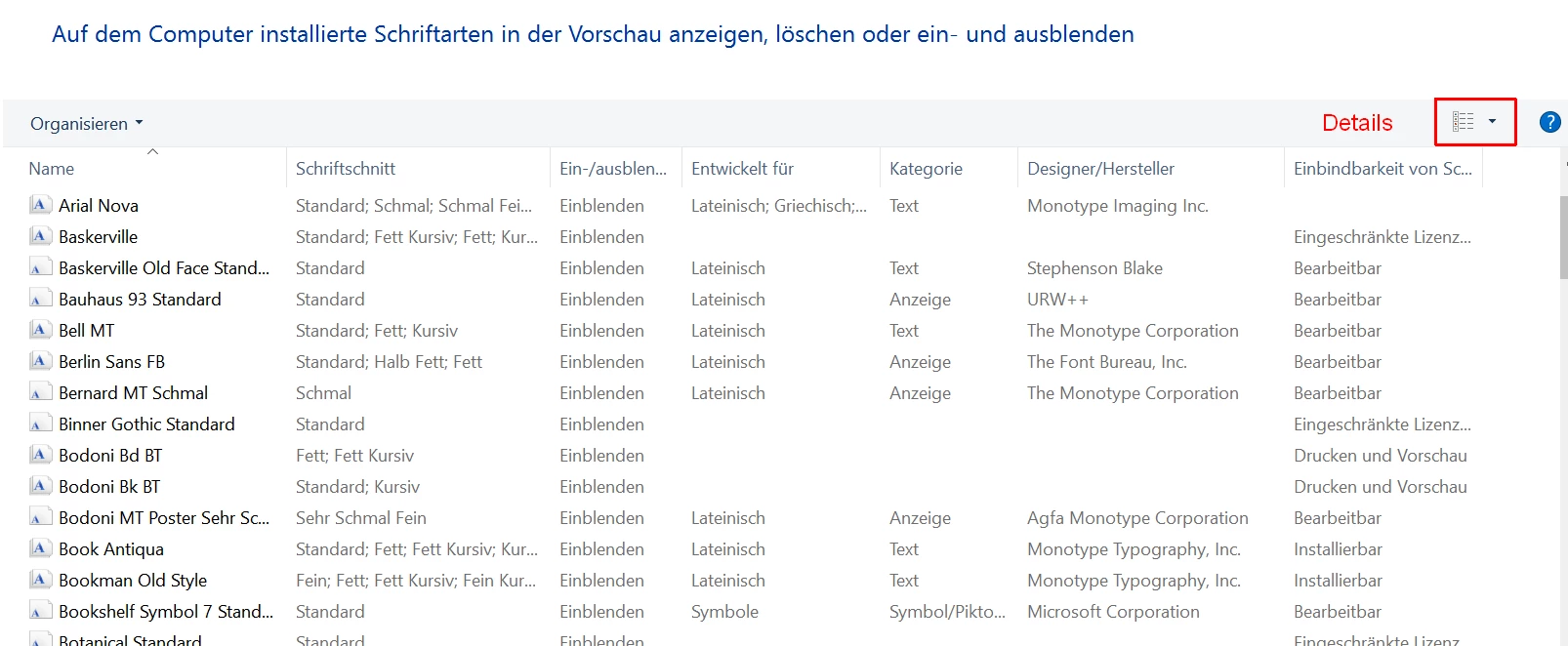
1. Your screenshot shows not the Details view. But this doesn't help much because some of the Windows fonts are not created by Microsoft.

Example:
2. Windows Fonts:

All Windows Fonts since 3.1

https://en.wikipedia.org/wiki/List_of_typefaces_included_with_Microsoft_Windows

You may not have all of them, but these are originals supplied with Windows. Possibly some are discontinued.

3. MS-Office:

Office 2016: https://social.technet.microsoft.com/Forums/office/en-US/aeb08f61-5b68-4a90-a83c-ea5163b3c978/where-is-a-list-of-fonts-that-are-included-with-office-2016?forum=Office2016ITPro

Office 2013: https://support.microsoft.com/en-us/help/2800393/fonts-that-are-installed-with-microsoft-office-2013-products

Office 2010: https://www.microsoft.com/typography/fonts/product.aspx?PID=163

3. Adobe fonts:

Creative Cloud: Adobe delivers a very basic set only:

C:\Program Files\Adobe\Adobe InDesign CC 2017\Resources\Required\Fonts

They do not appear in C:\Windows\Fonts.

4. What I see on your screenshot:

All fonts with names in Capitals (ABIGAIL, ABRACADABRA, ACTION, ADONIS ...) and all fonts with EF in their names are NOT Windows / MS-Office / Adobe.

These fonts came as single installations or with another program on your PC. Delete them or not. They do no harm. I would copy them on a USB stick or another secure place and delete.

5. If in doubt sometimes it helps to do a right click on the font file > Properties > Details.

6. As I said before: The fonts with the squares aren't harmful for your OS or apps or home printer. I just would not give them to a print shop with my design because they are of poor quality and could make problems there.

Fenja

1 reply

February 3, 2017

Where do these fonts came from?

I tried one of them (ABIGAIL): I also got no prieview in CC 2017/Win but could write text.

You can use them all the way, but it's a sign of poor quality and/or very old and outdated font construction software.

Fenja

Tele55
Tele55Author
Inspiring
February 3, 2017

Yes - they all work when typing with text tool - just not showing the "sample" in preview dropdown

But here is the point - as far as I know these (except 5 which I installed / downloaded) are all original Win7 or PS fonts

Can it be possible that the font cache in PS as well in Windows is corrupt?

I read somewhere that I can delete the font cache in both - PS and Windows...?

can I do that without messing things up? woukd it help?

Thanks

Semaphoric
Community Expert
Community Expert
February 4, 2017

Hi fenja,

thanks for the reply.

hope you don't mind if I need some clarification

- I will try to find list of Windows original fonts to confirm and delete the others...???

- about clearing the font cache ... are you saying it's save to do so?

    I know where they are located - both ... just don't want to mess up things

- how do I really know which are from Microsoft and from Adobe? (I know deleting the wrong ones can harm the OS)

Thanks


In Windows Explorer, open the folder c:/Windows/Fonts. From the More Options drop-down in the upper right, or from the View menu, select Details. You should see a column labeled Designer/Foundry. If not, go to View > Choose Details..., and set it to be visible.

Now if you click on the column heading "Designer/Foundry, your fonts will be listed sorted by foundry.