
Font Selection Drop-Down Menu Is Too Small
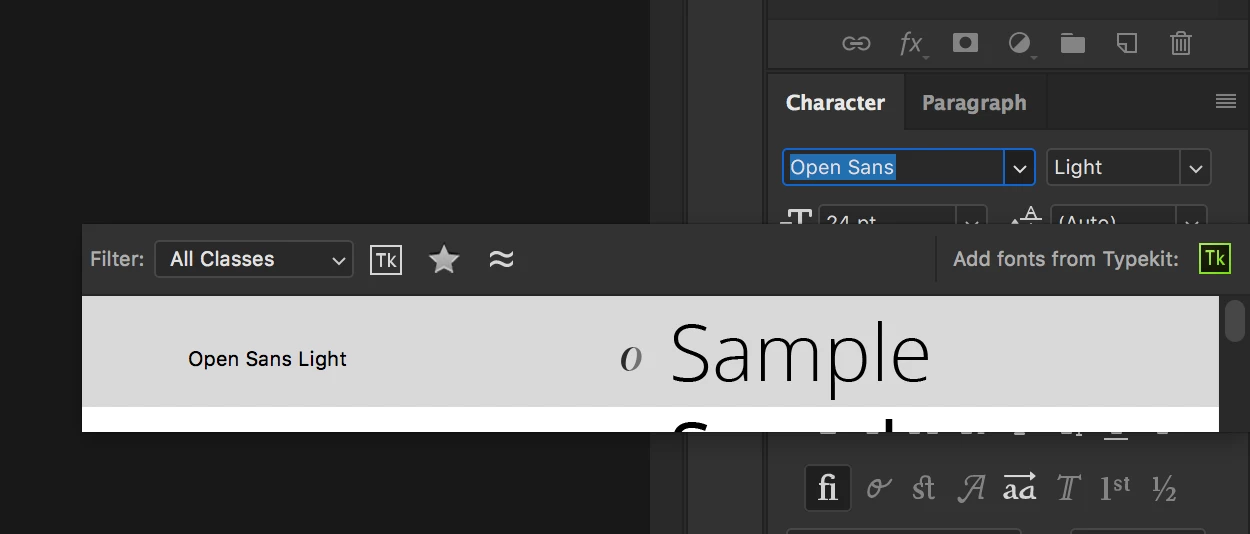
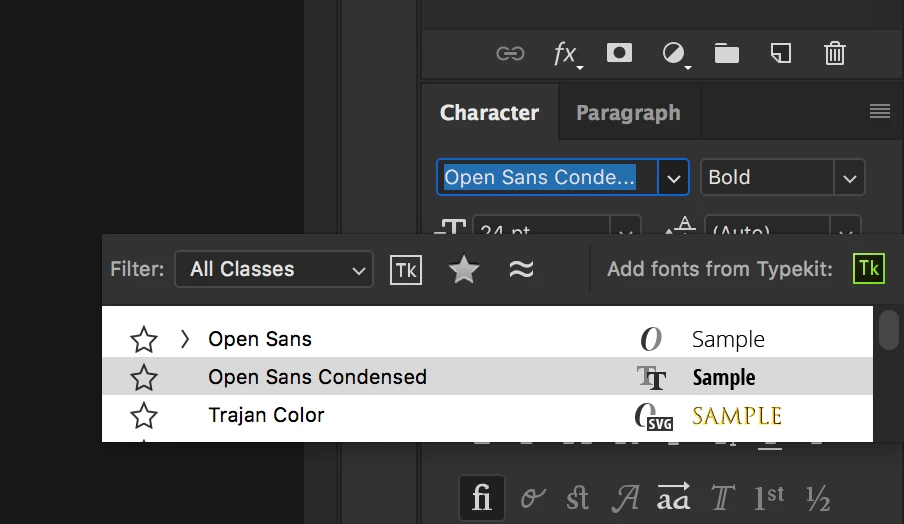
I'm not sure which update made this happen (maybe since the 2018 version), but for the past while the font selection drop-down menu will only show one font at a time. This makes choosing a font nearly impossible. Previously the drop-down menu would expand to show a longer list of fonts. If I change the font preview size to small I can preview up to three fonts at a time, however, this is still unusable. Please see attached screenshots. I have this problem on two different iMacs running PS 2018. Is there an option to fix this, or can this be fixed in an update? I'm assuming it's a bug.
<side rant> While I'm talking about font preview sizes, can Adobe get their act together and make the font preview sizes the same across all applications; Photoshop, Illustrator, and InDesign. Not only are the preview sizes different, the preference location to change them are in completely different places in each application. I have Illustrator and InDesign's preview size set to large yet it's still horribly small, I wish they all had Photoshop's "huge" option. </side rant>
 AdChoices