steved63883344
Participating Frequently
April 28, 2021
Answered

Fonts don't look right

  • April 28, 2021
  • 1 reply
  • 1031 views

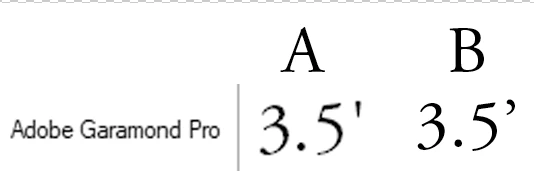
Fonts in Photoshop cc 2014 don't look like they do on the web or in FontViewer.  In the example below, Font 'A' is what the font looks like online and in my local FontViewer program.  Font 'B' is what it looks like in Photoshop.  Notice the apostrophe.  In font 'A' the apostrophe is a straight verticle line (more or less).  However, whenthe font is used in Photoshop, the apostrophe is curved or hooked shape.  Can anyone explain this?  Every single font that I expect to have the straight verticle apostrophe displays a curved or hooked one instead.  This happens for every font; not just one or two.  And yes, I have tried turning Ordinals off/On.
 

This topic has been closed for replies.
Correct answer jane-e

Hi @steved63883344 

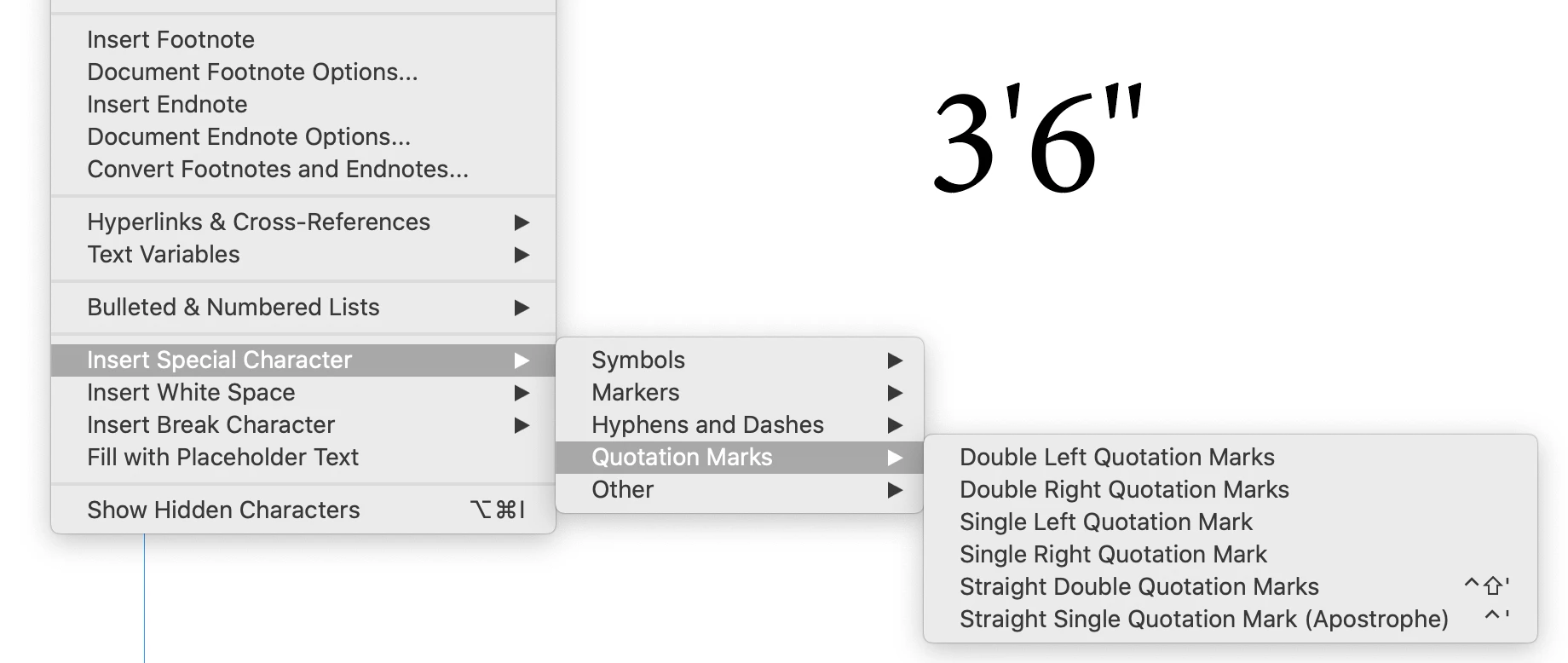
The straight quotes are called "primes" and are used with inches and feet. Photoshop is an image editor with limited text functions. Curly quotes are proper with text.


This is in InDesign and you can see it works well. The primes have keyboard shortcuts.


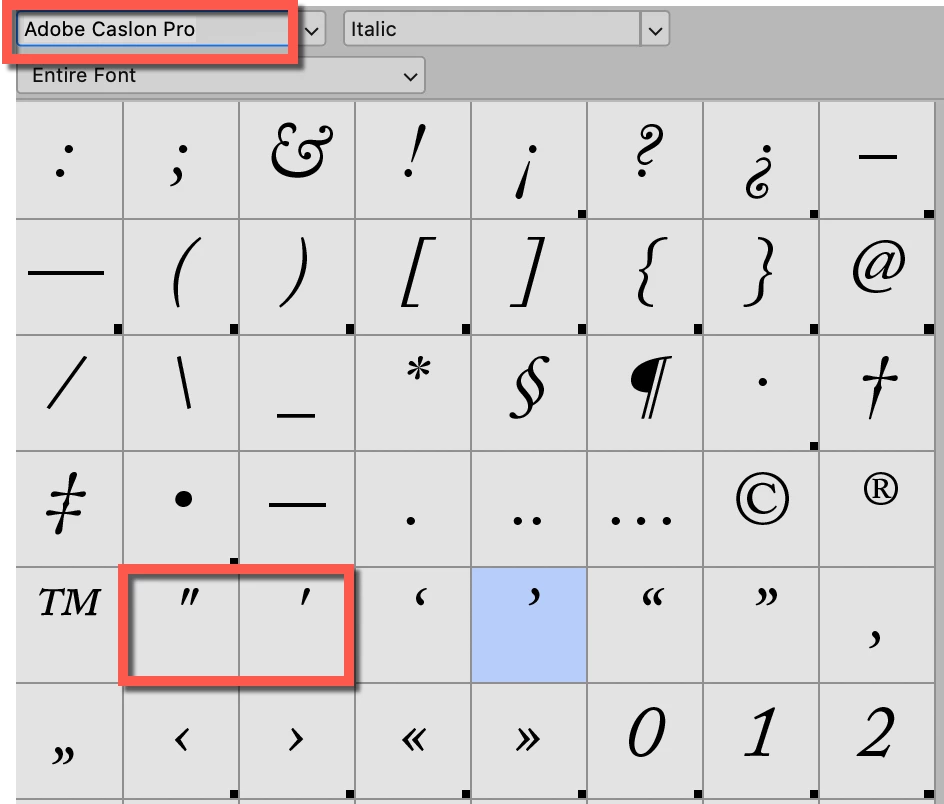
Photoshop does not have a similar menu. Here is the Glyphs panel for Adobe Caslon Pro. It appears to have the primes, but when I tested, they convert to quotes.


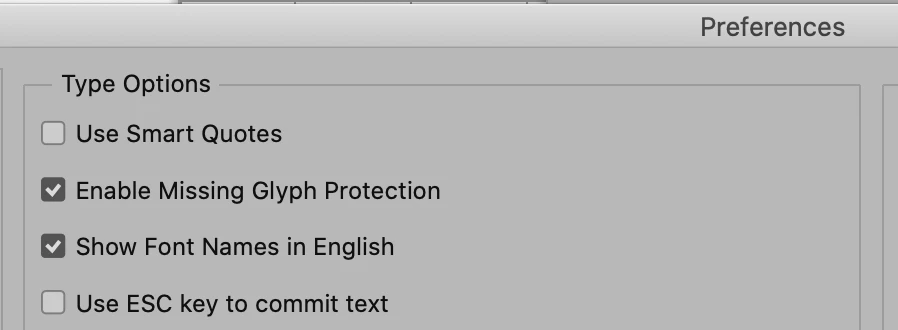
Looking further, I found that you can type primes in Photoshop if you go to Preferences > Type  and uncheck "Use Smart Quotes".


This page from Creative Pro explains quotes and primes:

https://creativepro.com/the-definitive-guide-to-quotes-apostrophes-and-primes/


~ Jane


1 reply

jane-e
Community Expert
jane-eCommunity ExpertCorrect answer
Community Expert
April 28, 2021

Hi @steved63883344 

The straight quotes are called "primes" and are used with inches and feet. Photoshop is an image editor with limited text functions. Curly quotes are proper with text.


This is in InDesign and you can see it works well. The primes have keyboard shortcuts.


Photoshop does not have a similar menu. Here is the Glyphs panel for Adobe Caslon Pro. It appears to have the primes, but when I tested, they convert to quotes.


Looking further, I found that you can type primes in Photoshop if you go to Preferences > Type  and uncheck "Use Smart Quotes".


This page from Creative Pro explains quotes and primes:

https://creativepro.com/the-definitive-guide-to-quotes-apostrophes-and-primes/


~ Jane


steved63883344
Participating Frequently
April 28, 2021

Thanks Jane!  Unchecking the Smart Quotes did the trick.  Thank you so much for digging up the answer and replying to my question.  I appreciate your efforts.

Cheers

jane-e
Community Expert
Community Expert
April 28, 2021

You're welcome, @steved63883344, I'm glad it's working for you now. 😊


~ Jane