

Question
Frequency Separation: Not Blurring, just turning it gray...
so here are the steps I applied for frequnecy seperation:
1. Make 2 duplicates of your image layer
Lower image: blure
Higher image: texture
2. Select the Low frequency layer and use Filter Gaussian Blur (I used 5.0)
3. Select the High frequency layer
Go to menu Image > Apply Image
Set the source layer to Low Frequency
Set the blending mode to Subtract
Set Scale to 2 *
Set offset to 128 *
Click OK
4. Change the blending mode of the high frequency layer to Linear Light
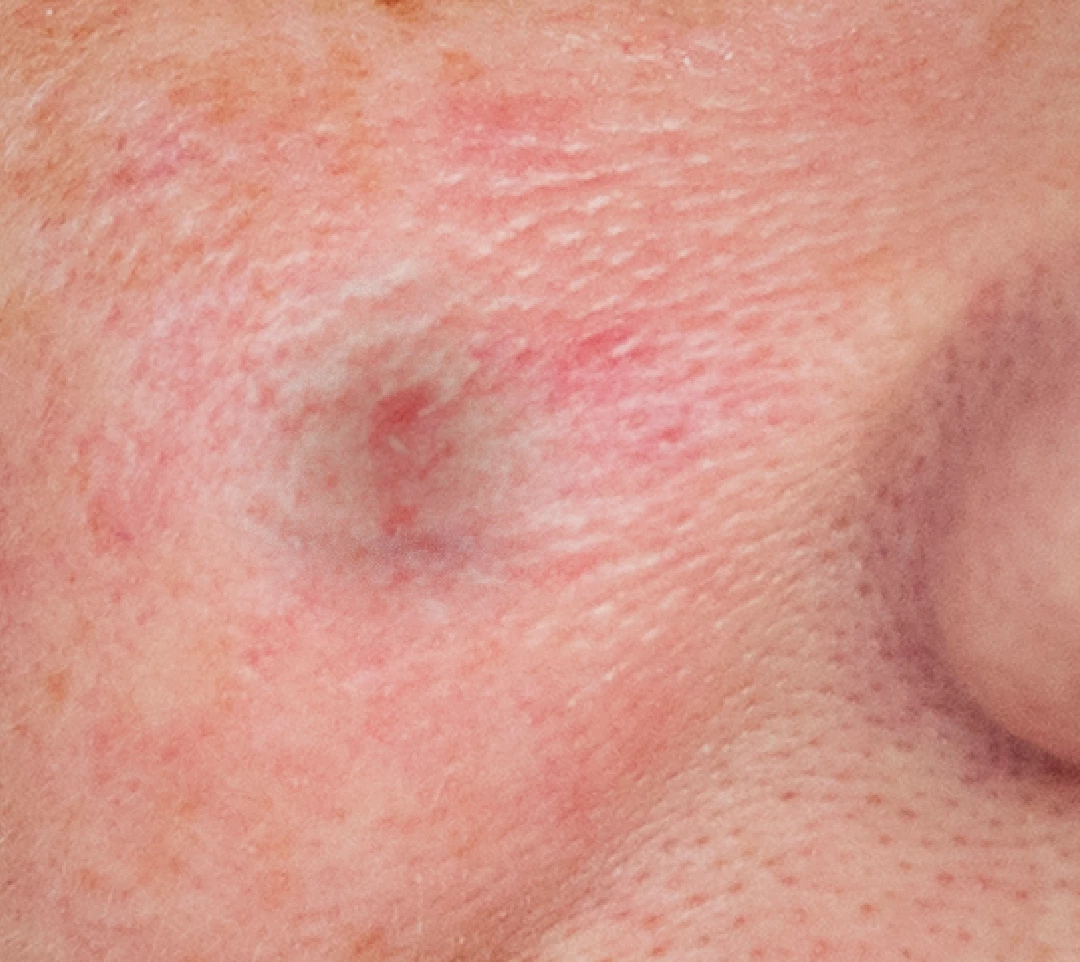
When I try to use the clone stamp on the image to correct, it just makes it gray, and doesn't blur. The photos attached show my setup, and then what happens when I try to correct. 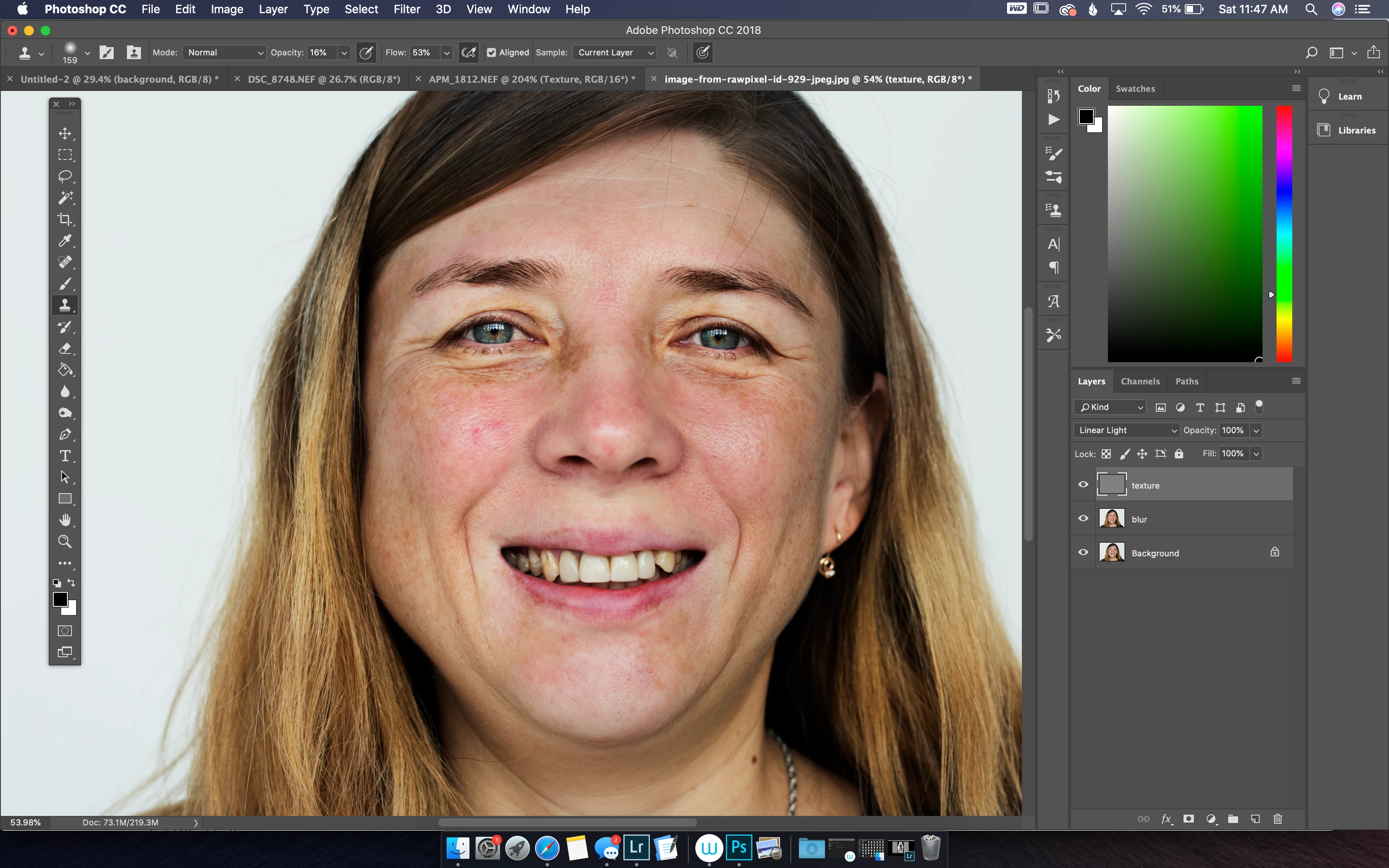
 AdChoices