
Participating Frequently
January 16, 2019
Question

Fuzzy Text Problem

  • January 16, 2019
  • 4 replies
  • 892 views

I have seen other people have this issue but, I haven't found an answer that works for me. When I save as PDF all of my text looks good except for one of my text boxes. It is really frustrating.

My process is Save As- downsize to 100 Pixels per Inch

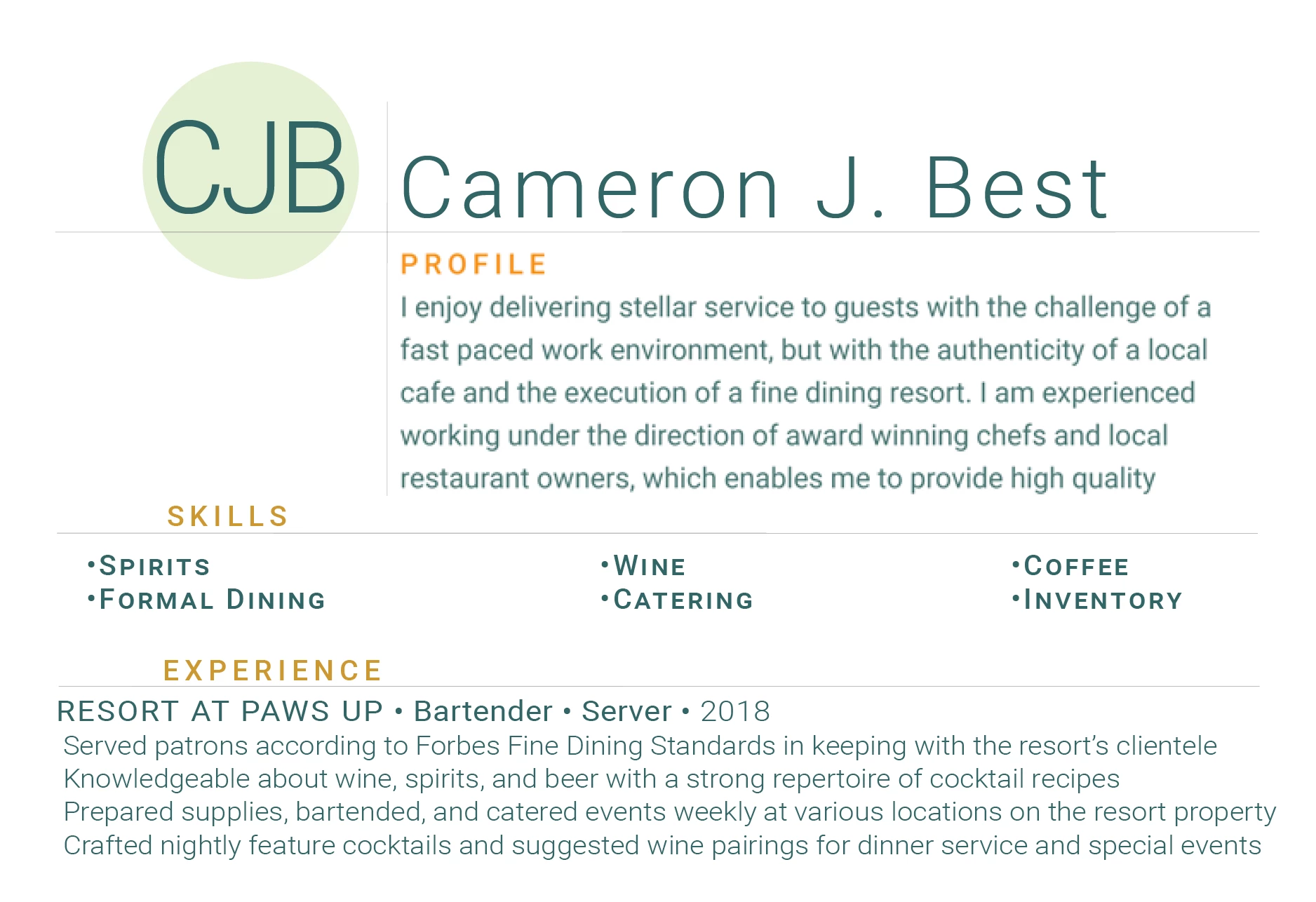
Here is what I am talking about.  The profile section is fuzzy, but all my other text is crisp, but there is no difference between my text box settings.
This topic has been closed for replies.

4 replies

jane-e
Community Expert
Community Expert
January 16, 2019

Hi Cameron

Can you show us the Character panel in Photoshop with an insertion point in the fuzzy text?

Jane

Participating Frequently
January 16, 2019

Theresa J
Community Expert
Community Expert
January 16, 2019

For some reason that particular text box is converting to bitmap while the others are staying vector. This can happen when text intersects something with transparency, or an effect like a dropshadow. I can’t see anything in your screen capture that gives away what it is. Check the shapes around the text. Is there a transparenct shape sitting on top of it by any chance?

Daniel E Lane
Inspiring
January 16, 2019

Yep, is it faux old or an actual bold font? also, is it the same font as the bottom section or a different one (bolded of course) and if it is not the same font, it it a true type font or what type of font is it? Also, when you sized that section, did you use an even numbered font size or one that was point something (ie: 12.5 instead of 12 or 13 font size)?

Trevor.Dennis
Community Expert
Community Expert
January 16, 2019

You are definitely saving out to a non flattened, still vector document?  Sorry to ask, but just in case.

What PDF settings are you using?   Our Dag is the man for this, but I just High Quality print for everything.

The text below is a screen grab at 100% from Photoshop, and it looks fine in Photoshop.  I think Dag will also know why it looks pants in the browser

Scanned from Acrobat.  The test is can you scale it in Acrobat (or similar) without loosing quality?

A part of that tiny text zoomed in as far as Acrobat would go.

I am afraid I don't do websites, so have no idea how to optimise for them.

Theresa J
Community Expert
Community Expert
January 16, 2019

Do you have a faux bold setting on the profile text?

Participating Frequently
January 16, 2019

I don't believe I have anything faux bolded. As far as I can tell they are the exact same text settings as the other text boxs. I even deleted the text box and recreated a new text box. same thing. Here are my settings

jane-e
Community Expert
Community Expert
January 16, 2019

Then maybe show your layers panel. Make sure it is wide enough.