


Gaming Keyboards
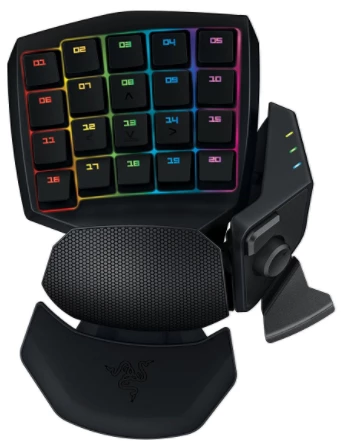
Forum regulars will know I am a fan of the programmable keys that come with gaming keyboards like Logitech G910 that I use. I've been trying to track down a Logitech G13 keyboard ever since hearing about them from JJ who has one, but they seem to be discontinued, and while I have seen the odd one advertized, it's never been by anyone who ships to NZ. Just recently JJ suggested alternatives to the G13, like those made by Razer, and I ordered a Razer Orbweaver that same day after reading a few reviews. It arrived a few days ago, so I thought I'd give you guys first impressions.
Razer Orbweaver
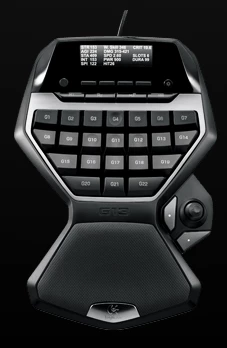
Logitech G13
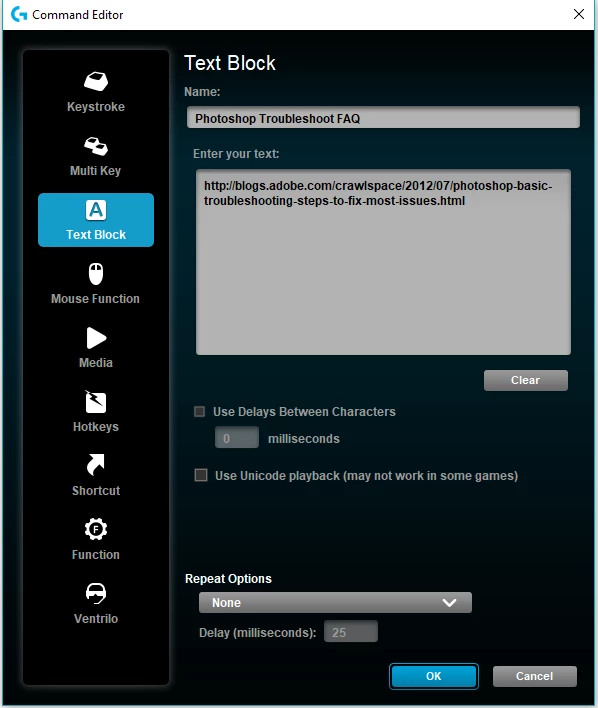
Programmable keys are only as good as the software that drives them. I've been using Logitech's Gaming Software (LGS) for years with the G910 keyboard, the G110 keyboard I used before it, and the G602 mouse which I have taken to after using Performance MX variants for years. It is easy to use, and has a lot of options, including one that the Razer Synapse software does _not_ have — that being the ability to paste a long text string to be triggered by a single G-key. I used this with my last computer, to paste often used URLs into forum posts, like Jeff Tranberry's Troubleshooting FAQ below. There is no easy way to do this with Razer Synapse. You have to manually type it in character by character, and if you make a mistake, there is no option other than to delete and start again. Grrrrrr.
Razer Synapse appears to have a lot of options, but IMO they are not as useful as LGS.
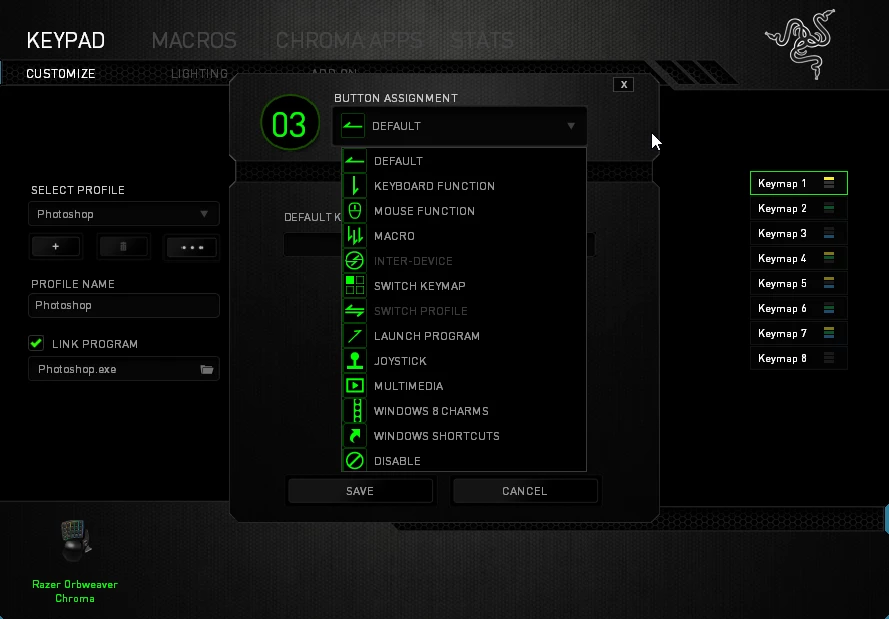
My G910 keyboard has just nine G-keys, which can be switched between three profiles. I don't know if the G13 is similarly restricted, but of it is, then the Obweaver has a big advantage here as you can set up as many Profiles as you like. I also find that Synapse is better than LGS regards linking profiles to applications. With LGS I find I need to manually switch profiles. With the Orbweaver, I just need the cursor to be within the application window for that application's profile to become active. Seeing as the whole idea of these tools is to streamline workflow, that is a major plus.
The sort of functions I use G-keys for range from stepping backwards (Ctrl Alt z) to switching and resetting workspace (via Actions) to toggling Lazy Nezumi Pro on/off. I love the Michael Ninness Power Shortcuts (from MAX 2013) so I trigger several of those with a single G-key
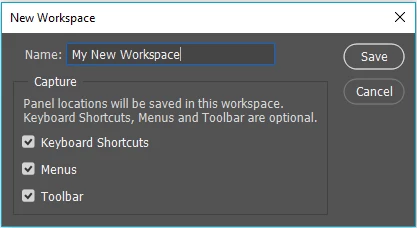
Something I have taken to doing when answer forum requests, is including cut down panels with the screen shots, so I am planning to make a new workspace with that in mind, and use it within an Action that opens a new 'Saved' document preset that I call Scratch Pad. So that's something that will work well from a G-key.
I even use them for Windows Alt codes like the m-dash (Alt 0151) —, degrees symbol (Alt 0176) °. Those are the ones I use the most, but with application context working so well, I might set up a profile to include more of them, providing I can easily toggle to it with another G-key.
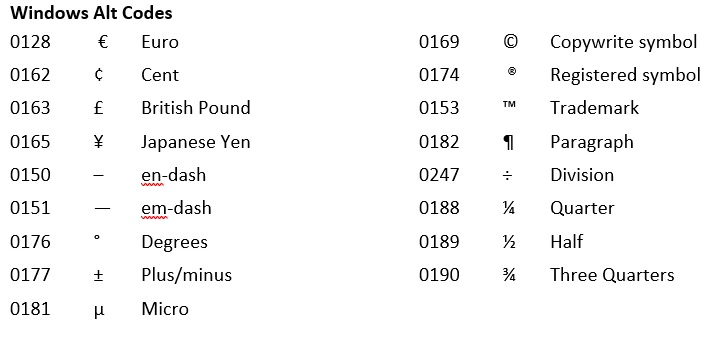
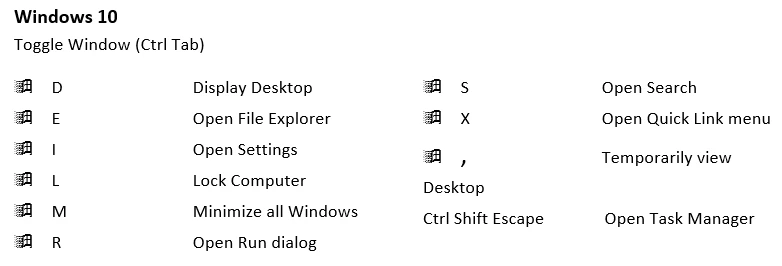
The same thing applies to Windows shortcuts, although less useful as they are mostly just two finger shortcuts.
A lot of the Photoshop functions I use the G-keys for are via Actions, which is problematic because there are no unused shortcuts. So the way I get round that is to use Trevor Morris's extensive list of Photoshop CC shortcuts, and look for workspace specific shortcuts. Having the option to save custom shortcuts along with custom toolbars, in custom workspaces means I can borrow the 3D shortcuts, for instance, and have them revert to defaults with the appropriate workspace. With the Michael Ninness power shortcuts, that means Essentials, and usually for Free Transform Step & Repeat (Shift Ctrl Alt T) and variations that Michael Ninness advocates for Window > Arrange > Tile, float, and Consolidate back to Tabs.
I think these keyboards are designed with gaming in mind, so they are meant to take a hammering. The Orbweaver uses mechanical keys (Cherry Blue) which I am sure will last forever, but by heck they are loud with a resounding CLACK with each key press. Twice as loud as my G910 keys, subjectively. The Logitech G13 uses membrane keys, which I have feeling is why it has been discontinued — nice and quiet and with a soft landing, but with a possible durability issue with gamers in mind, but ideal for the more limited use content creators would subject them to.
I'll update this thread as I get more experience with the Orbweaver.
 AdChoices