janhavelka
Known Participant
July 12, 2019
Answered

grunge line pattern

  • July 12, 2019
  • 3 replies
  • 884 views

Hello,

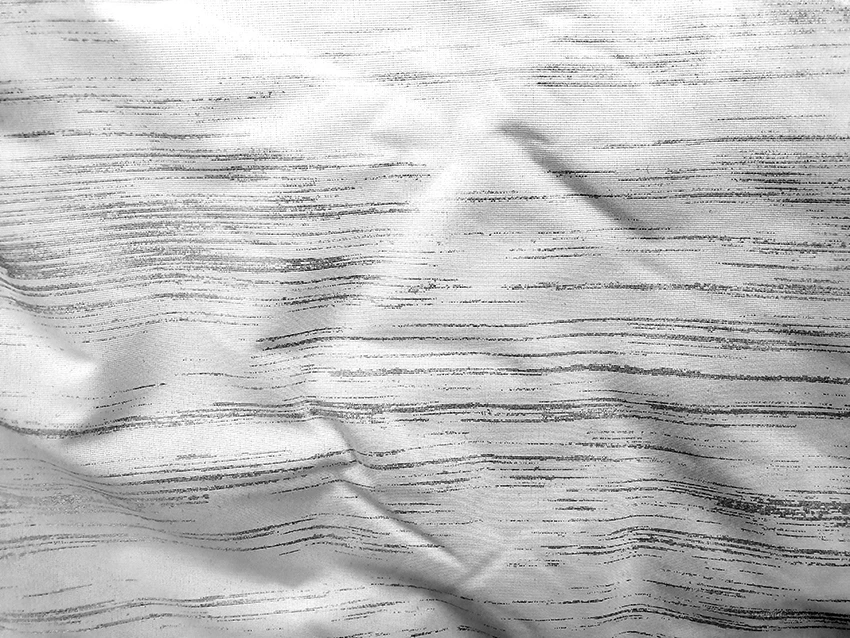
I'm looking to create a thin line grunge effect as depicted on the attached image. The original comes from a piece of fabric (please disregard the folds).
The lines are horizontal and their density is variable but the thickness is uniform, they also contain a slight grunge texture.Any help is much appreciated.

Thank you very much
Jan
This topic has been closed for replies.
Correct answer Mike_Gondek10189183

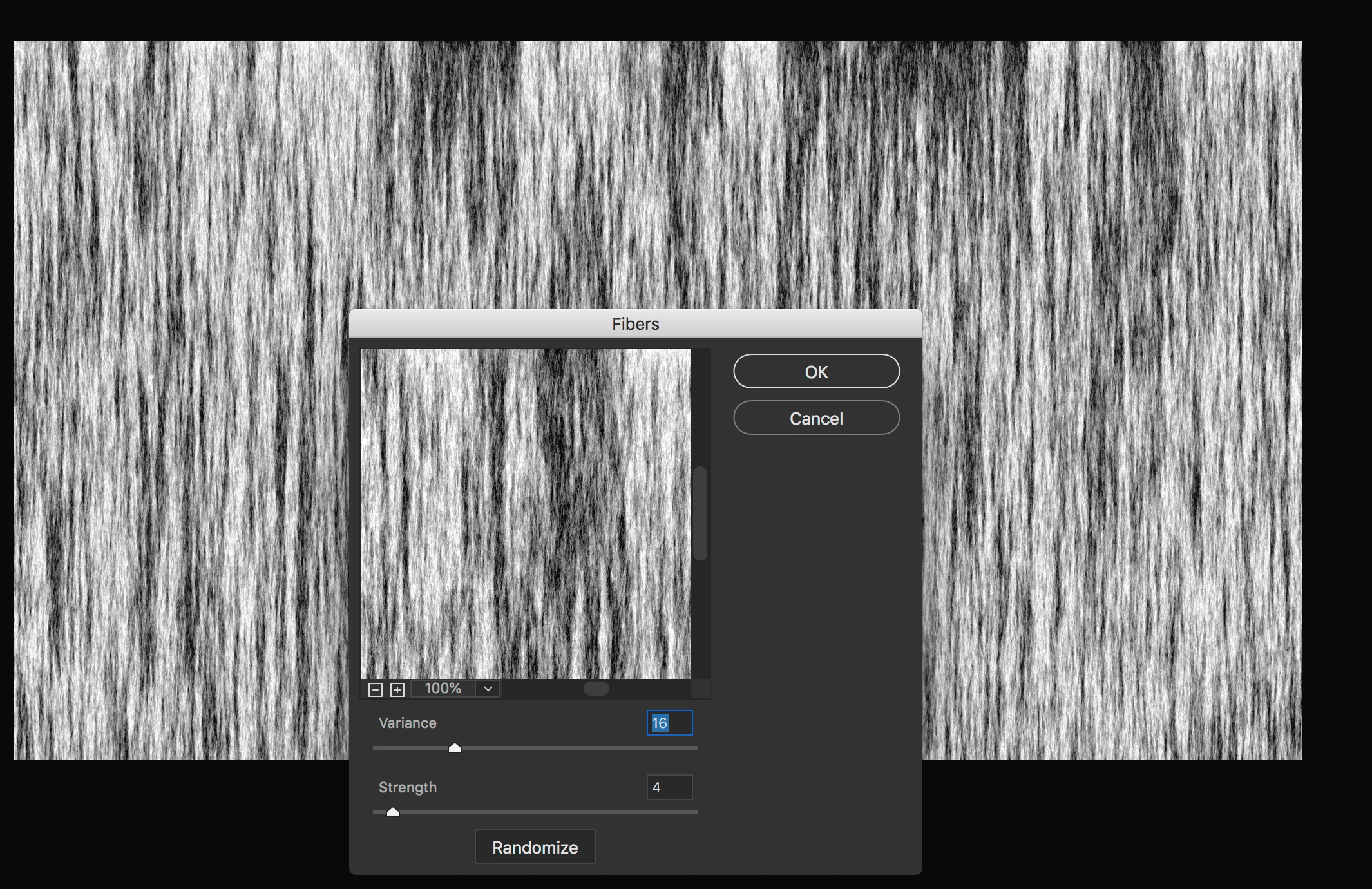
Filter >> Render Fibers

Use threshold to adjust density

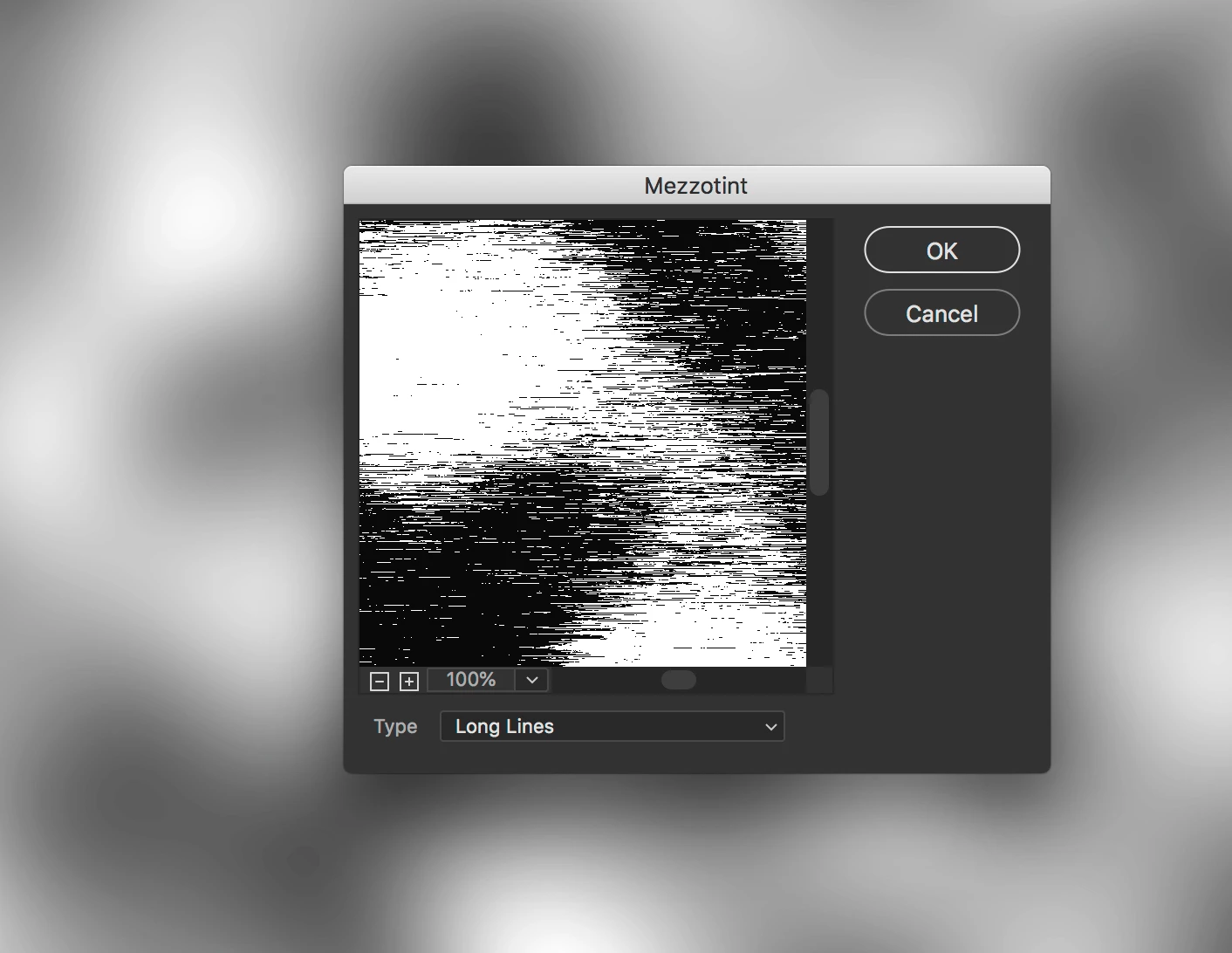
The mezzotint long llines filter on a clouds or similar render was not as good an option for me, but has possibilities, incase anyone wants to try.

3 replies

janhavelka
Known Participant
July 15, 2019

Thank you very much for all the responses. I managed to recreate the effect and turn it into a pattern without much difficulty. The fibre filter and levels command was the essential part.

Mike_Gondek10189183
Community Expert
Mike_Gondek10189183Community ExpertCorrect answer
Community Expert
July 12, 2019

Filter >> Render Fibers

Use threshold to adjust density

The mezzotint long llines filter on a clouds or similar render was not as good an option for me, but has possibilities, incase anyone wants to try.

Norman Sanders
Legend
July 12, 2019

You will notice that the waves (bends) in the lines coincide with the modeling in the fabric. For this effect check out Photoshop's Displacement Mapping feature. If you would like to receive an instruction PDF I wrote for my students, send a personal message to. me with your email address.