


Copy link to clipboard
Copied
My Photoshop is completely updated, I am in 8 bit and RGB and half my filters are still greyed out suddenly today.
Please help!


 1 Correct answer


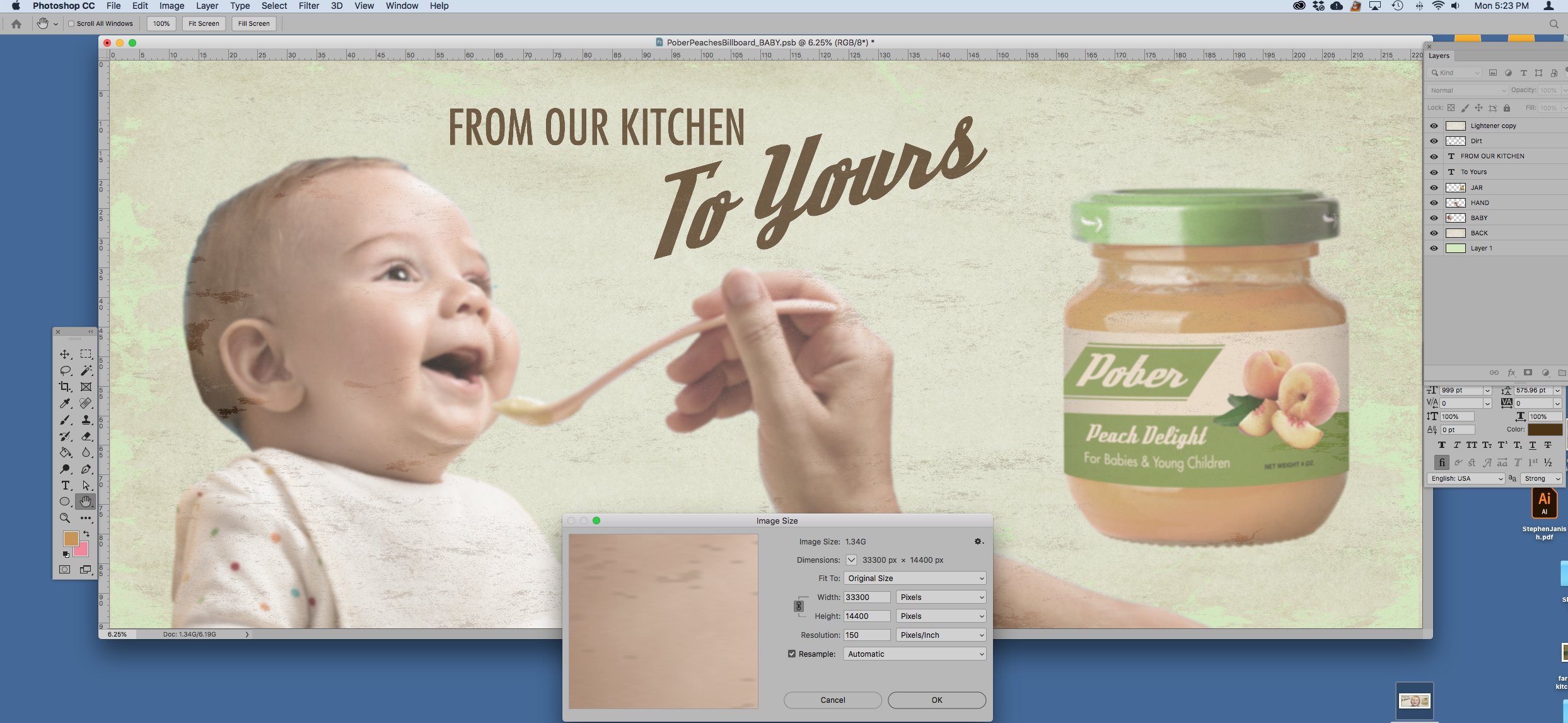
There is the answer in you screenshot. You are using a width of 33300 pixels. As I previously posted, many filters only work up to 30000 pixels in either dimension.
If this is for a billboard then 150ppi is overkill. Good eyes with 20/20 vision cannot resolve 150 ppi at more than 45 inches which is just under 4 feet. A billboard will be viewed at a much greater distance than that so you can safely reduce the pixel width.
There is a useful formula for ppi (based on the degrees of arc that our eyes
...

Explore related tutorials & articles
 15
Replies
15
15
Replies
15


Copy link to clipboard
Copied
Hi there,
That does not sound good, let us help make this right.
As some most of the Filters are grayed out in Photoshop, could you please let us know the exact version of Photoshop and Operating system you're using? You can find out the exact version by going to Help > System Info
Also, what is the file extension of the source element? Is the file type vector?
I know it sounds simple but have you tried closing and restarting Photoshop, then creating a new document to see if the filters are still grayed out?
Regards,
Sahil
Copy link to clipboard
Copied
It seems I'm not getting the issue with other files. Could it be that it's because the file I'm having the issue with is a PSB?
Copy link to clipboard
Copied
No, I believe it is related to something else, as the psb format does support filters.
Could you please provide a screenshot of the full Photoshop user interface with the psb document opened? as it would be helpful for us to identify the issue.
Copy link to clipboard
Copied
It's a billboard. Billboards are large and I won't submit artwork to a printer at the wrong size. They always screw up the job then.
So when I had the problem my ppi was at 150. When I lowered the ppi to 100 and resaved it as a PSD the problem went away.
This is a limitation of Photoshop's that is not cool with me. You can't take away resolution then magically bring it back.
Once things get blurrier they stay blurry.
Copy link to clipboard
Copied
If anyone has a clever workaround for this I'm all ears.
Copy link to clipboard
Copied
There is the answer in you screenshot. You are using a width of 33300 pixels. As I previously posted, many filters only work up to 30000 pixels in either dimension.
If this is for a billboard then 150ppi is overkill. Good eyes with 20/20 vision cannot resolve 150 ppi at more than 45 inches which is just under 4 feet. A billboard will be viewed at a much greater distance than that so you can safely reduce the pixel width.
There is a useful formula for ppi (based on the degrees of arc that our eyes can resolve).
It is ppi = 2/(viewing distance in inches x 0.000291)
Dave

Copy link to clipboard
Copied
Filters are gray when no layer is selected.

Copy link to clipboard
Copied
I definitely had a layer selected. It's because the file is a PSB, which sucks.
Copy link to clipboard
Copied
https://forums.adobe.com/people/ty+semaka wrote
I definitely had a layer selected. It's because the file is a PSB, which sucks.
No, I odn't think that's it. The higher file size format .PSB supports layers, effects, filters, and all other features of Adobe Photoshop.
The PSB file format also makes it possible to save HDR, 32-bits-per-channel images.
Of course, you will need a powerful computer and plenty of storage space to comfortably work with ultra-high resolutions.
Copy link to clipboard
Copied
When I made the file small enough to be a PSD instead of a PSB, all of the filters reappeared as useable.
Copy link to clipboard
Copied
What was the height and width of your PSB file?
Copy link to clipboard
Copied
The reason is not that it is a psb.
Here is a psb file open with the filters available :
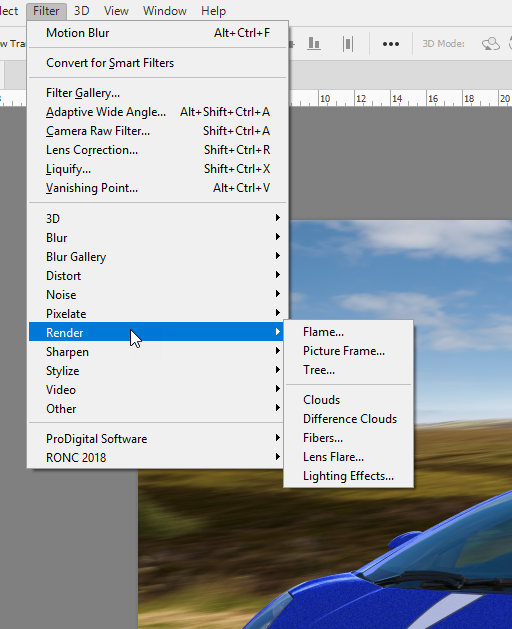
What is the image size - some filters will grey out if you go over 30,000 pixels in either width or height
Dave
Copy link to clipboard
Copied
Thanks Dave. That was indeed the answer. The only reasons I went with 150 ppi is because the printer vendor told me to AND it's actually going on the side of a building for a TV show at ground height and it will be filmed from about 10 feet away on high definition cameras. But thank you for the thorough response. 🙂

Copy link to clipboard
Copied
https://forums.adobe.com/people/ty+semaka wrote
it will be filmed from about 10 feet away on high definition cameras.
Ah, I get it. They're worried about moiré (interference patterns). Yes, to be on the safe side, an extremely high resolution backdrop will eliminate that risk.
HD footage is 1920 x 1080 pixels, so in itself that wouldn't be able to capture that resolution.
Copy link to clipboard
Copied
Hi
Thanks for coming back and explaining the purpose. It's a much better reason for higher ppi than the usual - "I'm producing a 50ft billboard so I need a gazzilion pixels"  . In your use case, the camera could conceivably zoom in on a section of your print.
Good luck with the project.
Dave


Find more inspiration, events, and resources on the new Adobe Community
Explore Now
 AdChoices