
dphiii
Participating Frequently
June 2, 2019
Answered

Help! Photoshop Brushes Not Solid

  • June 2, 2019
  • 3 replies
  • 3099 views

Hello,

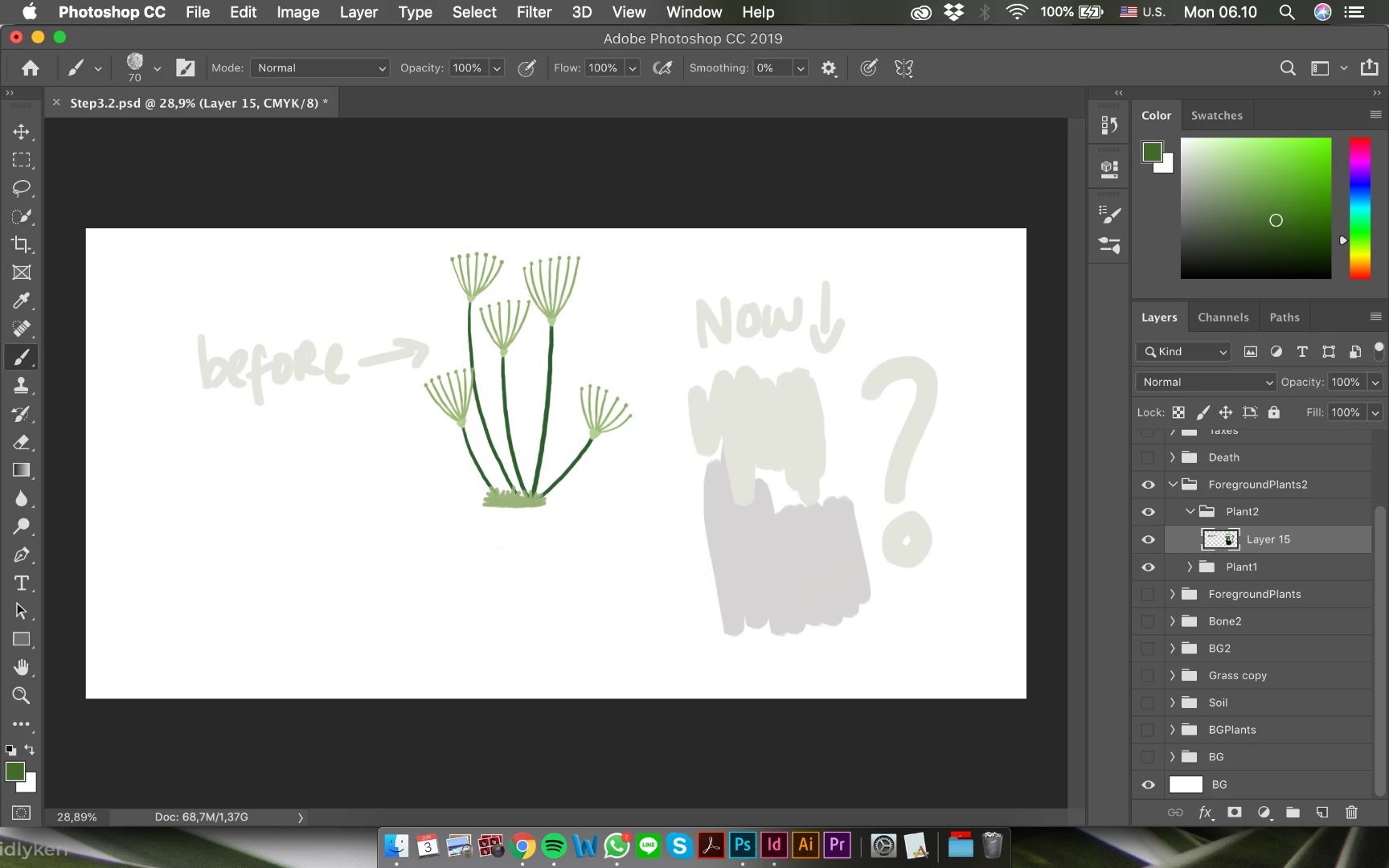
My photoshop brushes are suddenly producing weird muted colors. It's not transparent but the colors are not vibrant and the brushes are moving so slow now.

Opacity is at 100%, Normal mode. I even reset Photoshop by holding Shift + Opt + Command while opening it.

I tried creating a new file and the brushes worked completely normal.

If anyone knows how to fix this, that'd be super helpful!
This topic has been closed for replies.
Correct answer davescm

Check the fill and opacity settings for the two groups labelled "Plant 2 " and "Foreground Plants2" - your layer is in both.

Dave

3 replies

davescm
Community Expert
davescmCommunity ExpertCorrect answer
Community Expert
June 2, 2019

Check the fill and opacity settings for the two groups labelled "Plant 2 " and "Foreground Plants2" - your layer is in both.

Dave

dphiii
dphiiiAuthor
Participating Frequently
June 3, 2019

Yep you're right. Thank you!

davescm
Community Expert
Community Expert
June 3, 2019

You're welcome

Dave

Nancy OShea
Community Expert
Community Expert
June 2, 2019

For one thing, you're working in CMYK mode, not RGB.  CMYK colors are much less vibrant than RGB.  Go to Image > Mode and change  to RGB. 

I only use a CMYK preset for professional print jobs.  And only after I've developed the artwork first in RGB mode.

Nancy O'Shea— Product User & Community Expert
Peru Bob
Community Expert
Community Expert
June 2, 2019

Try updating or rolling back your graphics driver directly from the video card manufacturer’s site.