
Participating Frequently
December 19, 2016
Question

HELP! PS Displays Jagged brush strokes but aren't???

  • December 19, 2016
  • 5 replies
  • 1446 views

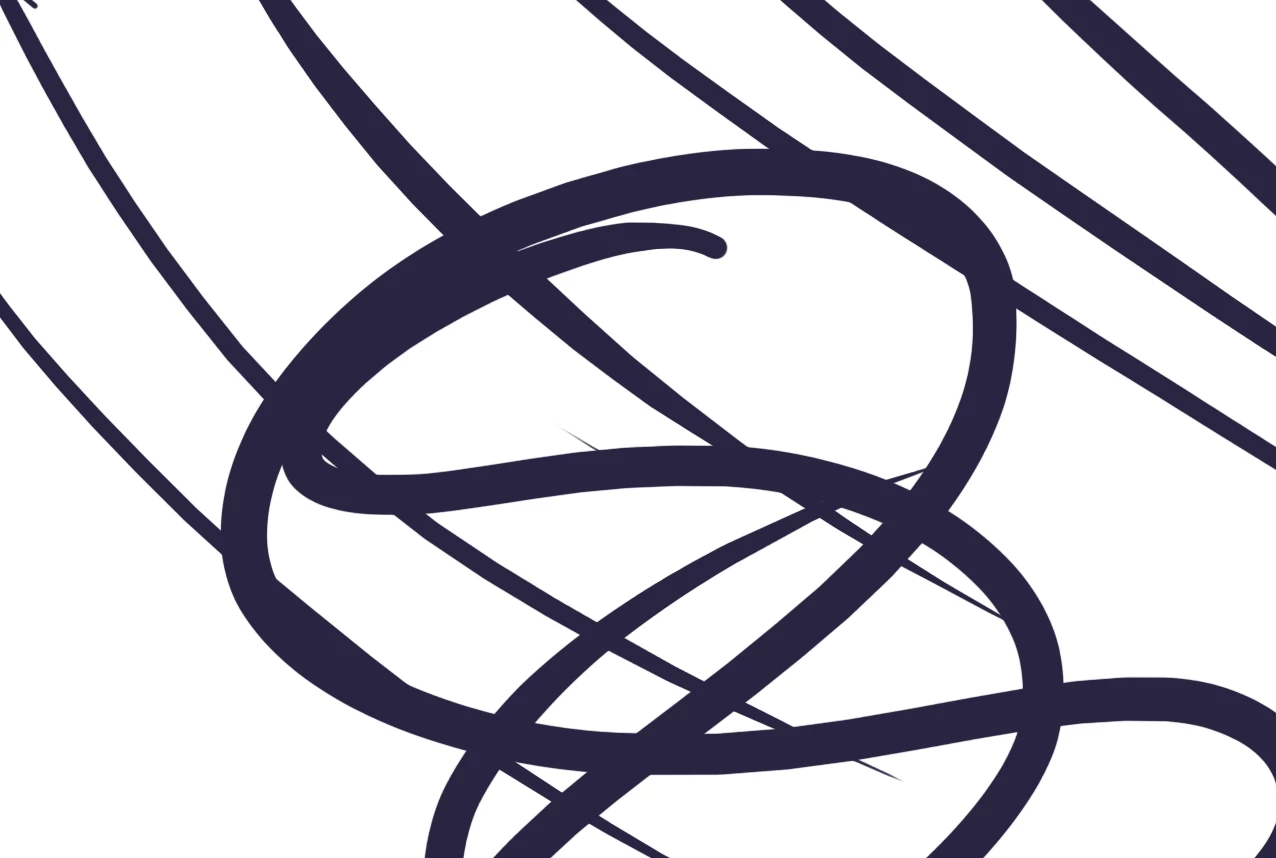
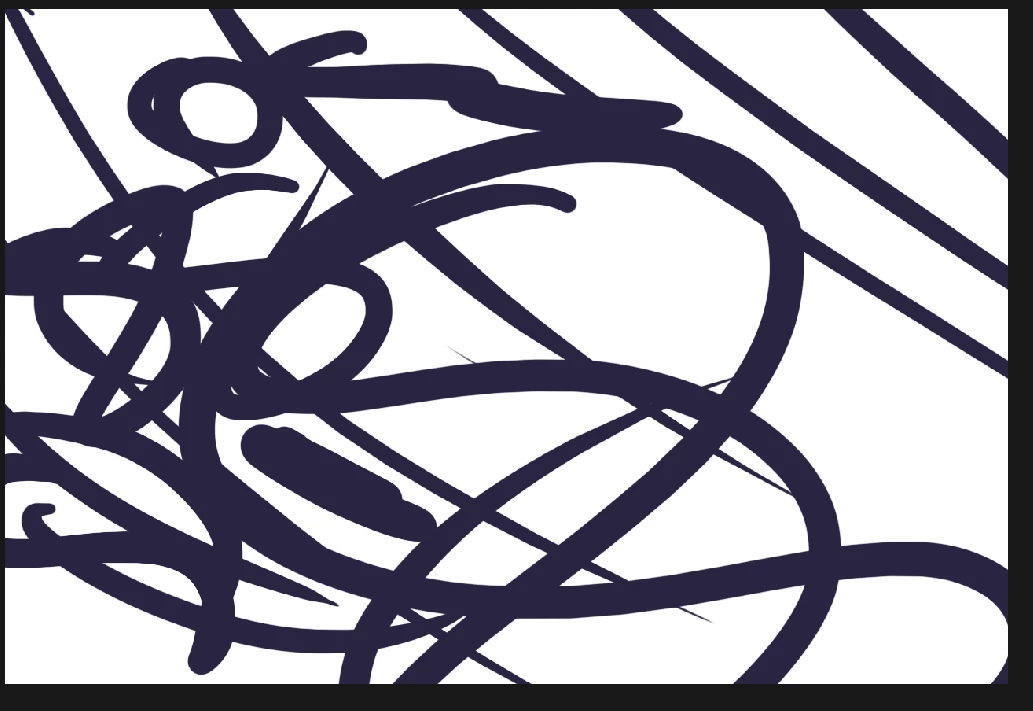
Hey! My problem is really weird... I was trying to show people how my lines are so jagged as seen in picture 2 BUT as I exported image the LINES were SMOOTH!?!??! What? I don't understand. I posted the display with a screen cap as I can't show it to you otherwise. Picture 2 is what I see. It is NOTHING like Picture 1 as it is saved/exported as.

My brush settings are fine. Spacing 0, Smoothing is on, Shape Dynamics only pen is changing Size Jitter. Its clearly not my pen settings if they save smooth like this and its a PS display for whatever horrible reason.

Help please :C I don't understand this or how to fix it as I can't really word this properly on Google to find any results.
This topic has been closed for replies.

5 replies

Participating Frequently
December 19, 2016

I have no idea what went wrong besides that uninstalling completely and reinstalling PS fixed my issue. I have NO idea what went wrong and thats still incredibly frustrating as I now have to reset everything to my liking. I am happy that its fixed tho just very unhappy about how I had to fix it.... Only thing in settings that is different is the Use Graphics Processor is on instead of "off" by default and that's the only thing that is set different.

Theresa J
Community Expert
Community Expert
December 19, 2016

The more description you gave, the more it sounds like a problem with your graphics processor. I'm glad you got it fixed.

Participating Frequently
December 19, 2016

The exporting the new art on PSD thats affected by the jagged brush strokes to PNG is still jagged when worked on. I guess only older PNG works are smooth. I don't understand. I might try to reinstall photoshop. In other news, 100% ONLY zoom function is NOT jagged and that is the only percent that it's not jagged on...

Trevor.Dennis
Community Expert
Community Expert
December 19, 2016

Does it display the same at all zoom ratios?

What sort of hardware and operating system are you using?

What tablet, and driver version?

But I suspect answer #2 is in the right ballpark with the GPU acceleration.

What about Cache levels?  Now that could do it if you have cache levels set to 1.  (Preferences > Performance)

Participating Frequently
December 19, 2016

Setting wasn't ever on. CS6 is basically basic installation besides when I moved my work station around. Settings are pretty much default.

The jaggedness is at all %zooms. OS is Win10 and Hardware is 16GB ram, Nvidia GTX 770 (Ive bench marked it and it works great). CPU Processor: Intel i7 4771 4 cores 3.50 GHz. Everything works.

Tablet is Intuos Pro. Driver is up to date. I tried rerolling to as far back as I can and tried all the drivers available from 2015 onward.

I changed my Cache Levels from 4 to 1 and tried to see if it worked. It didn't. Problem still persists. I tried 1 - 8 and still same dealio. No matter cache levels it hates me.

-----

I'm going to copy and paste some from my other reply in case you don't get alerts.

More to add to the issue.

Weirdly enough as I did what other post suggest it didn't fix my issue with PSD canvases. I open new images I have completed and brush stroke over, smooth. Its ONLY on PSD files that its jagged. I have no idea why and it really doesn't seem to be brush settings.

But in any cases, its Brush, Basic Hard Round, Shape Dynamics on to Pen Pressure, Smoothing checked on, Spacing 0, Hardness 100%. When I export said image that the PSD is making jagged, reload as a PNG image in PS and work on that it's suddenly smooth brush where as working on the image as a PSD and not a PNG it's not smooth... Weird....

c.pfaffenbichler
Community Expert
Community Expert
December 19, 2016

Does turning off »Use Graphics Processor« in the Performance Preferences and restarting Photoshop have any bearing on the issue?

Participating Frequently
December 19, 2016

Was never on to begin with :C

Theresa J
Community Expert
Community Expert
December 19, 2016

That is really weird. I haven't seen this before. Do other things look jagged like this too, like images, and vector shapes? I'm wondering if it has something to do with your graphics card. If not that, maybe some kind of a blend mode setting. Are you brushing on a transparent layer, or on a white pixel filled layer? What are your brush settings?

Participating Frequently
December 19, 2016

Weirdly enough as I did what other post suggest it didn't fix my issue with PSD canvases. I open new images I have completed and brush stroke over, smooth. Its ONLY on PSD files that its jagged. I have no idea why and it really doesn't seem to be brush settings.

But in any cases, its Brush, Basic Hard Round, Shape Dynamics on to Pen Pressure, Smoothing checked on, Spacing 0, Hardness 100%. When I export said image that the PSD is making jagged, reload as a PNG image in PS and work on that it's suddenly smooth brush where as working on the image as a PSD and not a PNG it's not smooth... Weird....

No blending mode.

GPU is working great, I've benched marked it before its a Nvidia GTX 770 and it worked with flying colors..

I work on filled backgrounds, the image I posted was on a white BG fully filled.

I made Circles from the tool maker for a quick "vector" and it's hard to tell if its jagged, appears to be.