

History State Toggling (aka Undo/Redo or Before/After) has suffered from nerfing?
Hi everyone,
The end of a long project means I've just recently updated to 20.0.2, and I'm having some trouble with the Toggle Last State function.
Old behaviour:
In my previous version, 18.1.6, you could undo multiple steps then use Ctrl-Z to toggle back and forth between your new point in history and the latest point in history. In the shortcuts menu this was called "Undo/Redo". This was great for comparing chunks of changes to a painting.
Here's an example:

New behaviour:
In the new version of Photoshop, "Undo/Redo" seems to have been replaced with "Toggle Last State", which has extremely limited function. It will only toggle one history instance, and only if that instance is the latest history log. This limited function also completely stops working as soon as you jump to any other point in history - even if you return to the latest point.
That might be hard to understand through text, so here's an example:
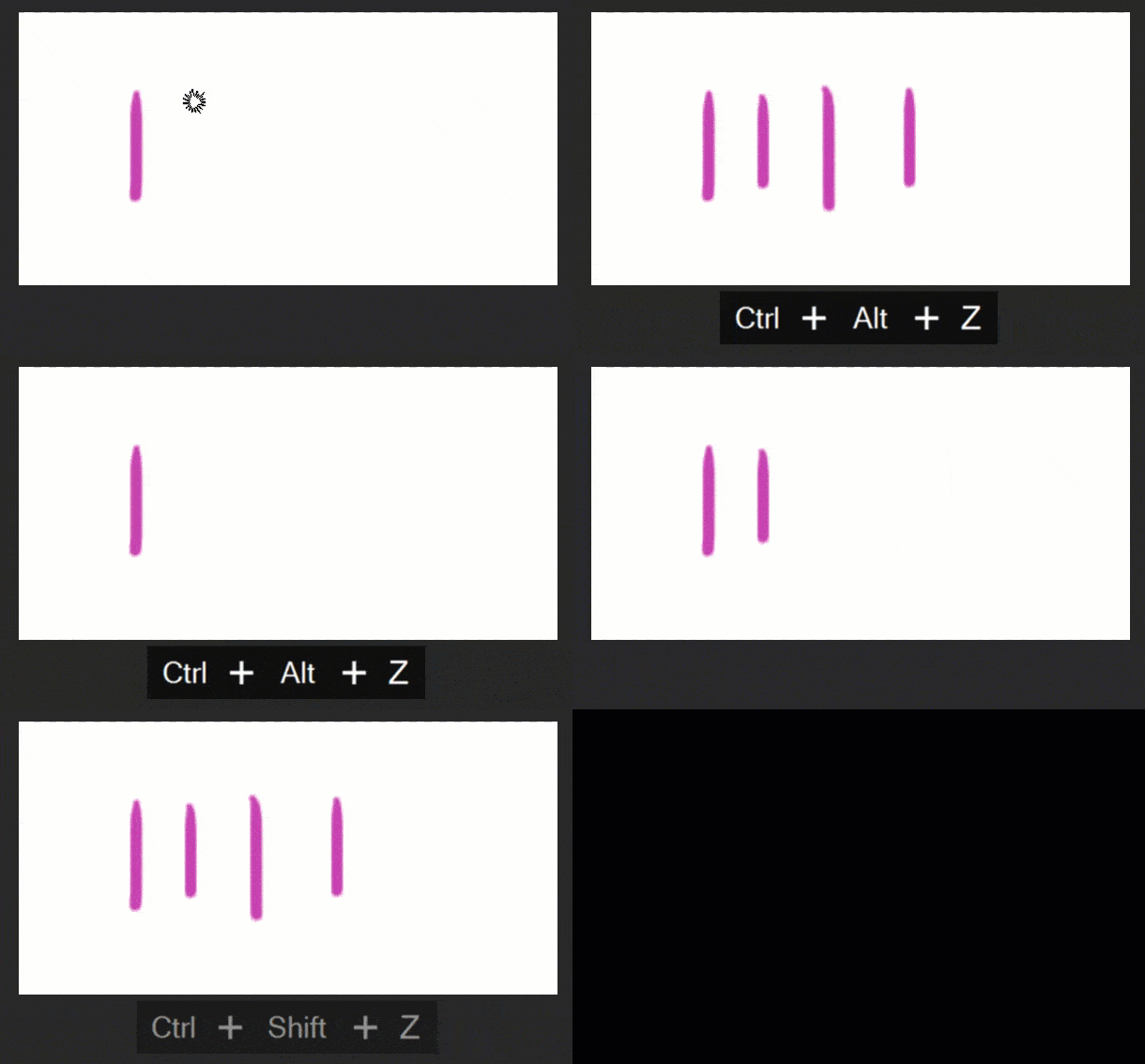
In a nutshell, state toggling has suffered from reduced functionality, and only works in one very specific circumstance, rendering it quite useless compared to its previous function. You can see from the gif above where Ctrl-Alt-Z stops responding completely once I've moved around in the history. I've Googled for other reports on this and was very surprised to find none; I'm really sure anybody painting with Photoshop would immediately hit this limitation.
So what's the problem?
- At best, Toggle Last State will only ever toggle a single history instance.
- Toggle Last State stops working completely if you've used Ctrl-Z, until you perform a new action.
- Toggle Last State will not resume working even if you click Ctrl-Shift-Z up to the latest history point (this one is definitely a bug)
All this behaviour can be completely reversed by checking "Use Legacy Undo Shortcuts", but that's just avoiding the issue. The new Ctrl-Z functionality is awesome! But please can I have my fully-featured state toggling back?
 AdChoices