
Inspiring
March 13, 2018
Answered

How can I make a bottom layer visible?

  • March 13, 2018
  • 4 replies
  • 1031 views

See pic below.

I have:

layer 1  - LInes

layer 2 - Lines

layer 3 - Lines

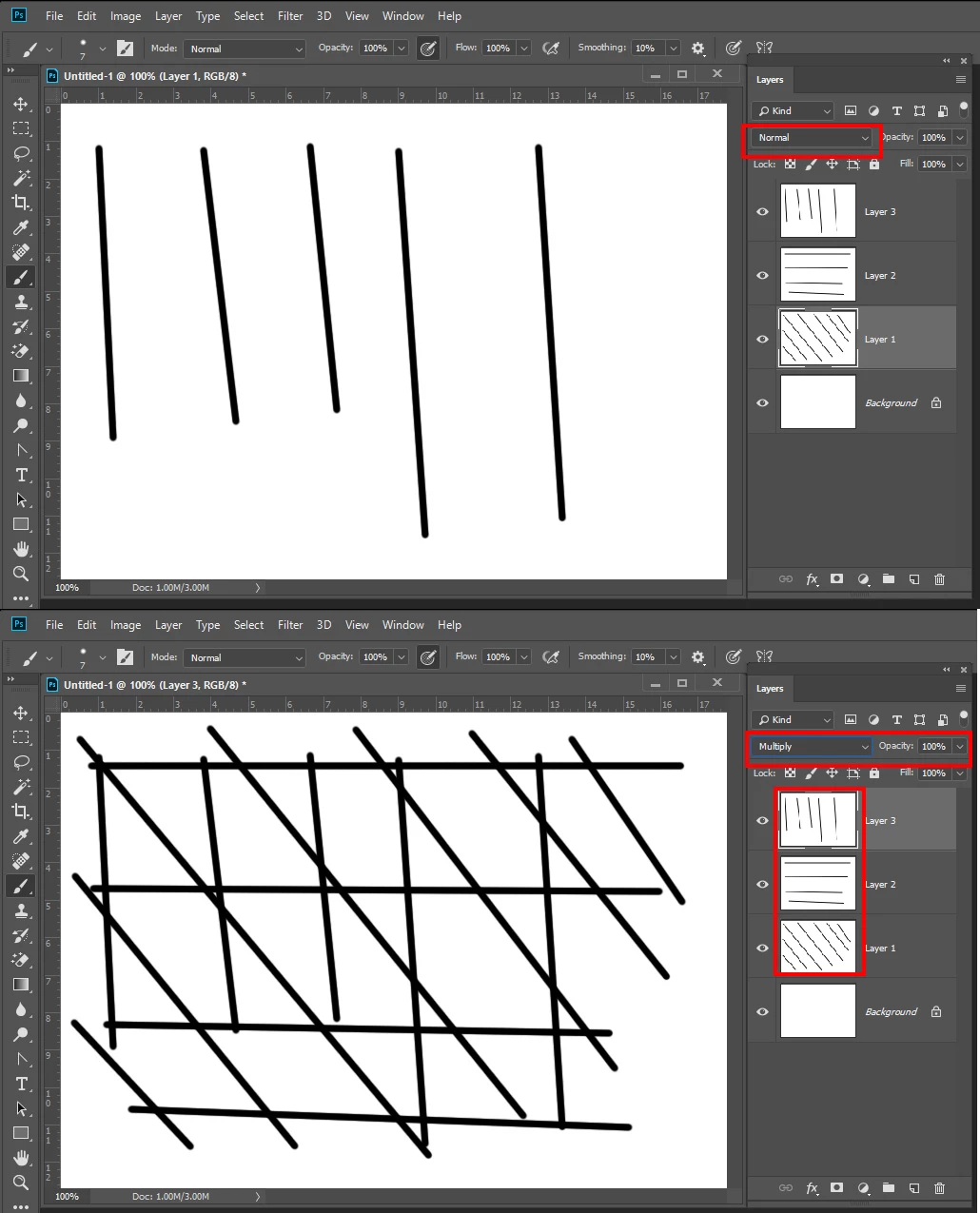
How can I make the lines from layer 1 fully visible when it intersects layer 2 and 3?

I still want the lines from layer 2 and 3 to be visible once they go below the drawing of layer 1.
    This topic has been closed for replies.
    Correct answer JJMack

    As Chuck stated

    4 replies

    Trevor.Dennis
    Community Expert
    Community Expert
    March 13, 2018

    As I remember it, we used to show an unlinked crossover like this

    If you want to put a small break in a line to show where another line crosses but does not link to it, then add a layer mast > Make a selection around the line (red arrow) and fill the selection with black (red circle)

    Are we getting close to your issue, or still miles out?

    elindo586Author
    Inspiring
    March 13, 2018

    Thanks Trevor.. I think I am gonna need that jumper line too. How do you draw it?

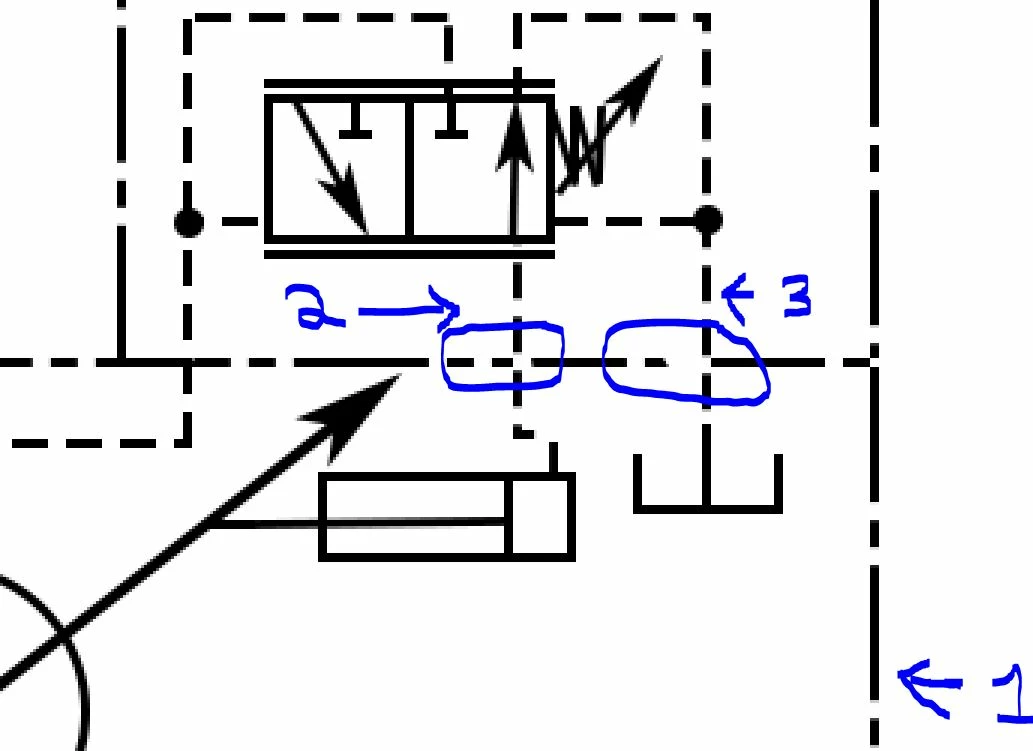
    As for the example above, layer 1 is an enclosure line, and layers 2 and 3 are drain lines going from one enclosure valve into a pump enclosure, so I am not drawing a jumper on those.

    JJMack
    Community Expert
    JJMackCommunity ExpertCorrect answer
    Community Expert
    March 13, 2018

    As Chuck stated

    JJMack
    Chuck Uebele
    Community Expert
    Community Expert
    March 13, 2018

    Use multiple blend mode on your top layers.

    chanaart
    Community Expert
    Community Expert
    March 13, 2018

    Cannot understand the sketch. Do you want to send a line below another layer?

    Please explain!