
Participant
May 20, 2018
Answered

How can I make my line-art smoother

  • May 20, 2018
  • 4 replies
  • 4722 views

I'm trying to make some lineart on a 3" x 2" image canvas, but my lineart turns out pixelated. The inking line-art I use on Sketchbook Pro is far more cleaner, smoother and crisper. Is there any tweaks I can make on Photoshop CC that can make my line-art smoother.
    This topic has been closed for replies.
    Correct answer melissapiccone

    Illustrator is the way to go for something like this. Do you have an ipad? The Adobe Mobile apps are another option - PS sketch on an ipad pro with the pencil...

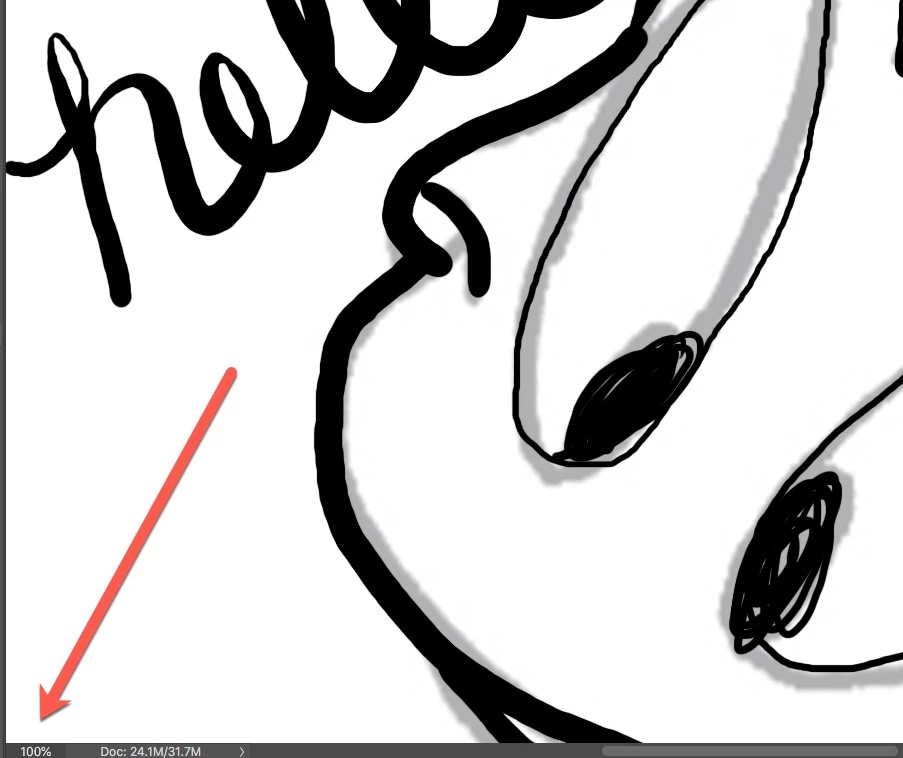
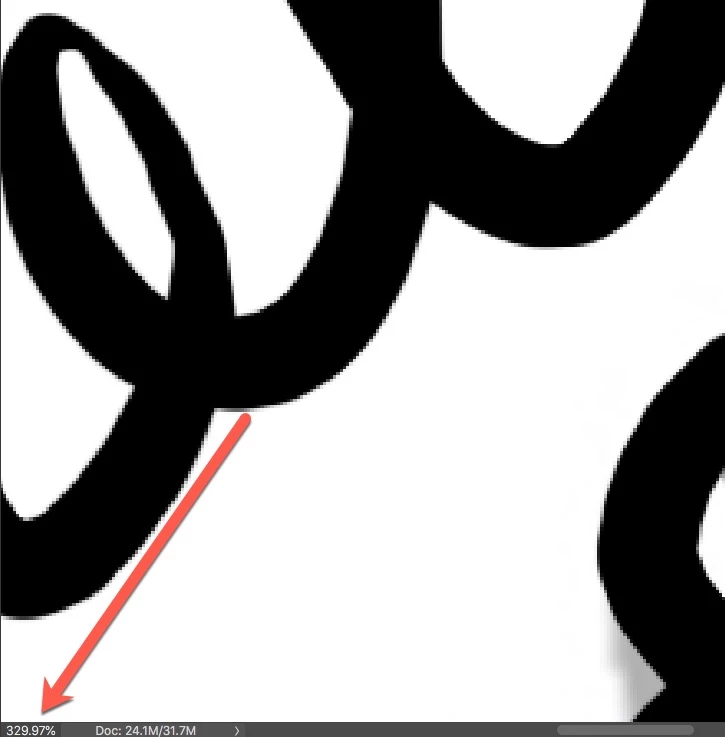
    But, you can still make it work in PS - you need to be working on a large image  - lots of pixels. Here is an example - i just created a new document, the default print document 8.5 x 11 at 300ppi. Smooth at 100% but pixelated when zoomed in...

    4 replies

    Participating Frequently
    May 22, 2018

    As Nancy did above, I would recommend checking out Illustrator for something like this. If you have an iPad, also check out the app Adobe Draw. I think you'll be able to do what it is you're trying to do there Good luck!

    Abambo
    Community Expert
    Community Expert
    May 22, 2018

    even that I agree using Illustrator, the drawing should be lined crisp and properly antialiased if drawn using Photoshop, if the parameters are correct. However, to judge if something is crisp, you need to look at it at full resolution (1:1) as recommended by c.pfaffenbichler​.

    ABAMBO | Hard- and Software Engineer | Photographer
    Nancy OShea
    Community Expert
    Community Expert
    May 21, 2018

    For high quality line art, I use Illustrator. 

    Nancy O'Shea— Product User & Community Expert
    melissapiccone
    Community Expert
    Community Expert
    May 21, 2018

    How are you drawing the lines?? The pencil tool is very pixelated, the brush is not. The larger you file, the nicer the brushstrokes will look. Post some screenshots...

    Melissa Piccone | Adobe Trainer | Online Courses Author | Fine Artist
    Participant
    May 22, 2018

    Here's this one image. It's a bit pixilated, don't cha think? I use the brush tool, and I draw like I'd use a pencil.

    c.pfaffenbichler
    Community Expert
    Community Expert
    May 22, 2018

    Do you deliberately use a 4C black for the strokes?

    c.pfaffenbichler
    Community Expert
    Community Expert
    May 21, 2018

    Good day!

    What is the file’s resolution?

    Could you please post a screenshot taken at View > 100% with the pertinent Panels (Layers, Channels, Options Bar, …) visible?

    Regards,

    Pfaffenbichler

    Participant
    May 22, 2018

    The file's resolution is a 300, with either an 8-bit or a 16-bit.