
Participant
May 6, 2020
Answered

How can i move a handle in warp tool without moving the handles around it?

  • May 6, 2020
  • 2 replies
  • 3800 views

I was using the new warp tool featured in Adobe Photoshop CC 2020, but i can't seen to move only one handle without distorting the other around.
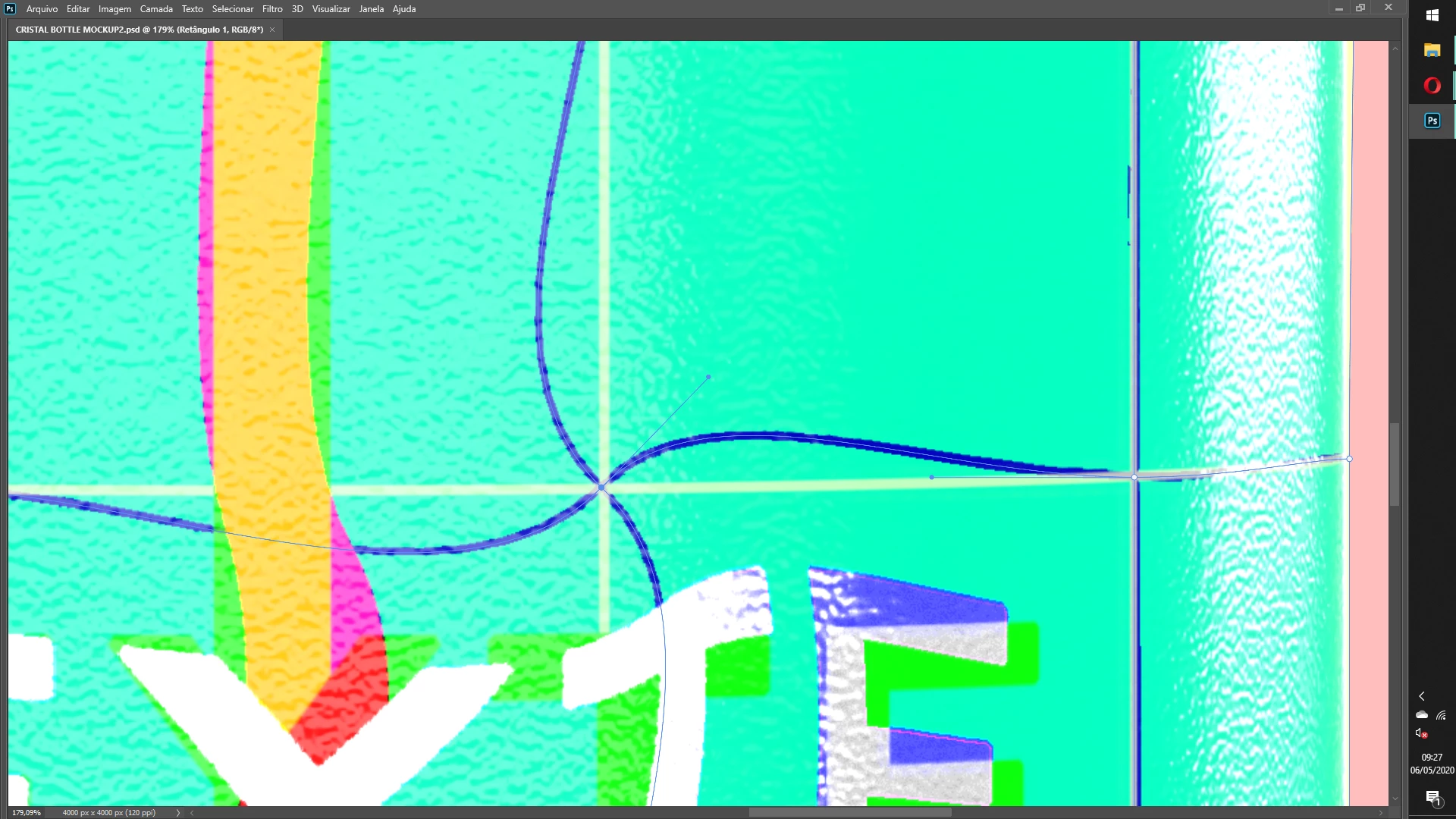
 

See, when i try to move the right randle, automatically all other handles "twist" around it.


Correct answer c.pfaffenbichler

Unfortunately this behaviour (that non-corner points’ handles snap to 90˚ angles when one of them is moved) is just how it is for the moment. 

In my opinion this outweighs the improvements of being able to add grid lines. 


I posted a Feature Request on this a while back, feel free to add your vote if you agree with my point. 

https://feedback.photoshop.com/photoshop_family/topics/photoshop-cc2020-the-handles-of-the-warp-non-corner-points-still-snap-to-90-angles-on-editing


For more meaningful control you could try using Illustrator’s Envelope Distort, but that round-trip is naturally inconvenient. 


2 replies

km71906051
Inspiring
April 15, 2022

I think you mean you want to move the handles independently from one another in warp transform? You can do that by right clicking on the node and selecting "Convert warp anchor point". I actually came here to find out how to do that, but just discovered it while messing around with it. I'm using Photoshop 2022.

nealbridgens
Inspiring
April 15, 2022

Oh good grief, they did an excellent job of hiding that. Still, very helpful. Could have used it a week ago.

That said, even with that it's still a very different behaviour than the same basic thing with illustrator's warp mesh tool. There the control points work in pairs across the control point instead of in quads all four (or as independents when you "Convert warp anchor point").

I find it much more intuitive and much better for warping for things like mapping 2d elements onto 3d objects (like adding a label to a product shot) or straightening out things like photos of books pages. The quad warp just messes things up and creates waves that I don't find useful for much.

c.pfaffenbichler
Community Expert
Community Expert
April 16, 2022

Unfortunately I agree; Photoshop’s recent Warp changes did, in my opinion, miss the point of the Feature Requests … 

c.pfaffenbichler
Community Expert
c.pfaffenbichlerCommunity ExpertCorrect answer
Community Expert
May 6, 2020

Unfortunately this behaviour (that non-corner points’ handles snap to 90˚ angles when one of them is moved) is just how it is for the moment. 

In my opinion this outweighs the improvements of being able to add grid lines. 


I posted a Feature Request on this a while back, feel free to add your vote if you agree with my point. 

https://feedback.photoshop.com/photoshop_family/topics/photoshop-cc2020-the-handles-of-the-warp-non-corner-points-still-snap-to-90-angles-on-editing


For more meaningful control you could try using Illustrator’s Envelope Distort, but that round-trip is naturally inconvenient. 


nealbridgens
Inspiring
July 5, 2020

Thanks for posting this. Terrible behavior. No ability to skew, just make weird wavy warps. 

Back to doing the warp inIllustrator and bringing it back and forth. 

Please fix Adobe!!!


Edit (now I'm not rushing to get a job out):

This feels like so many Adobe odd behaviours where they solve a problem in one product (in this case Ai) and then reinvent the wheel in another. I've been using the warp in illustrator on images since before there were smart objects (it was then the only way to reproduce the same warp on multiple images - I'd use it for product mockups where the artwork was evolving and/or had multiple skus). 
The warp tool in illustrator has been excellent for more than a decade. So when they want to update the photoshop warp tool they made a whole new tool with its own limitations and odd behaviours. This slows down workflows and increases learning curves. 
It feels much to me like the near random changes in constraint behaviour between apps (I've been using InDesign a bit lately after an absence and I feel like every time I want to scale something I am just randomly mashing the keyboard until I get the behaviour I want - and I've used and avocated for InDesign since it was PageMaker). 
Okay, there's my little Adobe vent. No biggie, just wish they would do better. 
Thanks. 
N.