
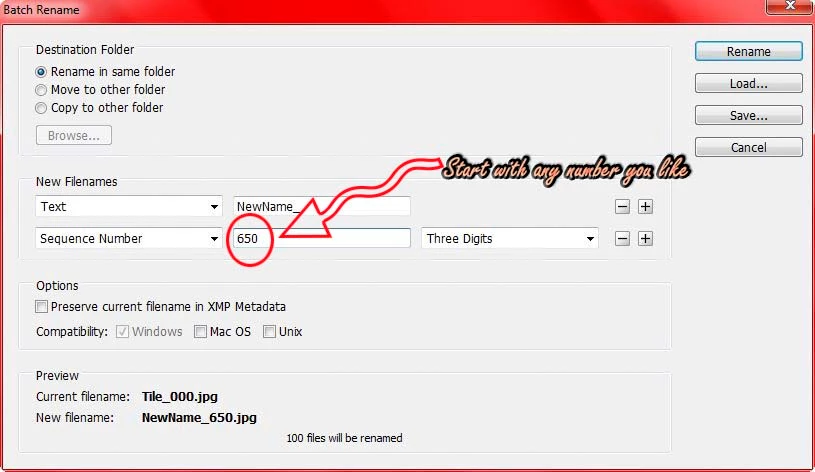
How do I batch renumber files starting with any number?
Hi -
I'm using data variables within Photoshop CS5 (Win7) to duplicate a template with many different sources. With this method each output PSD has a new headline and 3 or 4 new images. It works great exept that after all this scripted magic I have to manually rename the new batch of files. The series of files I'm working on might start with "395.PSD" and go on for, say, 93 files - but Photoshop only outputs starting with "1" or "01". It would be great if I could start with whatever number I need and have PSD just start there and increment by 1 until finished with a batch.
Further more - Even if I start with "39.PSD" - PShop will save out as "391,392,393,394,395,396,397,398,399, (here comes trouble) 3910, 3911, etc.
So what I'm asking is - does anyone know of a way to tell PShop to start numbering with any number I want AND have PShop continue sequentially from that number correctly?
I'm not sure this is a Photoshop function or possibly a Windows explorer script. But I'd like to get some expert input.
TIA your replies.
jl
 AdChoices