


Question
How do i remove this pattern of transparent stripes?
I was doing some work on a couple of photos using the clone stamp tool and as i zoomed out to see the whole photo i noticed that on one of the photos there had appeared what looked like a layer mask in a pattern of short, vertical lines. But its not a layer mask, just holes. On all of the layers.
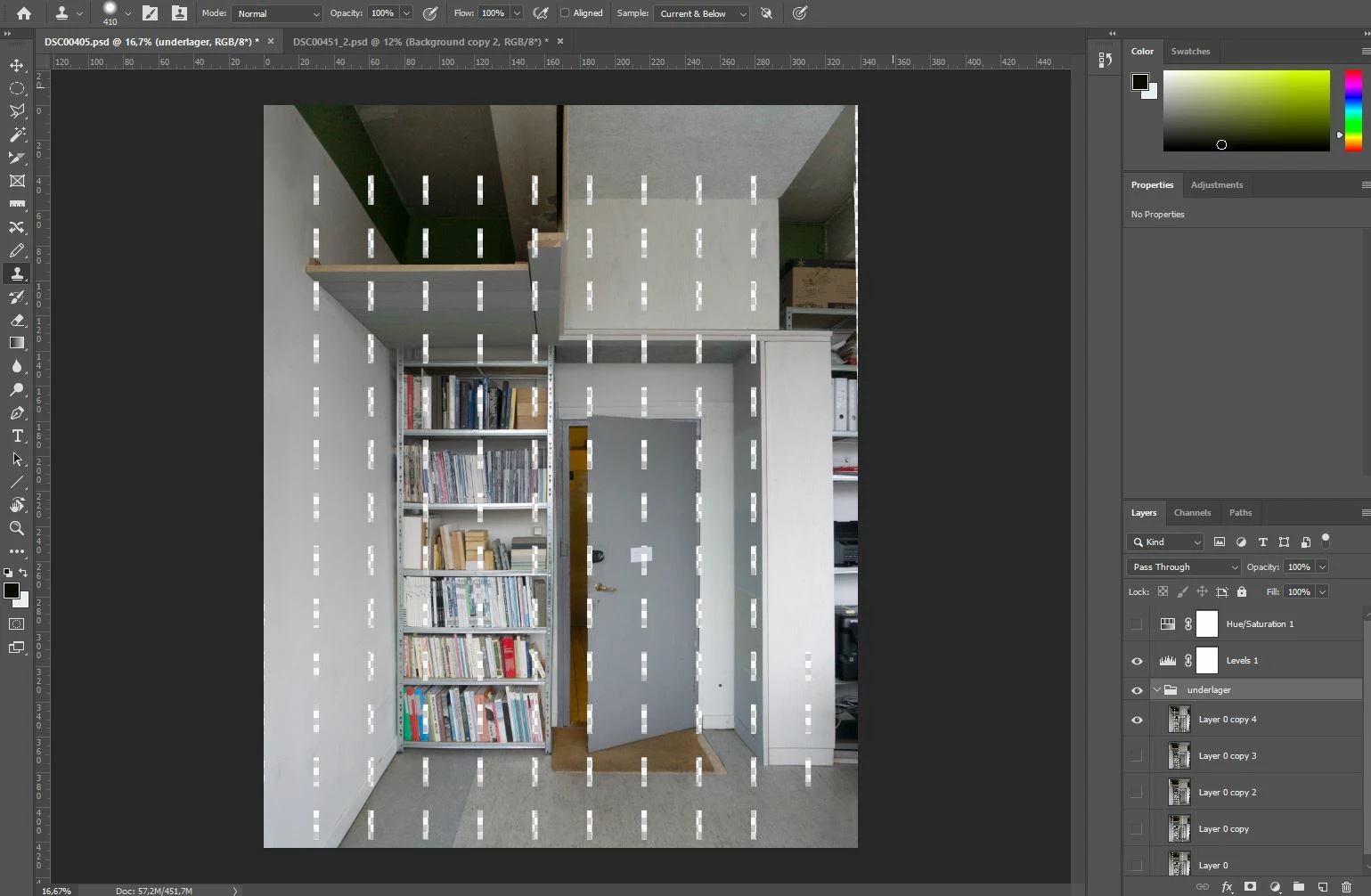
As i couldnt seem to reverse it I decided to save my photos and maybe start over on the one with the issue at a later date. As i saved all my photos i only had this issue with one of the files, but as I opened them up today, all of the files has these strange vertival lines on them.
Can I reverse this effect? Recovering old save files doesnt work, i have tried.
I am out of ideas, so i would love some help.
/Lisa
 AdChoices