
Participant
February 22, 2020
Question

How set frame delay of gif with Photoshop Script

  • February 22, 2020
  • 3 replies
  • 3554 views

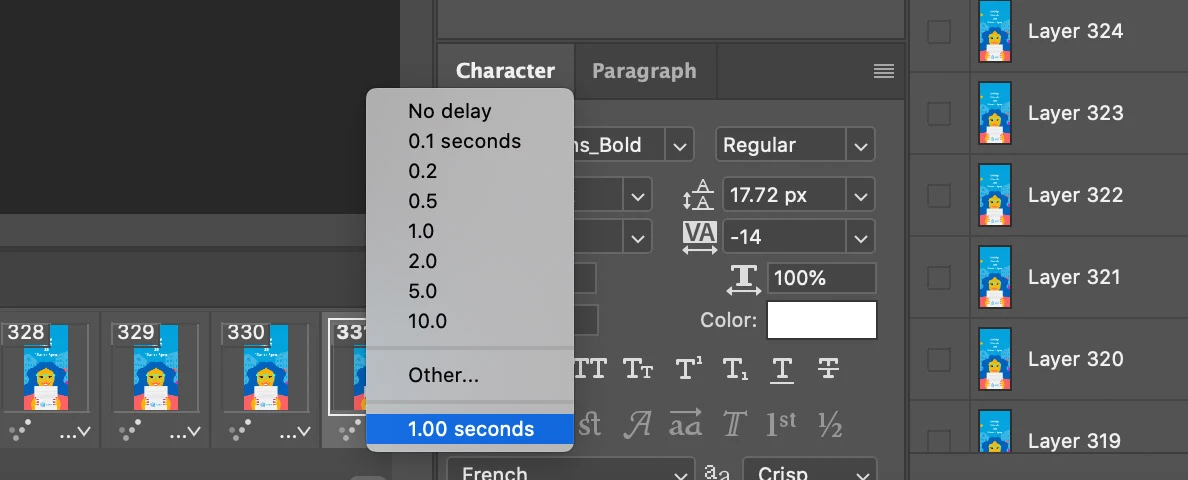
I'm new at this. I'll be glad for any advice. I researched the documentation and also tried to find something useful here but I didn't find anything. I try to write the code which gets the last frame of the gif and sets the delay of this frame. Like on this screenshot in Photoshop. Any ideas? Thanks for attention!

Pseudocode example: 


const allFrames = myGif.getAllFrames

const lastFrame = allFrames[allFrames.length - 1]

lastFrame.setFrameDalay(1)


Something like this...


This topic has been closed for replies.

3 replies

Participating Frequently
December 3, 2022

Hello,


I came by this page, which is a little old. If you have not solved your issue, here is a link to scripting guides for photoshop, you should find guides using different scripting languages.

I hope they are useful.


https://github.com/Adobe-CEP/CEP-Resources/tree/master/Documentation/Product%20specific%20Documentation/Photoshop%20Scripting


Legend
December 3, 2022

They are useless in this case.

This code solves the author's problem, but you will not find information about the animation frame class in the scripting guides.


var s2t = stringIDToTypeID;

(r = new ActionReference()).putEnumerated(s2t("animationFrameClass"), s2t("ordinal"), s2t("last"));
(d = new ActionDescriptor()).putReference(s2t("target"), r);
executeAction(s2t("animationFrameActivate"), d, DialogModes.NO);

(d1 = new ActionDescriptor()).putDouble(s2t("animationFrameDelay"), 1);
d.putObject(s2t("to"), s2t("animationFrameClass"), d1);
executeAction(s2t("set"), d, DialogModes.NO);


Nancy OShea
Community Expert
Community Expert
February 22, 2020

I don't know what code you're talking about. This has nothing to do with code.


  1. From Photoshop CC,  click on the last frame in your timeline, click the downward triangle and select your delay rate from the list. 
  2. File > Export > Save for Web (legacy) > animated GIF.


Nancy O'Shea— Product User & Community Expert
Participant
February 24, 2020

Thank you for your answer! But I try to do the same actions with help Photoshop Script to automate. Probably I am asking in the wrong place about it.

John T Smith
Community Expert
Community Expert
February 22, 2020

Please post the name of the Adobe program you use so a Moderator may move this message to that forum

Participant
February 24, 2020

I use Adobe Photoshop. And I want to automate some work with usage Photoshop Script. Can you give me advice about where I can ask about it? Thanks in advance!