Hello guys,
I am a type designer who tests fonts (typefaces) across all software and platforms.
At Photoshop I am facing a particular difficulty—how to access the subscripts and superscripts already designed within the font.
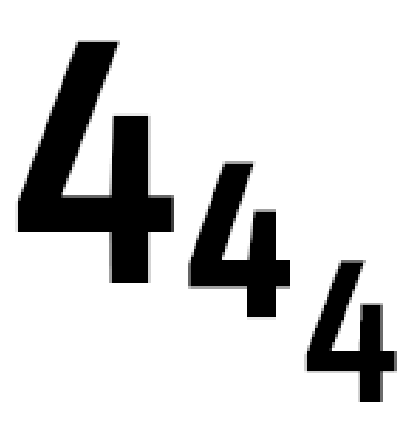
On the left of the screenshot, you can see the default numeral,
in the middle — the designed alternative,
and on the far right, the subscript through the Character OpenType options panel (also through the hamburger menu).
You can clearly see the differences in their vertical position and their weights.
Am I missing something or the function of true superscripts and subscripts is absent from the software?
As a designer of typefaces, I insist on providing good products otherwise the user might have a wrong impression on my products.
If it's missing from the software I would like to have such options to provide flawless OpenType features.
Best,
Nikolay





 2
Replies
2
Replies


 AdChoices