Participant
September 28, 2018
Answered

How to achieve this grainy transparent effect?

  • September 28, 2018
  • 4 replies
  • 1763 views

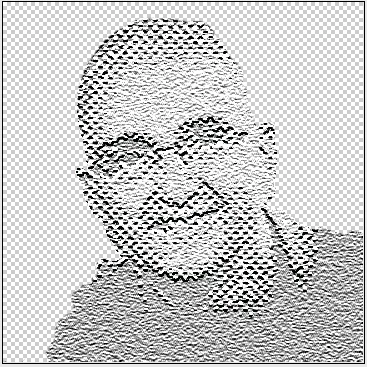
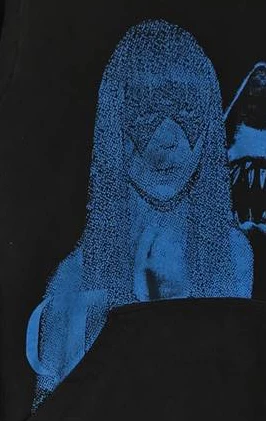
How do I achieve the effect in the picture photoshop?

The black grainy dots are transparent and the black is from the fabric underneath, I don't know exactly how this effect is called so I can't find any tutorials on it or information on how to do it and I would greatly appreciate any help.
This topic has been closed for replies.
Correct answer davescm

Hi

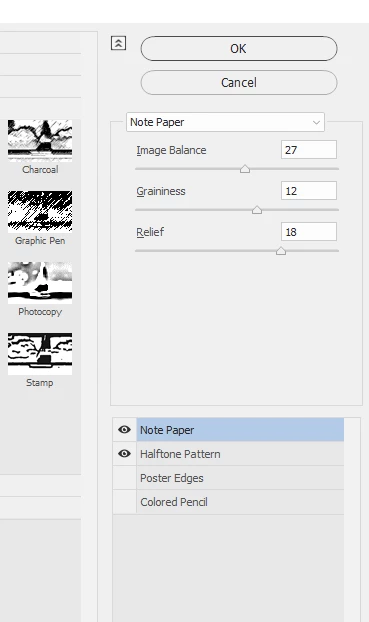
Try in the filter gallery a half tone pattern combined with a note paper effect . Use a smart object so that you can adjust the results again later if required.

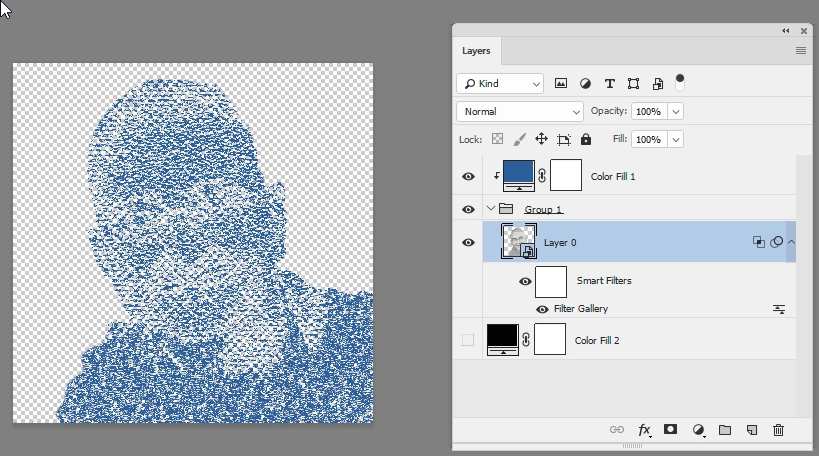
Then add a color fill layer - clipped to the result

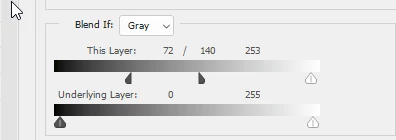
Set Blend if to gives some transparency in the dark areas

Put in a group and add a solid color Fill layer clipped to the group (Alt Click on border in Layers panel)

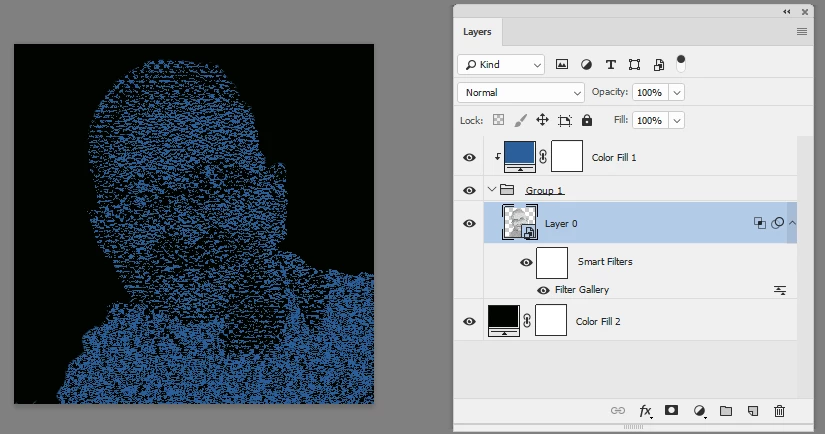
Viewed against black :

Dave

4 replies

davescm
Community Expert
davescmCommunity ExpertCorrect answer
Community Expert
September 28, 2018

Hi

Try in the filter gallery a half tone pattern combined with a note paper effect . Use a smart object so that you can adjust the results again later if required.

Then add a color fill layer - clipped to the result

Set Blend if to gives some transparency in the dark areas

Put in a group and add a solid color Fill layer clipped to the group (Alt Click on border in Layers panel)

Viewed against black :

Dave

c.pfaffenbichler
Community Expert
Community Expert
September 28, 2018

A Layer with monochrome noise set to Blend Mode »Hard Mix« might be employed to achieve some graininess.

lambiloon
Community Expert
Community Expert
September 28, 2018

all depends on printing if print is like plain paint then this work if that is done by sewing then simple also works...Thanks.

Ali Sajjad / Graphic Design Trainer / Freelancer / Adobe Certified Professional
lambiloon
Community Expert
Community Expert
September 28, 2018

Hi this is not a effect this one tone picture rest its printed on shirt by using thread nothing special...Thanks

Ali Sajjad / Graphic Design Trainer / Freelancer / Adobe Certified Professional
Participant
September 28, 2018

What do you mean printed on short using thread?

lambiloon
Community Expert
Community Expert
September 28, 2018

i mean its one sewing machine work in blue thread nothing done with Photoshop except color

Ali Sajjad / Graphic Design Trainer / Freelancer / Adobe Certified Professional
Muqqarib Hassan
Inspiring
September 28, 2018

Hi, Try to use a blending option effects there you can use any effect or create any effect that you want to use.

Simply right click on the object layer and go to Blending option.

September 28, 2018

I'm confused about what all the arrows are pointing to

Muqqarib Hassan
Inspiring
September 28, 2018

Hi, arrows are pointing to give you direction to apply different effects or change their value as your required.