Answered
how to delete duplicate brushes more than one at a time
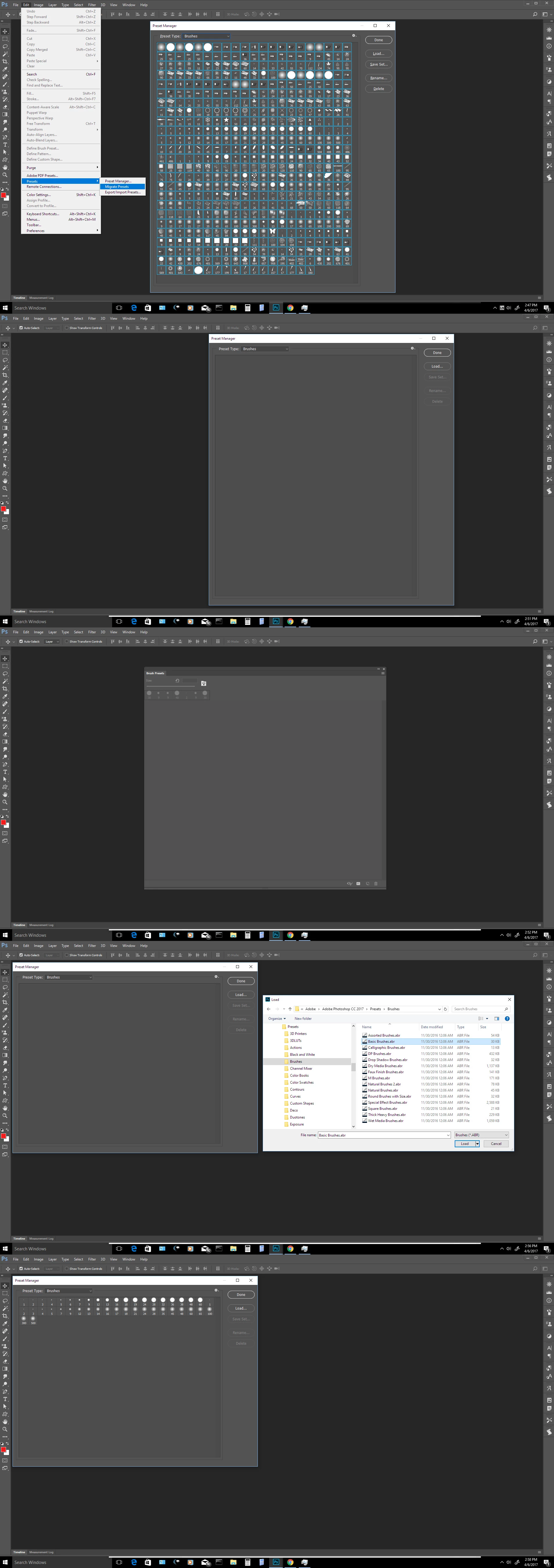
I need to delete masses of brushes that I have duplicated. I only see how to do it one by one. Isn't there a way to do it like a group or more than one at a time?

I need to delete masses of brushes that I have duplicated. I only see how to do it one by one. Isn't there a way to do it like a group or more than one at a time?
Use The Preset Manager highlight the loaded brushes you wish to remove the click delete. You can load Brush ABR set from there too.
Already have an account? Login
Enter your E-mail address. We'll send you an e-mail with instructions to reset your password.
 AdChoices