
Answered
How to deselect selection
I am trying to watch this tutorial video. I selected areas I did not want selected with the elipse tool and now I don't know how to get rid of specific circles. Please help.
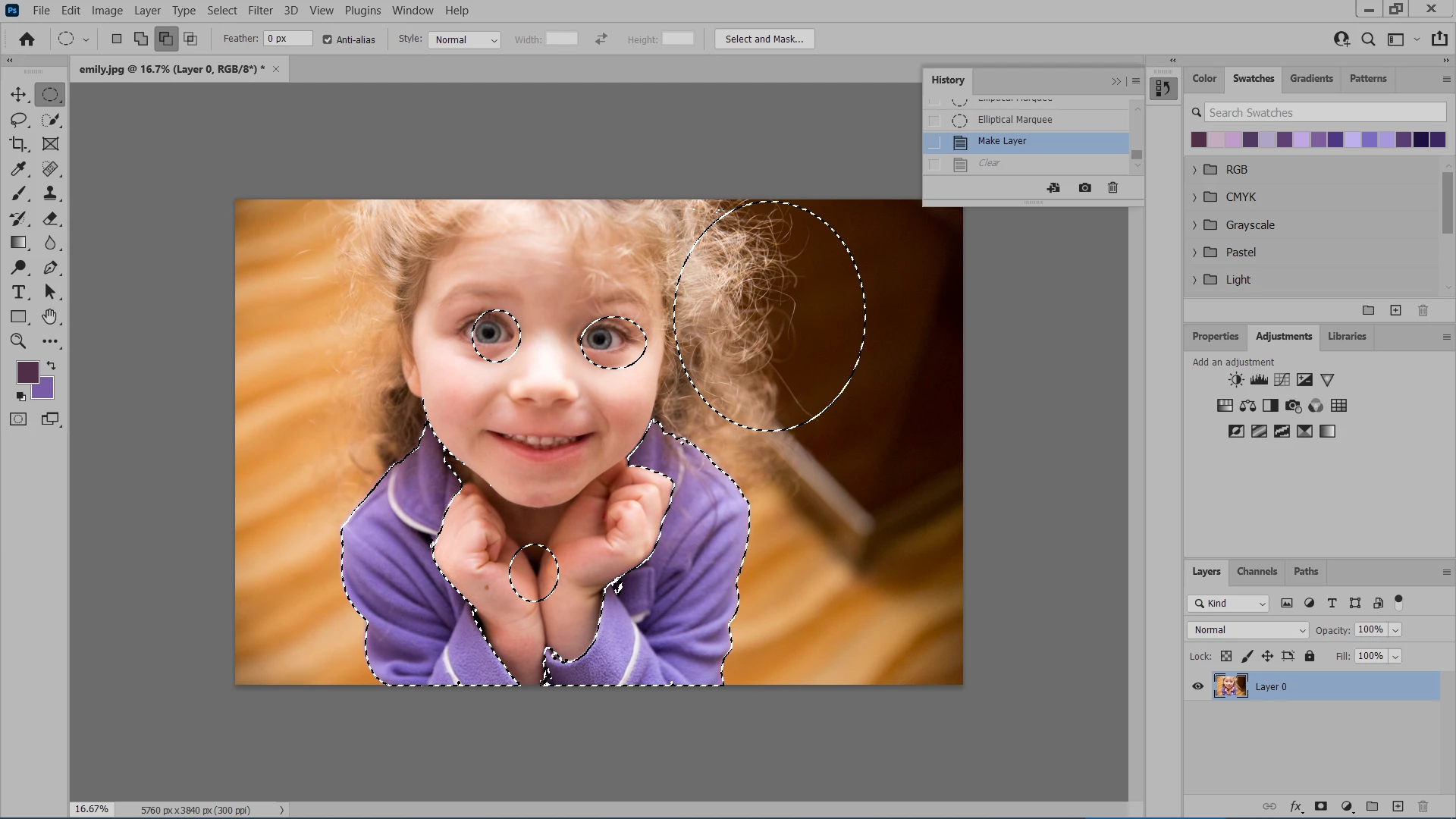

I am trying to watch this tutorial video. I selected areas I did not want selected with the elipse tool and now I don't know how to get rid of specific circles. Please help.
Hold down the ALT/OPT key, then use selection tools to remove from the selection.
(You can continue to use the marquee selection (rectangle or circles), or lasso tools in the same way)
Already have an account? Login
Enter your E-mail address. We'll send you an e-mail with instructions to reset your password.
 AdChoices